

Post Comments (disable settings)
I know individual posts allow to "disable comments", but how about for the entire site?
Is there a setting in dashboard to disable global commenting on all community posts? Or per individual Space?
Thanks
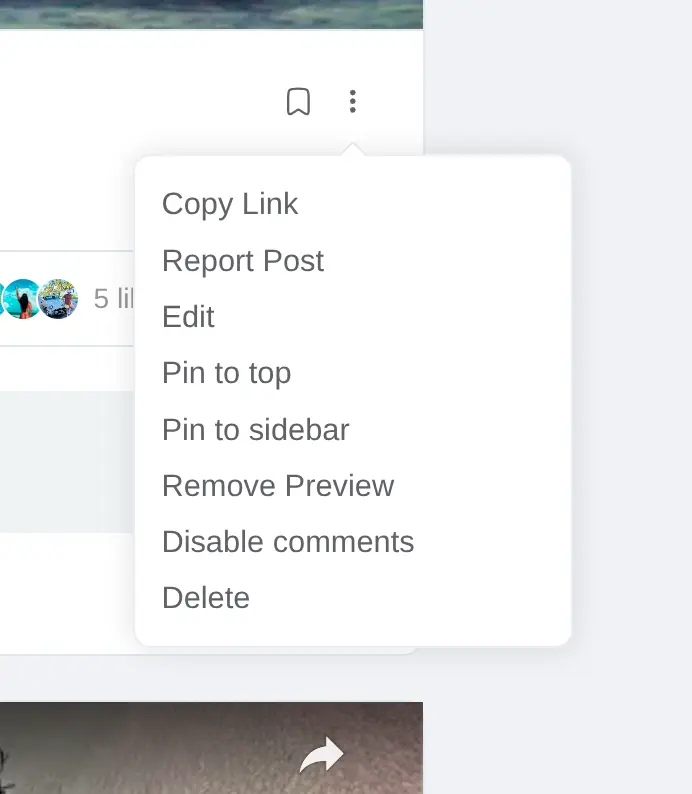


You can do it on a space, and so technically you could do it for all spaces. That however seems a bit useless for a community.


If that is the case, then why have a forum?Wouldn't a blog be a better fit?
David Scurlock I have a scenario to explain why we want an option to disable global comments on all posts, or/and at least an option to disable post commenting for an individual Space.
Scenario
Niche community site type: Cryptos, Blockchain Tech
Problem: one of the Spaces called "Bitcoin News", and all members of this specific Space can post and its moderated by mods for approving posts. The problem is all the post comments are automatically published. So many of the comments are spammers, pitching cryptos, etc. Sometimes the members get sneaky and create fake conversation threads via post comments/replies about dubious investments.. making recommendations, and placing call-to-action for clicking a link (clickbait) or DM for info, etc
Solution: to be able to disable all post commenting for that specific Space
Insta Net i understand. I did not realize that FC was so spammer friendly.
What I am seeking is already baked into Wordpress core. Im still researching and seeking to utilize whats already in wordpress software..
The WordPress core Discussion Settings allow administrators to control how users interact with their site through comments, pingbacks, trackbacks, and avatars. These settings are accessed via the WordPress Dashboard under Settings > Discussion. https://wordpress.com/support/discussion-settings/
So I'm curious how to enable this in FluentCommunity? How can this be extended to work and have the option to disable comments globally, or for specific individual spaces..
I even think the moderation option would be useful (filter spam words, profanity, eggplant emojis, etc)
Shahjahan Jewel Ross FCA any feedback please. Thanks

Insta Net ✅ I'm going to start working on something similar to this soon, so I'll look at adding this as well.
Jeff Brigman thanks for followup and keep us posted. Cheers 🙂