


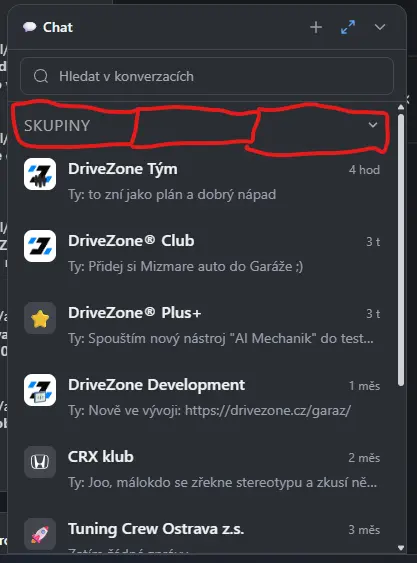
PLEASE! Make 3 chats in TABS instead of showing them one under another. I am member of like 30 groups and I must always scroll down on personal messages. Not much work needed to make it more user friendly.
- PERSONAL
- SPACE
- GROUP
These 3 tabs.
EDIT: Also "Edit message" feature would be nice.

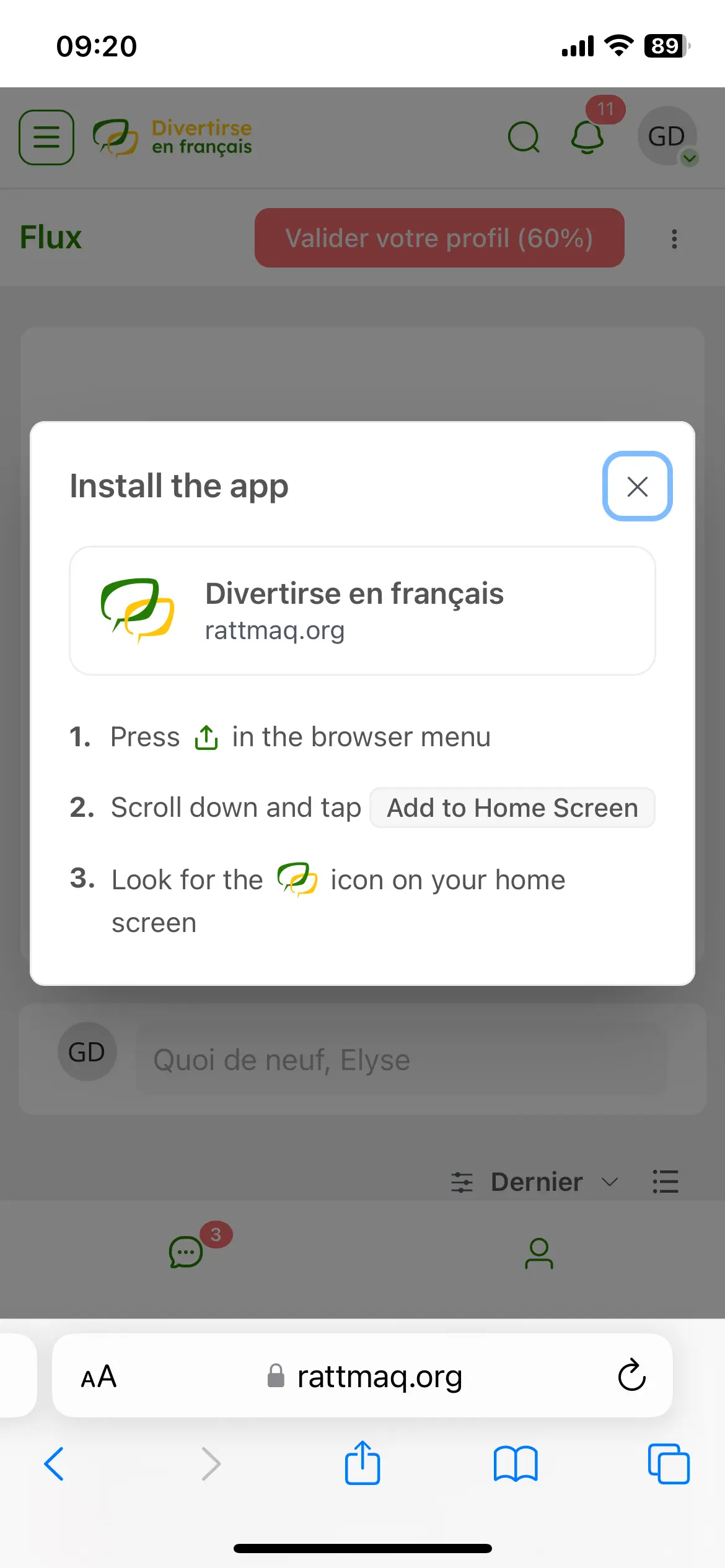
I use the .pot file to create the fr_FR.po, but there are strings missing. For example, The push notifications options are in english, and the instructions for installing the app on mobile also.

Hey guys,
This Monday, I got the chance to gather with Shahjahan Jewel for an interview!
For people that asked questions on my previous post, the answers are towards the end of the video! 😃
Shahjahan Jewel Thank you so much for your time, it was great fun and I'm looking forward to our next video together!
In my opinion everything that goes as notification bell should go as push version aswell. I miss notifications for:
- New message in chat
- New post from member I follow
- New post in space I am member of
- Reaction (LIKE) on my post / comment
- Digest weekly mail can be also handled by push
- Global notification when you are creating post and check checkbox to send it via email to every space member

Thank you for the new version, however there are a few issues I have seen.
I have checked the FluentCommunity 2.9.0, PWA app version on an iPhone iOS, and also in desktop browser in mobile width.
In the PWA app version on an iPhone iOS, after scrolling down a Course Lesson page, the Lesson page cannot be scrolled back up, because in a Lesson page a swipe down anywhere on the page, triggers the app to refresh.
When a FluentPlayer element is in a Lesson page it is making the page wider than it should be, causing horizontal scrolling. This is happening in the PWA app version on an iPhone iOS and also in a desktop browser in mobile width view. This is most apparent with a video that has chapters Inline Scroll activated. This type of FluentPlayer is stuck at around 720px in width and does not go narrower.
On a Lesson page the FluentCommunity integrated Documents & Files:
1, In the PWA app version on an iPhone iOS, a document or a file like a PDF can open, however when it does open it takes up the full screen and it is not clear how to go back, a user needs to know they have to swipe right to go back.
2, If the download arrow is selected, a blank white screen appears and nothing happens. Here there is at least a X in the top left corner to go back to the lesson page. This also happened in the 2.8.0 version.
3, When a download link is added in a Lesson page, to download a media file like an audio file, this can be slow to open, and sometimes doesn't, and there is no indication something is taking time to open. When the audio file link opens, again there is no obvious way back, swiping right does not work, and there is no way to go back. The app needs to be closed and reopened.
When a download link is added in a Lesson page, to download a file like a PDF, the PDF opens and is visible to view, however there is no way to download it, which is what the link is specifically for.
Regarding closing and reopening the app, is there a way the app can remember where in the community the user was last and open that, instead of always opening up at the Feed? This is especially important is a user was in a lesson in a course, or even in a specific space.
From within the PWA app version on an iPhone iOS, if there is a link to a webpage outside of the community, this webpage appears full screen and there is no obvious way back to the community pages. A user needs to know they have to swipe right to do this, and depending on how many of the website pages are explored, each one needs to be swiped right to get back to the community. The external webpage has no refresh option, swiping down at the top of a page does not refresh it here. There were some advantages to how this was handled before, as it was clearer that an external webpage had been opened, and it was very easy to close it with the X to go back to the community, or use an arrow to navigate back.
It looks like this, and the other download link issues are happening due to the new "pages stay inside the app" approach. From memory, the way the 2.8.0 version opened downloads and non community webpages, had functionality that is actually necessary for these things to work.
Thank you.
Stefan

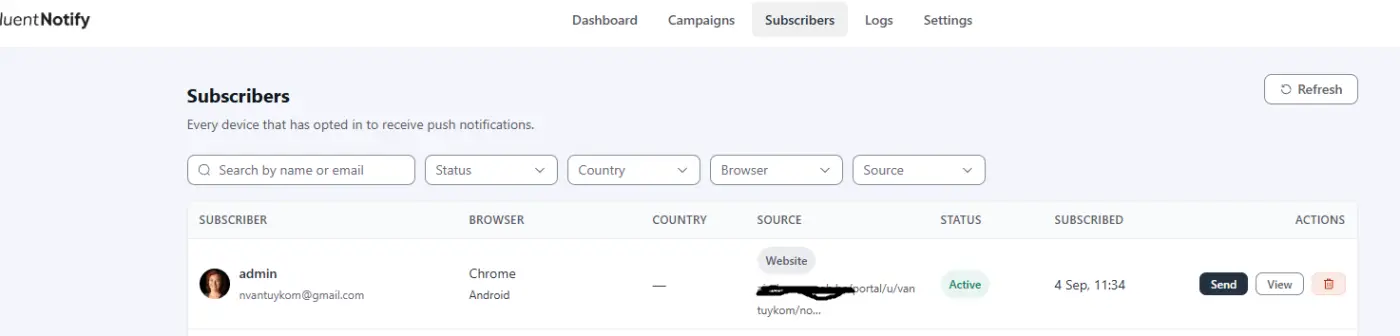
I was just playing with FluentNotify, and discovered that I can create a personal push notification from subscribers - send, this is awesome!
Can this please be added to the FluentCRM contact?

Is there a way, such as a code snippet or hook, to automatically change a post’s slug when creating a post—for example, to use a numeric ID instead of a string? The automatically generated slug is currently unsuitable for non-English languages.
Background for dark mode status bar on android / chrome is not working. Same problem is here on FC site.

When creating a post in FluentCommunity, required-field validation could be made much more user-friendly.
Current Behaviour
If a user tries to publish a post without completing a required field—for example:
- Post title/heading
- Post content/message
- Required tag
FluentCommunity currently displays an error notification/toast in the bottom-right corner of the screen.
The problem is that this notification tells the user there is an error, but it does not clearly show which field needs attention.
Requested Behaviour
Instead of relying only on the bottom-right error notification, please add inline validation directly to the affected field.
For example, if the user forgets to select a required tag:
**Tag ***
Please select a tag.
The Tag field should also receive a visible error state, such as a red border or other appropriate validation styling.
The same behaviour should apply to all required fields.
Recommended UX
When the user clicks Publish/Post:
- Validate all required fields.
- Highlight each missing or invalid field.
- Display a short validation message directly underneath or beside that field.
- Automatically focus or scroll to the first field containing an error.
- Keep the existing toast notification if desired, but use it only as a secondary notification rather than the primary way of communicating validation errors.

Writing this one as a community operator rather than as a translator. We run a
German-speaking community on FluentCommunity with a few hundred members, and
this is the single setting our members ask for most often.
Everything below is measured against 2.9.1 on a live install, not inferred
from the docs.
What members see today
Under Notification Settings, the per-space table is exactly right in shape:
New Posts Notifications
Subscribe to new posts notifications by space.| Space | Email Disabled | Notify only for Admin Posts | Notify for all posts |
Three choices per space, stored as np_by_member_mail_<id> and
np_by_admin_mail_<id>. Clear, and members understand it immediately.
What it does not cover
When an admin ticks Email everyone while posting, that email reaches every
member of the space regardless of what they chose in this table. Someone who
set Email Disabled for a space still gets it.
That is not a bug in the table – the announcement path simply never reads those
keys. emailNotifyUsersForEveryoneTag() in
app/Hooks/Handlers/EmailNotificationHandler.php builds its own recipient
query, and the only preference it honours is the mention key:
->where('event_key', 'mention')So the one way a member can currently escape announcement emails is to switch
off Someone mentions me – and lose every mention notification along with it.
The global switch has the same problem from the admin side:
public static function hasEmailAnnouncementEnabled()
{
    $settings = self::getEmailNotificationSettings();
    return Arr::get($settings, 'mention_mail', 'no') === 'yes';
}Utility.php:502. Turning announcements off site-wide means turning mention
emails off site-wide. The two are not related features, and tying them together
means neither can be configured on its own.
For us this is not theoretical. Members who like the community but not the
volume of announcement mail have no option except unsubscribing from mentions,
which is the notification they actually want.
And the table currently tells them something that is not true. A member
with no stored row for a space sees Email Disabled selected – that is what
getNotificationPreferance() returns for an empty preference – and then
receives announcement emails from that very space. The radio button is not
just missing an option; the one it shows is wrong.
Suggestion A: a fourth choice in the same row
The table already has the right shape, and the two storage keys already exist
separately. One more option turns the row into a proper scale:
| Space | Email Disabled | Notify only for announcements | Notify only for Admin Posts | Notify for all posts |
Reading left to right: nothing → only what the admin explicitly sends to
everyone → also ordinary admin posts → everything. The new value would sit
alongside all_member_posts and admin_only_posts in
ProfileController::getNotificationPreferance() and
saveNotificationPreferance(), say as announcements_only, plus one new
string:
'Notify only for announcements' => __('Notify only for announcements', 'fluent-community'),And emailNotifyUsersForEveryoneTag() would read that per-space value instead
of the mention key.
This is the version we would prefer, because it puts the setting where members
already look for it, and because it is the same table, not a second place to
configure notifications.
And it should be the new default
Not as a change of behaviour – as a name for the behaviour you already have.
A member with no stored row for a space receives no email about ordinary
posts: notifyOnPostCreated() only queries members who have a row with
value = 1 for that space, so no row means no mail. The same member receives
every announcement, because that path ignores those rows entirely. In
other words, the state announcements only is what almost everybody is in
right now. It simply has no name and no radio button.
On our installation, measured today: 233 members, 26 of them with any
per-space preference at all. For the other 207 – 89 percent – selecting
announcements_only as the default would describe exactly what they already
experience, and change nothing about what lands in their inbox.
That makes the migration free: no data to convert, no behaviour to
communicate, no surprise for anyone on upgrade. What changes is that the
table starts telling the truth, and that a member who wants out can finally
click Email Disabled and have it mean what it says.
Suggestion B: if that is not wanted, three hooks
We built our own plugin for this, and it works, but every one of its three
moving parts exists only because there is no hook at the right spot. Each of the
following is a one-line addition.
1. A filter on the announcement recipients. This is the important one.
// EmailNotificationHandler::emailNotifyUsersForEveryoneTag(), before the send loop
$users = apply_filters('fluent_community/announcement_email_recipients', $users, $feed);
Today the only filter in that method is
fluent_community/new_feed_everybody_notification/email_sections, which shapes
the body of a mail that has already been decided on. To suppress a single
recipient we have to hook pre_wp_mail and match on the address – which works,
but means reimplementing a decision the loop has already made, and it breaks the
moment the mail is sent through anything but wp_mail.
2. A hook when preferences are saved. saveNotificationPreferance()
currently has neither filter nor action, and NotificationPref::updateUserPrefs()
silently drops any key it does not recognise (resolveCell() returns null,
the loop does continue). So an extra preference cannot travel through the
existing form at all:
do_action('fluent_community/notification_prefs_saved', $xProfile->user_id, $request->all());3. The per-space column list in the API response. The three radio columns
are hardcoded in the Vue app, so even though
fluent_community/profile_notification_pref_api_response lets us add data to
the payload, there is no way to render a fourth column. Shipping the options as
part of the response – and filtering them – would make the table extensible
without touching the frontend:
$data['space_pref_options'] = apply_filters('fluent_community/space_pref_options', [
    ['value' => '',                 'label' => __('Email Disabled', 'fluent-community')],
    ['value' => 'admin_only_posts', 'label' => __('Notify only for Admin Posts', 'fluent-community')],
    ['value' => 'all_member_posts', 'label' => __('Notify for all posts', 'fluent-community')],
]);
With just number 1 we could drop the pre_wp_mail workaround. With all three we
could offer the setting inside your table instead of on a separate page, which
is where members expect it.
One more thing, independent of the above
Even if neither suggestion lands: please decouple
hasEmailAnnouncementEnabled() from mention_mail. An admin who wants to stop
announcement emails site-wide should not have to stop mention emails as well.
A separate setting key, defaulting to the current value so nothing changes on
upgrade, would fix that on its own.
Happy to send a PR for any of this.