


The future belongs to those who stop chasing attention and start building assets they own.
Build your hub. Build your community. Build your digital future.


Hi WPManageNinja team! 👋
First of all, thank you for maintaining FluentSMTP and keeping it free and open source for the WordPress community. It's an awesome project that powers email delivery for hundreds of thousands of WordPress sites.
I'm happy to share that I recently opened two pull requests for FluentSMTP:
PRs:
- https://github.com/WPManageNinja/fluent-smtp/pull/409
- https://github.com/WPManageNinja/fluent-smtp/pull/410
Shahjahan Jewel whenever you have a chance, I'd really appreciate your review. Thanks! 🙌

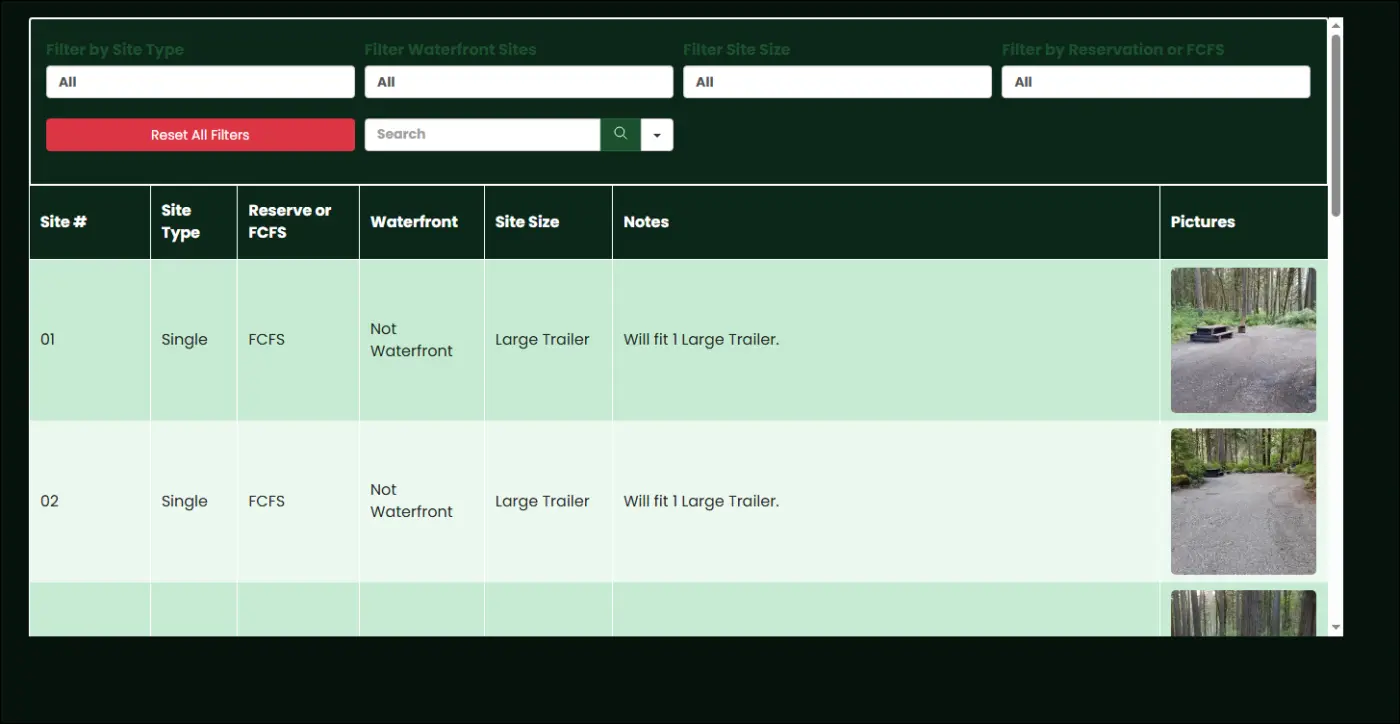
Yesterday I got notice of a vulnerability in Ninja Table so I updated, but it broke my table. Is anyone else having this issue? Using free v 5.2.12 Pro v 5.2.11
Previously the table displayed 10 rows and pagination with out having to scroll.
Also wondering if there is a dedicated space for Ninja Tables

Using the tosend service, I received an email telling me that 8% of the emails sent are bounced, in other words, that they cannot be received.
I have tested various solutions to block this kind of sending with, for example ZeroBound, but nothing does, this kind of emails continue to be sent.
It's quite painful to see that this happens with the registration form, with Turnstile more activated and functional.
Would it be possible to ensure that ToSend and Fluent auth & security work hand in hand and that in the event of an email known for spam, bounced or disposale mail, it is not sent?
This would be a big plus for everyone and above all would make it possible not to have to resort to other plugins to try to parry this kind of situation.

Hey everyone,
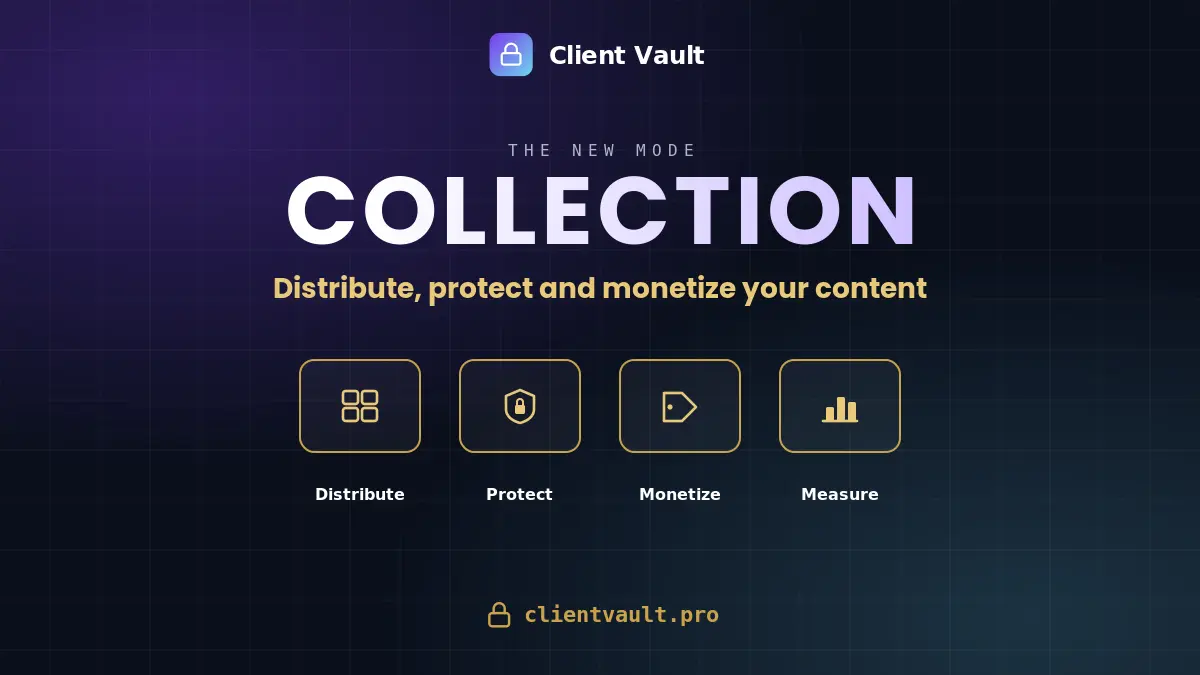
This is a big one for Client Vault. New special journey after 1:1 and Groupe (Challenge). You can now publish your videos, audio, PDFs, images and links as a Collection: a catalog your clients browse at their own pace. Not a rigid course - a library they explore.
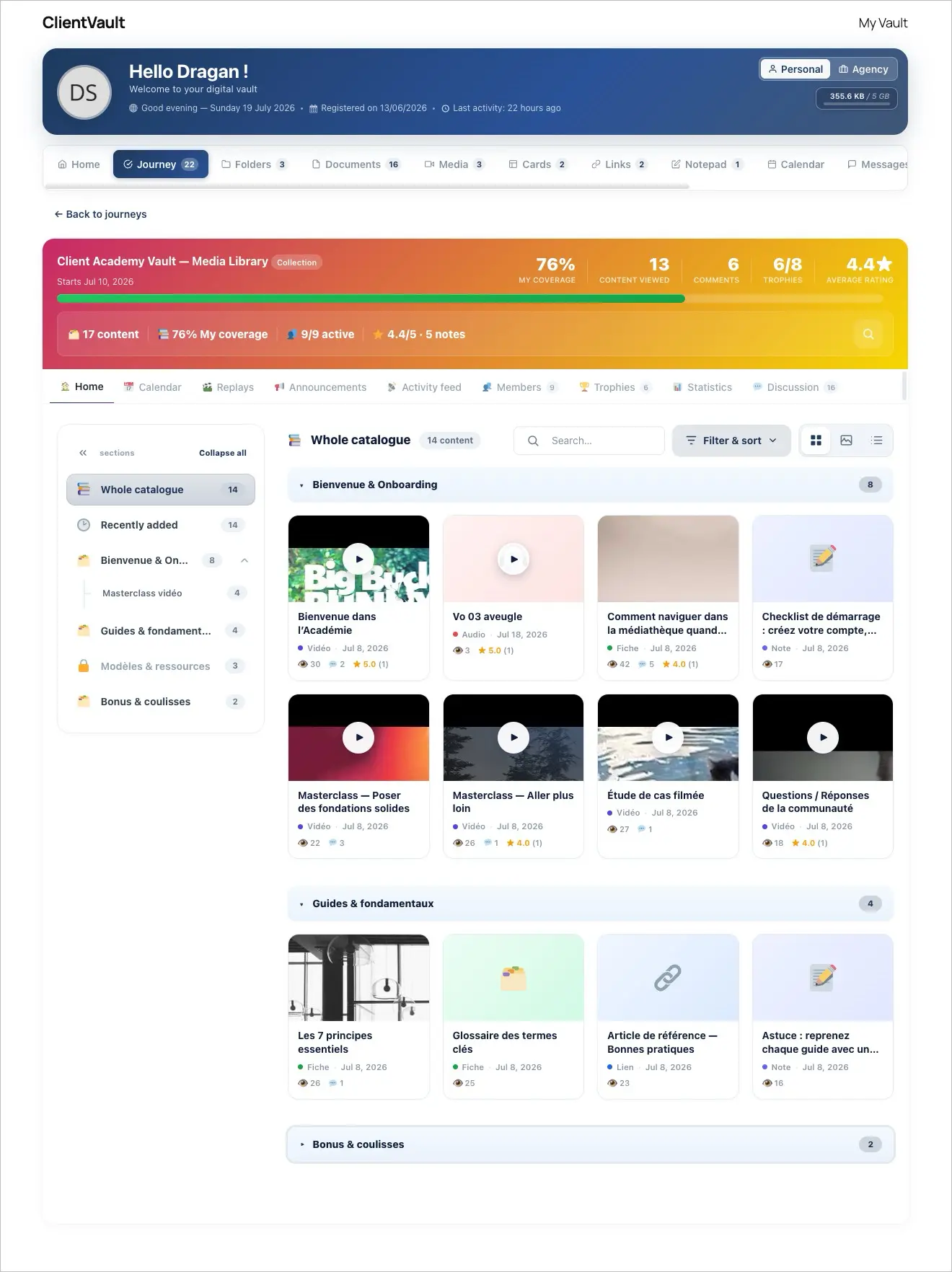
Here's what it does:
Organize & discover — Structure everything into sections and subsections with custom icons, and let people switch between List, Grid, or an immersive Gallery view. Search, filter by content type or tag, sort by rating.
Protect every file natively — Content is encrypted on your own server and delivered through signed streams, re-verified on every request. No downloads, no PDF toolbar, no image swiping, no cross-site playback. Switch on viewer watermarking and each screen carries the logged-in member's name, email and a traceable ID.
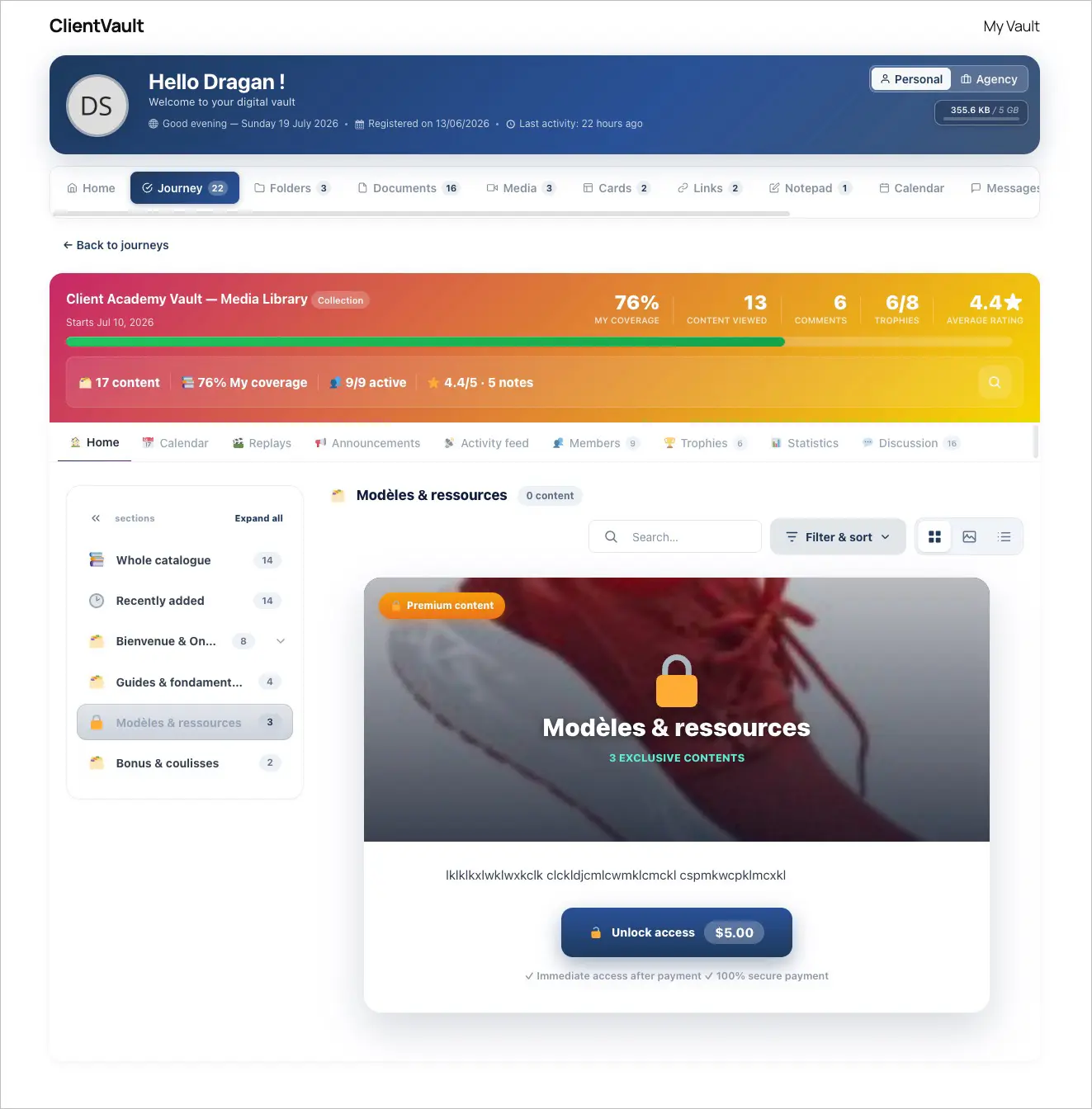
Monetize section by section — Lock any section behind a FluentCart purchase. Locked sections show a sales pitch with a built-in buy button, buyers get participant access to exactly what they paid for, and FluentCRM automations fire automatically on purchase.
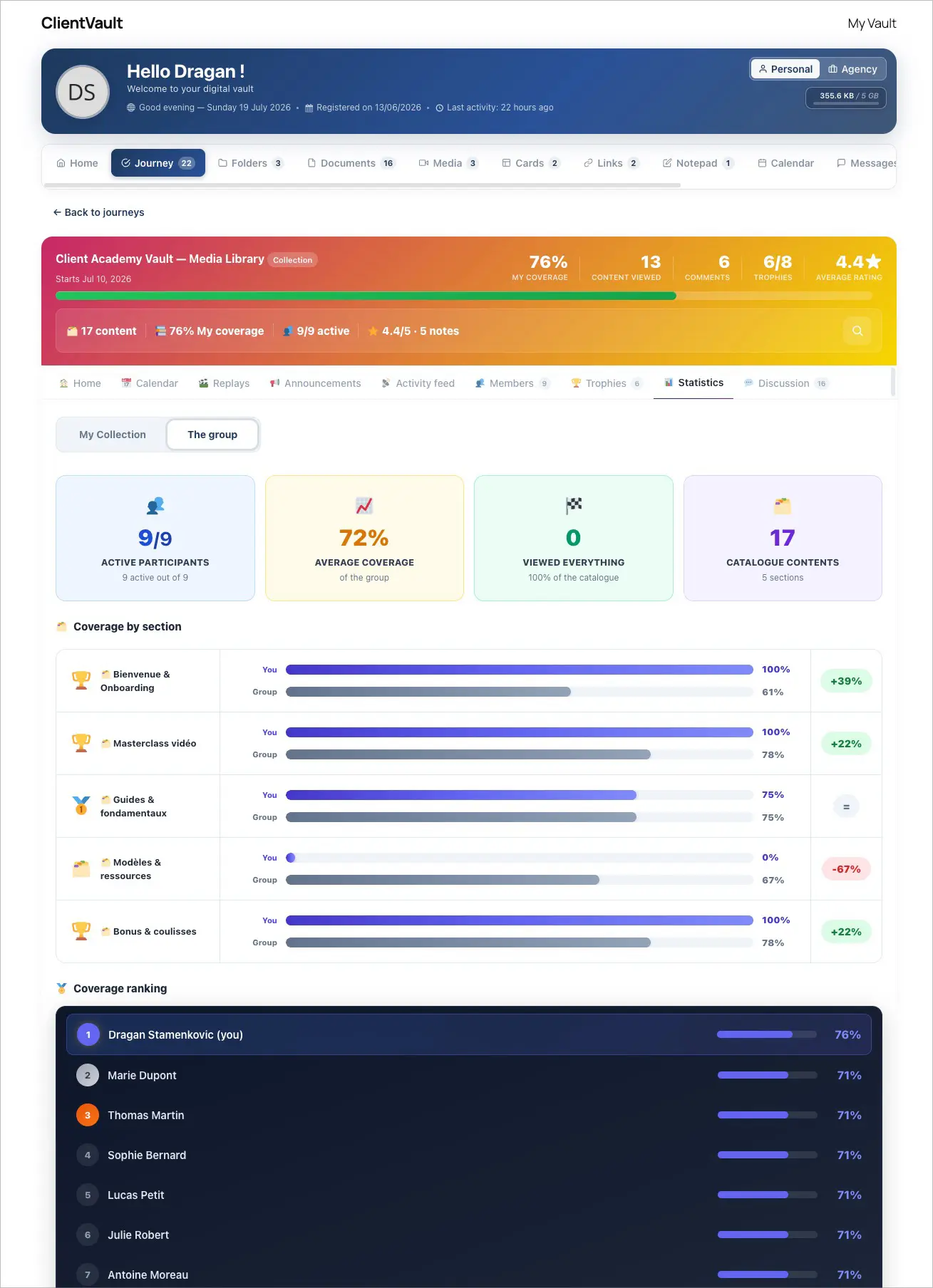
Measure coverage, not progress — Instead of a completion bar, you see how much of your catalog each participant has actually viewed, plus rating distributions, most-viewed items and per-person records. Adaptive trophies reward 25 / 50 / 75 / 100% coverage — quietly, without spamming notifications.
Keep the conversation going — A discussion thread sits under every item. Members reply with text, video, audio or a screenshot, at three visibility levels: public, advisor-only, or anonymous.
10 new Fluent Community widgets, built for Collections — Your Collection also comes to life right inside your Fluent Community sidebar. Ten new widgets your members see every time they log in — no page to open:
- 🆕 What's new in the catalog - the latest items you've added
- 📊 My catalog progress - a gauge of how much each member has covered
- 📚 Coverage by section - a breakdown, section by section
- 📈 My activity (8 weeks) - a rolling view of each member's engagement
- ▶️ Resume watching - pick up exactly where they left off
- 🎯 Next to discover - a smart nudge toward the next item
- 🔥 Popular content - what everyone's watching most
- 🍩 Breakdown by type - videos vs audio vs PDFs, at a glance
- 🏅 My Collection trophies - the adaptive rewards, front and center
- 📥 To catch up - the items they still haven't opened
Each widget is optional, reorderable, and only shows when the space is mapped to a Collection.
And as always: it all lives on your own WordPress. Your content, your data, your domain — no third-party video platform, no external hosting, nothing leaving your walls.
Want the full walkthrough, with every setting and screenshot?
→ Read the full article : https://clientvault.pro/en/collection-mode-distribute-protect-and-monetize-your-content-with-your-secure-vault/
Just a few more days to take advantage of the launch offer
→ Pay once. For life. Up to 4× more sites : https://clientvault.pro/pricing
See you

In order to make sharing the full details of an error log entry much quicker and easier, a share option would be very nice. Then you could simply share a link to the error. Perhaps some details would have to be anonymized in this shared state though.
This way you'd no longer have to copy/paste a bunch of details into support tickets and the support agent gets the complete context and full details of the error.
I was checking out the WPManageNinja YouTube channel and was genuinely amazed by the growth. Going from around 10,000 subscribers to more than 201,000 subscribers in less than 2 months is an incredible achievement.
What makes it even more impressive is that the channel is packed with valuable educational content that helps WordPress users solve real problems, learn new skills, and get more out of the Fluent ecosystem.
As someone who uses Fluent products, I've personally benefited from the tutorials, updates, and educational content you've shared along the way.
This milestone is a testament to the hard work, consistency, and value the entire team continues to provide to the WordPress community.
Congratulations to everyone involved, and here's to even greater success ahead! 👏
I'd love to hear from the team: What do you think was the biggest factor behind this explosive growth?

Hi everyone,
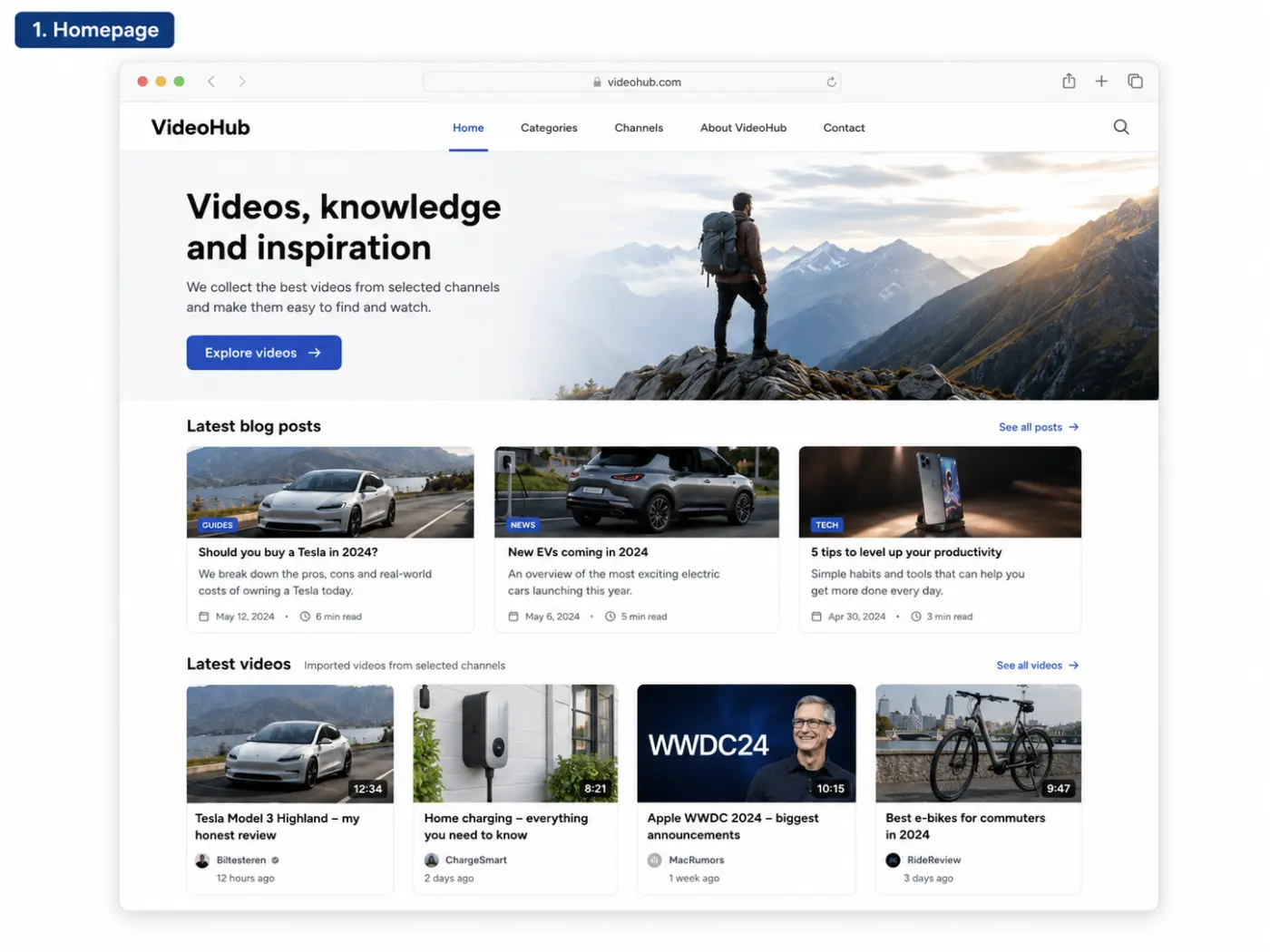
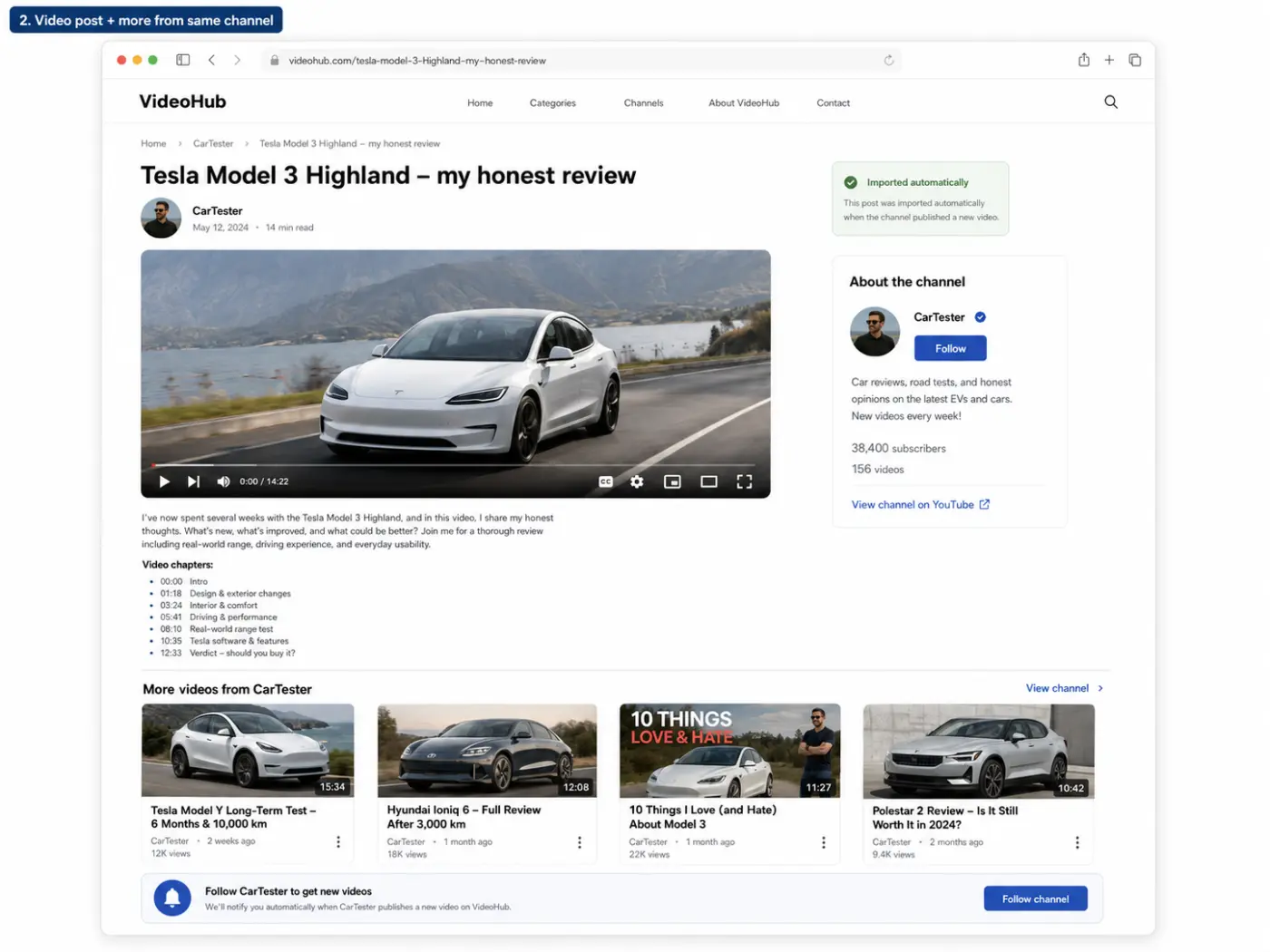
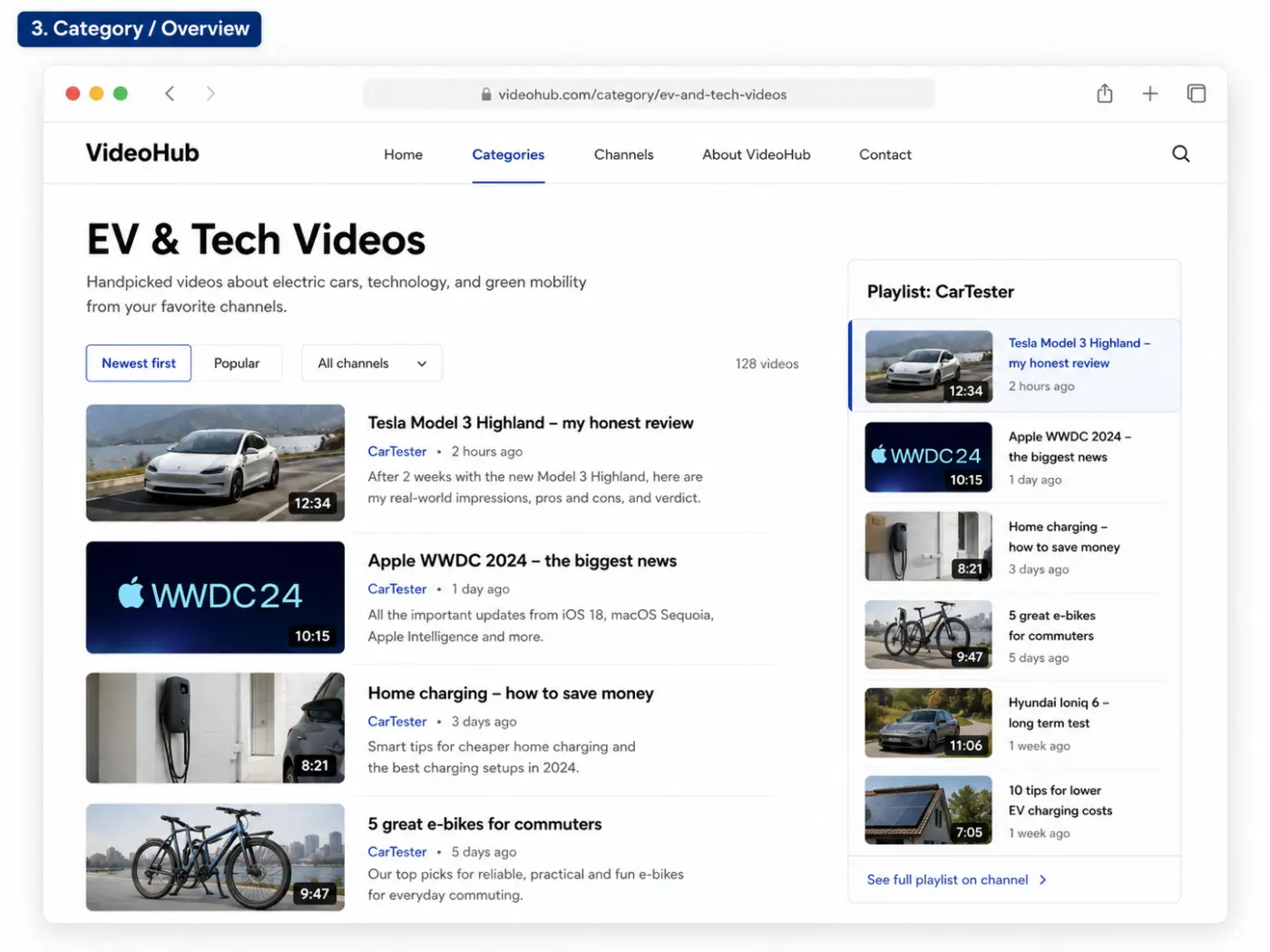
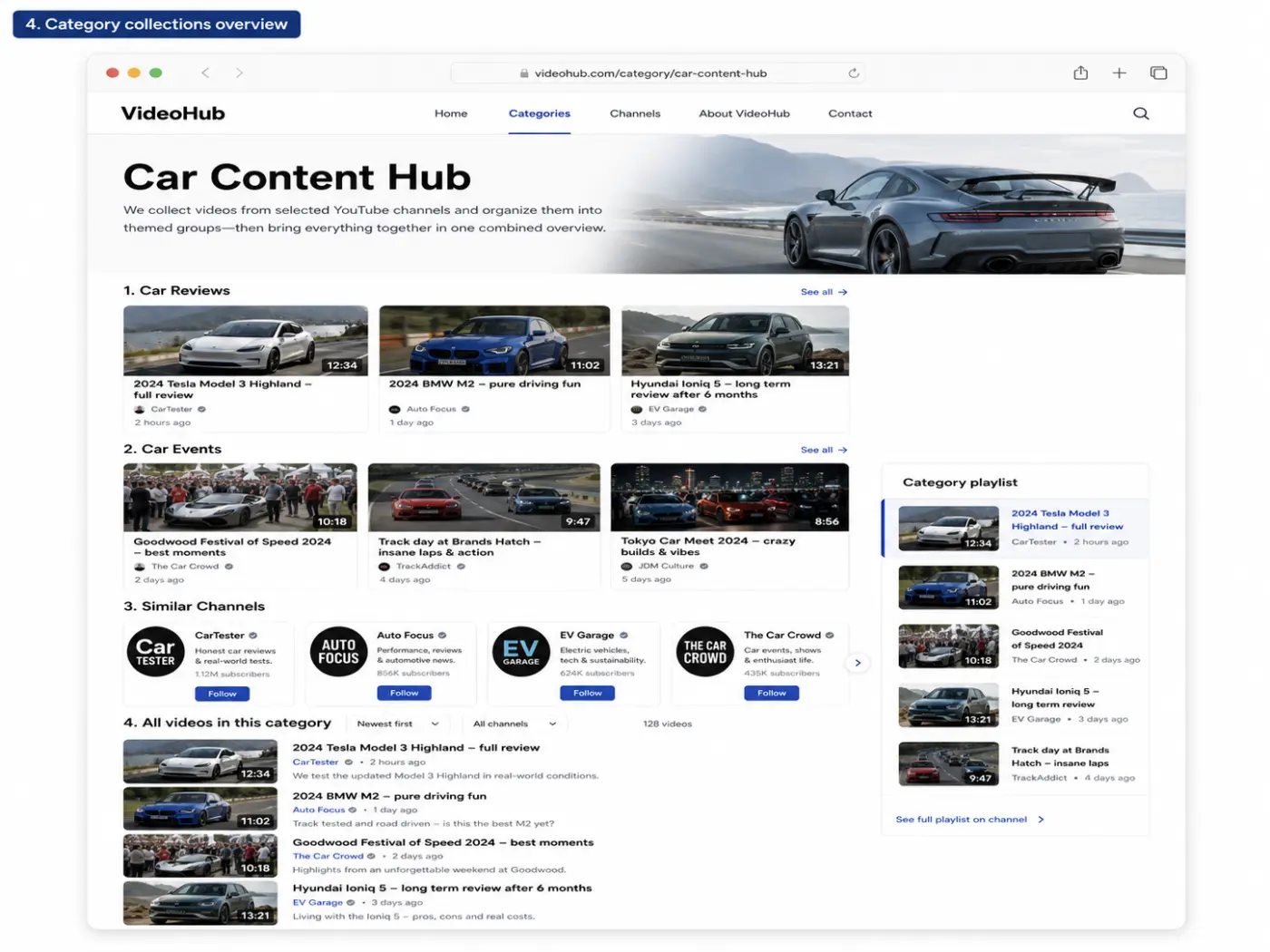
I’m looking for a WordPress plugin/tool that can automatically import videos from selected YouTube channels and publish each video as its own WordPress post or custom post type.
I’m not looking for a normal YouTube feed/embed plugin.
What I need is something that can:
- Monitor selected YouTube channels or playlists
- Import each new video as an individual WordPress post/CPT
- Use the YouTube title as the post title
- Use the YouTube description as post content or excerpt
- Set the YouTube thumbnail as the featured image
- Save the YouTube video ID/URL as a custom field
- Assign categories/taxonomies based on the source channel
- Prevent duplicate imports
- Ideally support custom post types, custom fields and taxonomies
- Let me build my own frontend layout with my theme/page builder
The goal is to build a structured video blog/video hub — not just display an external YouTube feed.
I’ve already looked at plugins like Youtubomatic, Video Blogster Pro and VideoHub/WPYTHub, but they seem quite old/outdated and don’t fully feel like the right long-term solution. I tested one of them, and while the basic import worked, the overall setup was not very impressive.
Has anyone found a modern, reliable solution for this?
I’m especially interested in something that works well with custom post types, ACF/ACPT fields, taxonomies, and custom WordPress templates.
Any recommendations?

This last months I had several consulting sessions helping clients build AI agents using the Fluent ecosystem, and the reaction was always the same: "I've never seen anything this flexible."
Of course, years of consulting (helping creators build businesses, launching products, organizing online events, and designing business systems) probably play a role in finding creative ways to connect all these tools together. Creativity still matters, perhaps now more than ever in the AI era.
But what really stands out is the engineering philosophy behind Fluent.
Every product feels incredibly open. Nothing forces you into a predefined workflow. Everything is customizable, extensible, and designed to be connected with everything else. That makes the ecosystem an absolute joy for anyone building AI-powered businesses or autonomous agents.
I doubt you guys imagined this a couple of years ago while building all these tools, but here we are.
Being able to keep forms, CRM, bookings, payments, communities, automations, courses, email marketing, and now even e-commerce on the same server (with full ownership of the data) instead of stitching together half a dozen different SaaS products (Calendly, Slack, Trello, Asana, Google -eg. Forms-, external checkout platforms, etc.) is something my clients immediately recognize and appreciate.
Today, Fluent has become my favorite stack (not only because of the products themselves, but because of the company's philosophy, the outstanding documentation, and the clear technical care that goes into every release).
Also, I think that it is amazing to be able to share thoughts with the team in an open community like this: something quite strange in the business ecosystem.
So this is simply a round of applause for the entire team.
The consultants, developers, designers, and agencies who build businesses with Fluent often receive compliments from clients. We certainly put our experience and creativity into every implementation (but a big part of those compliments ultimately belongs to the people who spent countless hours designing and engineering these tools in the first place).
Thank you for building software that empowers others to create!
Can't wait for your next crazy late-night product idea. 😄

I just published a full video walkthrough of FluentPlayer Pro, covering free vs Pro, setting up BunnyStream, building overlays that capture leads mid-video, and how everything ties directly into FluentCRM automation.
I also get into why I stopped using Presto Player after it kept silently breaking on me post-publish, and why I feel good recommending FluentPlayer Pro after running it in beta for months without a single issue.
I use my own homepage at suburbiapress.com as a live example in the video, so you can see the lead capture actually working in production, not just in a staged demo.
If anyone's used it in a different setup than mine, especially with FluentCommunity courses or FluentBooking, I'd love to hear how it's working for you.
Disclosure: I'm an affiliate for FluentPlayer Pro, and the video linked above includes my affiliate link.