

Looking for a WordPress plugin/tool that can automatically import videos from selected YouTube channels
Hi everyone,
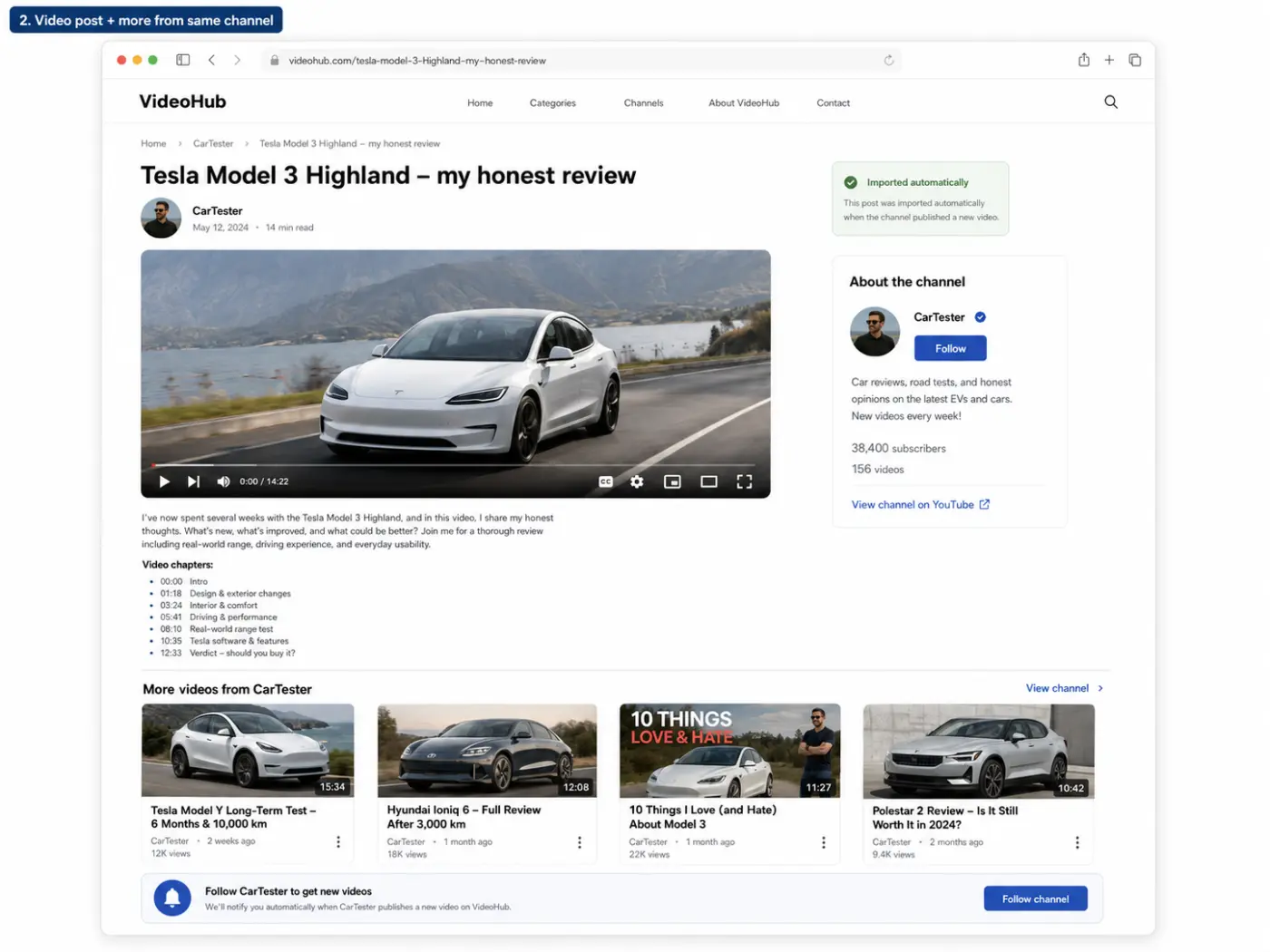
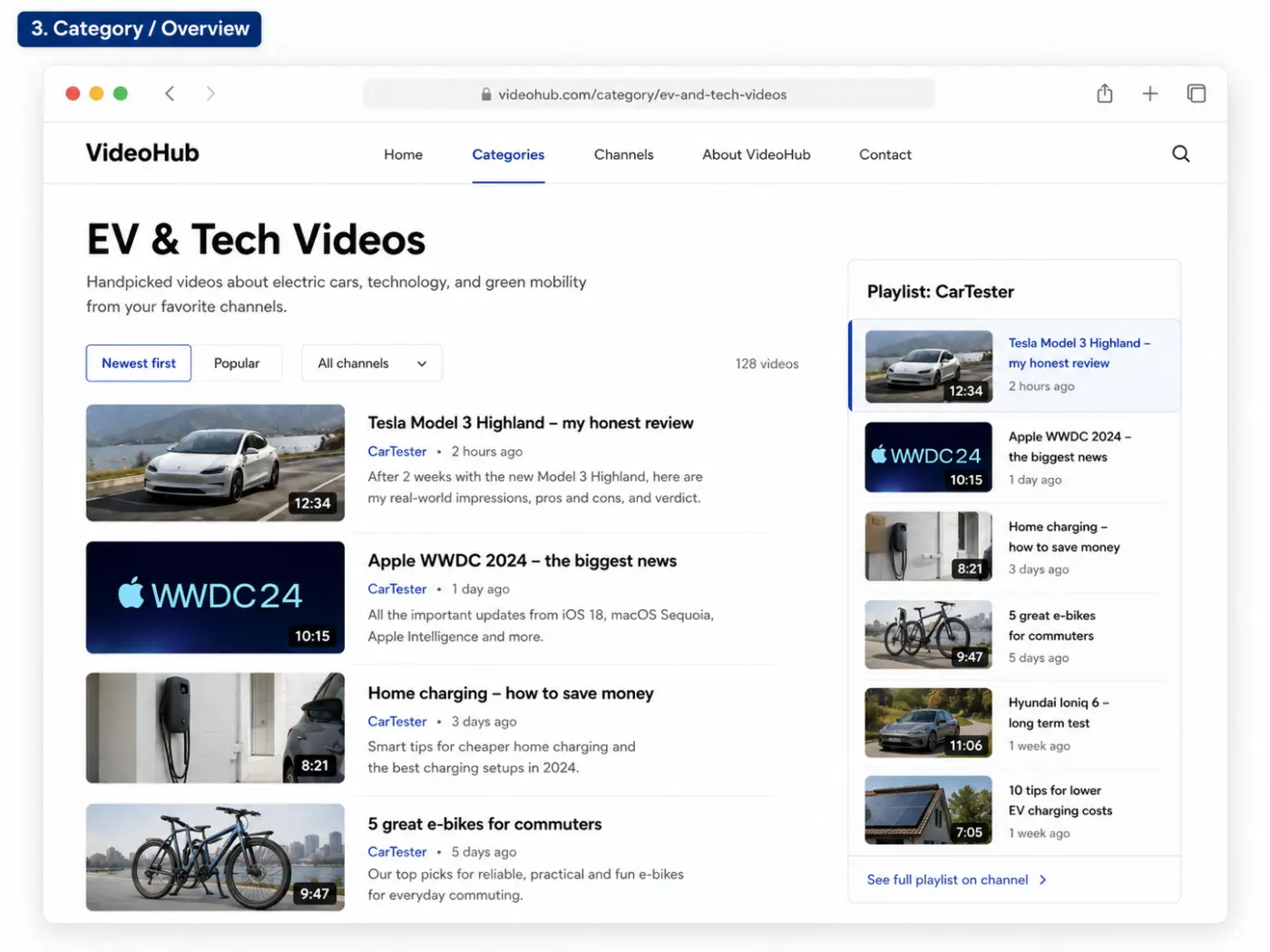
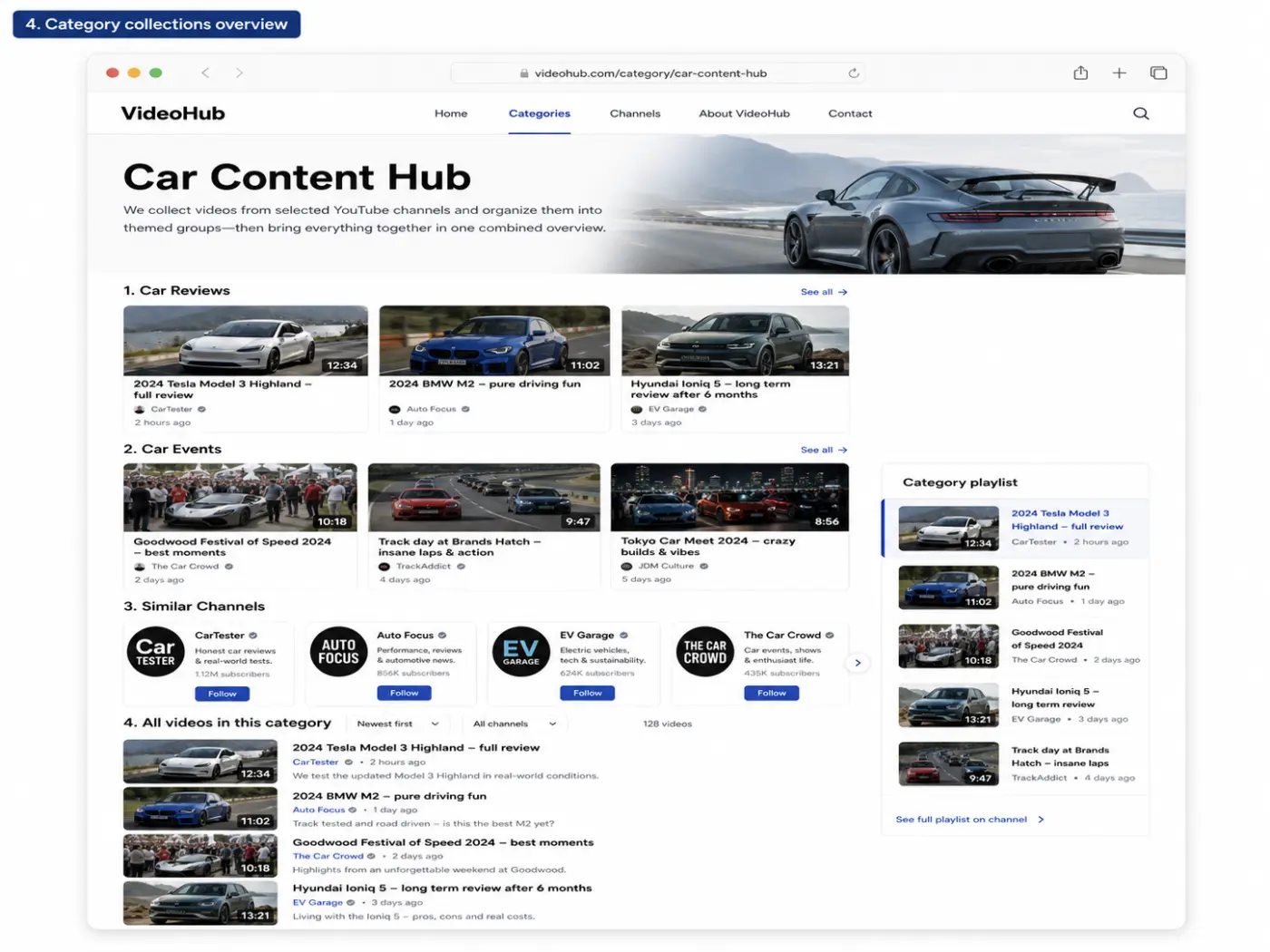
I’m looking for a WordPress plugin/tool that can automatically import videos from selected YouTube channels and publish each video as its own WordPress post or custom post type.
I’m not looking for a normal YouTube feed/embed plugin.
What I need is something that can:
- Monitor selected YouTube channels or playlists
- Import each new video as an individual WordPress post/CPT
- Use the YouTube title as the post title
- Use the YouTube description as post content or excerpt
- Set the YouTube thumbnail as the featured image
- Save the YouTube video ID/URL as a custom field
- Assign categories/taxonomies based on the source channel
- Prevent duplicate imports
- Ideally support custom post types, custom fields and taxonomies
- Let me build my own frontend layout with my theme/page builder
The goal is to build a structured video blog/video hub — not just display an external YouTube feed.
I’ve already looked at plugins like Youtubomatic, Video Blogster Pro and VideoHub/WPYTHub, but they seem quite old/outdated and don’t fully feel like the right long-term solution. I tested one of them, and while the basic import worked, the overall setup was not very impressive.
Has anyone found a modern, reliable solution for this?
I’m especially interested in something that works well with custom post types, ACF/ACPT fields, taxonomies, and custom WordPress templates.
Any recommendations?


So have u searched for it yourself or not?

Cointacter I have already searched for a plugin that can handle this, reached out to suppor teams from videoplayer products I already have - and non of them can support this setup - only feed the channels and more.
The products that claim they can import and post as blogposts automatically, are 10 years old or more, and dosent seem so updated.. :)
Niki Funch yes, exactly. So here you should look not for ready plugin which u know doesnt exist, but for someone who can build if for you.
Niki Funch and whether u want it to work in fcom spa is another question.
Niki Funch anyway, i remember using this: https://codecanyon.net/item/vidi-video-wordpress-plugin/25780836?srsltid=AfmBOooFJXtPzI2J0a2UHrkW9_4HddjNTRyYCCmA3mdG2rZBUtX8xeWT
I believe its closest to what you described. You could ask the author to do the sync feature. But i dont recommend it, bugs and in general old plugins from Codecanyon shouldnt be recommended.
But in any case this has nothing to do with fcom Spa or fcom itself.
And since you mentioned you can build your page templates etc, it looks like you can build the plugin yourself. For such a scenario i suggest to build yourself, counting on haruthemes dev for the main and only tech of your project would be your worst business decision.
Cointacter I must admit that I have not seen that one you are linking to. But it seems to solve exactly what I need - but 6 years ago, since the free version has been updated, and Codecanyon says last update was in 2025. But the support are replying on the comments on Codecanyon.. So they may still be active..
Niki Funch i can send you the Codecanyon files, i will never use it and i have license

Have you had a look at Flowmattic? https://flowmattic.com/integration/youtube/
Jonathan Gwyer Naa, not really. I have the Ottokit and Bit Integrations though. Maybe they can do it as well?
Niki Funch I should think so - https://ottokit.com/integrations/youtube/wordpress

The real question isn't which plugin. It's whether you want to own structured video data or just display an external feed. Those are different problems, and most of the plugins you tried (Youtubomatic, VideoHub, etc.) are solving the second one with a UI bolted on top.
If you or your dev can write a bit of PHP, this is a genuinely small build:
Store your target channel IDs and
pull each channel's RSS feed (youtube.com/feeds/videos.xml?channel_id=...). That gives you title, description, thumbnail, video ID, publish date
Loop through, create/update a CPT entry per video, dedupe on video ID, map channel → taxonomy term
Two catches worth knowing before you build or hire this out:
RSS only returns the last ~15 uploads per channel, but no history. For backfilling a channel's full catalog you need the YouTube Data API (playlistItems.list against the channel's uploads playlist) as a one-time import, then RSS for ongoing monitoring.
Instead of polling RSS on a cron, subscribe to the WebSub hub the feed advertises (rel="hub" link in the XML) and get a push the second a new video goes live. No polling delay, no wasted requests.
Once it's sitting in a CPT with real custom fields, you're not fighting a plugin's template system. SO it is build your own front end, use FluentPlayer for playback, whatever. If you don't need admin screens, this even works as a standalone FluentSnippets script; no need for a full plugin shell.
I've built this exact pattern for podcast imports (title, duration, thumbnail, audio/video URL) and for pulling equivalent data from Bunny for a client — the shape of the problem is identical regardless of source.
André Daus Nice! Can you DM me with an URL so I can see it live in action? :)
Niki Funch There is nothing to see via a URL because everything happens in the backend. On the frontend, you would just see the result but not how it got there. I can record a short video to show you what goes on in the backend, though.
André Daus Feel free to sent me a video of that :)

Hello Niki Funch , have you found a solution or are you still looking for a tool to display your YouTube channel videos on your website?
You can have a look at Tagembed. I used this tool to embed YouTube Shorts on my website, and it worked well for me. It might help solve your problem too.