


We just released a big update of Fluent Forms. In this update, we have added some of the most requested features, as well as numerous improvements.
What's exciting and new:
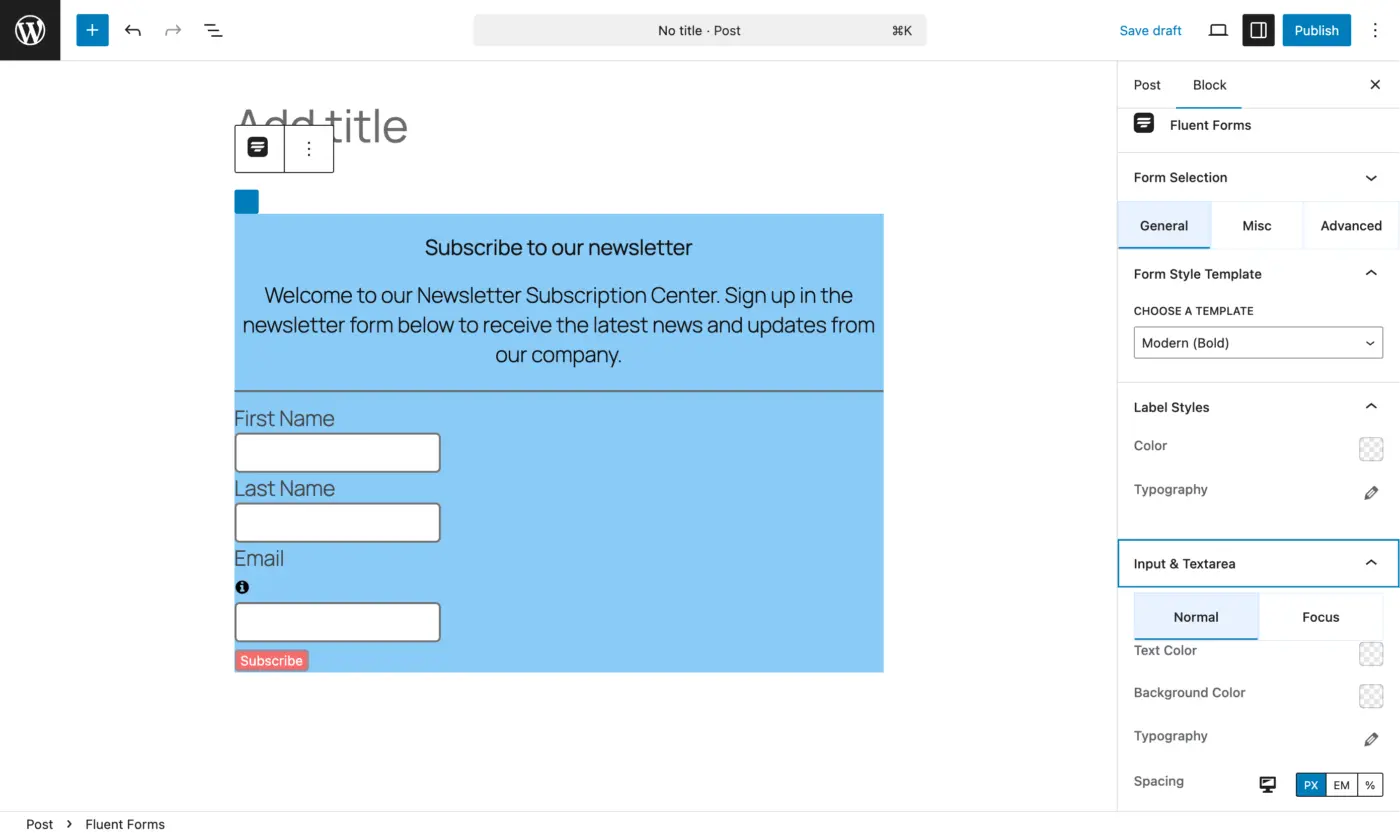
- Block Editor styler for Forms.
- New: Accordion & tab input fields
- New: Authorize.net payment gateway
- Conversational forms upgraded
- Smarter double opt-in emails
- Checkbox input field upgrade
- Accessibility enhancements
- Other integrations, UX, UI improvements, and bug fixes
Read the full release note here.
PS: If you have a minute, please feel free to write a review for us: https://wordpress.org/support/plugin/fluentform/reviews/

Hello. On my website, I have enabled users to submit posts. I want to create a help page with a form for sending messages for help/problems/suggestions. I want the form to have a drop-down field that shows the posts added by the respective user so that they can specify which post their message is related to. Is there a way to do this with Fluent Forms?

Hi Shahjahan Jewel in my business model, i would like to create my own FF Templates categories; How to?
Thanks by your support 😀

This is only possible now with a calculated field, but not future proof and you are only able to set prices excluding tax this way.

We are experiencing an issue with the Conversational Form where clicking "Submit" greys out the button (as if it is submitting), but after about 10 seconds the button returns to the original state (without the form submitting). Pressing the button again then submits the form successfully.
Could anyone advise on how to resolve this?
Stack: Bricks Builder, ACSS, Fluent Forms Pro

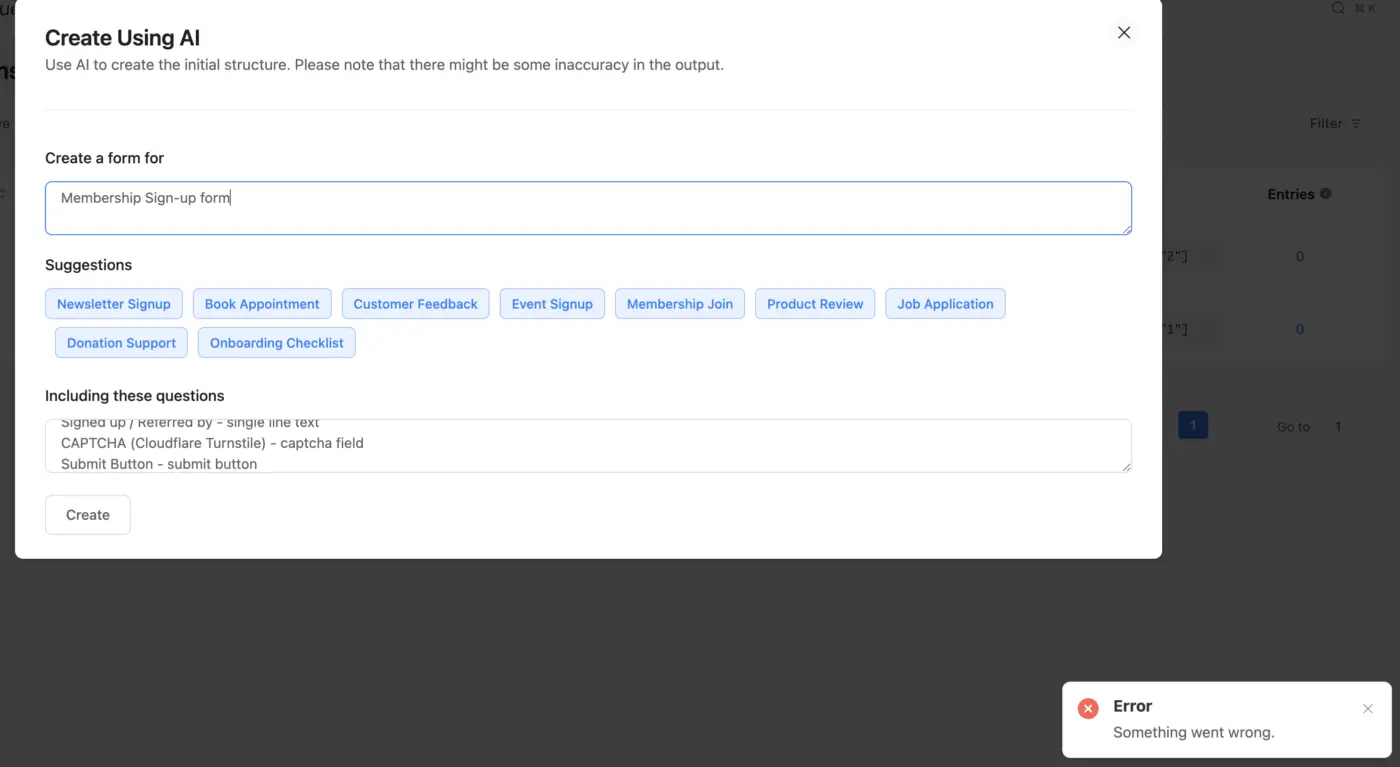
I have been trying to test out the Create Using AI feature, but regardless of what I include in the prompts, I am getting the same error: "Something went wrong".
I have reviewed the documentation but have not been able to debug this and make it work.
Any recommendations?

UPDATE: looking at the form entries, it appears that the non-logged-in results aren't being recorded at all (which is probably why the redirect isn't working).
There seems to be an issue with my conversational personality quiz where my conditional redirects only work when I'm logged in, but not for anyone who is logged out.
Using either a regular or private window, if the user isn't logged in, the conditional results (URL redirect) don't seem to work.

Hi, I'm creating a form with a selection of checkboxes , but is there a way to restrict the amount of boxes checked? Like when I have a list of 6 boxes, people can select max 3?

We just released a very useful addon for FluentForms to make your uploaded files easier to manage. You can now offload your uploads directly to Google Drive or Dropbox. This addon is absolutely free with all the features you need to connect your forms with Google Drive or Dropbox.
You can enable Cloud Storage for selected forms or all forms and it will offload all the uploads automatically where you can easily manage your files.
💡 Here’s what Cloud Storage Manager brings you:
✅ Google Drive and Dropbox Integration
✅ Files neatly organized and safely stored in the cloud
✅ Faster and optimized integration.
🔗 Learn More: https://fluentwiz.com/cloud-storage-manager
👉 Free Download: https://wordpress.org/plugins/cloud-storage-manager
Please try the plugin and let me know your feedback.
PS: We also have a premium version of this addon which includes Amazon S3, Cloudflare R2 and built-in File manager within Fluent Form’s UI.
We also develop custom addons for any Fluent Plugins, if you want any custom features (complex/simple), we can help you with the developments. Please feel free to DM me. I have worked with several members of this community with 100% satisfaction.