Warning: Trying to access array offset on value of type bool in /home/customer/www/my.onemco.com/public_html/wp-content/plugins/fluent-crm/app/Services/Helper.php on line 905
Deprecated: strtolower(): Passing null to parameter #1 ($string) of type string is deprecated in /home/customer/www/my.onemco.com/public_html/wp-content/plugins/fluent-crm/app/Services/Helper.php on line 937
Warning: Trying to access array offset on value of type bool in /home/customer/www/my.onemco.com/public_html/wp-content/plugins/fluent-crm/app/Services/Helper.php on line 911

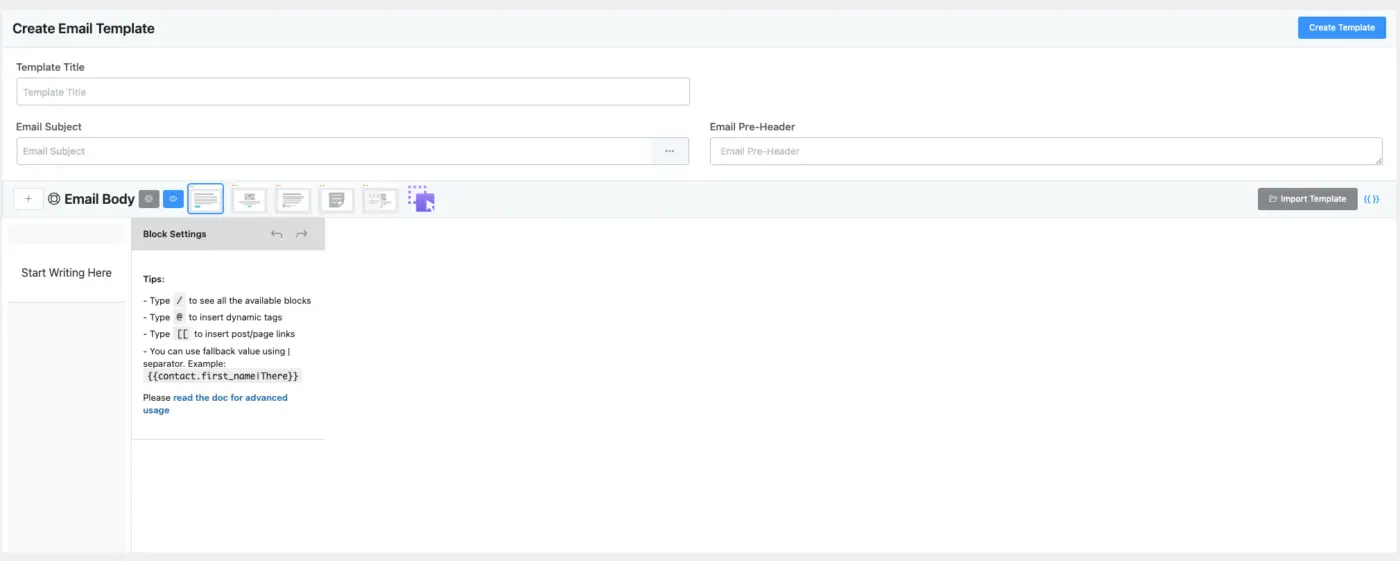
I’ve noticed a few issues with the Block Templates:
1. Spacing Not Saving: When I add spacing (e.g., margins or padding) and save the template, the changes don’t persist — it reverts back to the previous state.
2. Button Block – Missing Spacing Options: The Button block doesn’t have any margin or padding options available, making it hard to control its placement.
3. Missing Social Media Block: There doesn’t seem to be a built-in Social Media block available to add social icons or links.
Please have a look at the video 🎦🎦

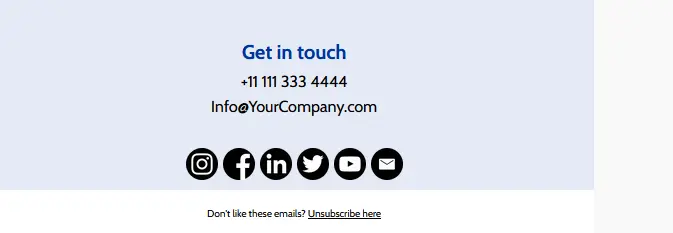
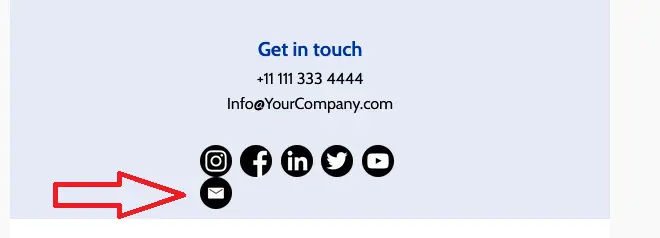
It try to create my first email-template with the visual builder and i have a problem with the social media icons at the bottom.
i use the standard-template if i send me a test mail or make a preview the last social media icon is under the first row. i think my 3 social media icons should be in one row.

Hi there,
I have set up an automation that run when a form is filled in. Within that form there is a number field that via integration with CRM is send to a custum field (payment amount) in the contact.
Now, whenever I fill in another form for this contact, I want to add the value of the number field to another custom field (total revenue). I want to do that with an automation.
So, when a form is filled in, a tag is applied. The tag is the trigger to run the automation. In the automation I run a update contact property, which update the custom field (total revenue). This field is a number field, which allows me to add value, replace value or substract value. But only with manually entered value. And not with a dynamic code (in this case I want to call the custom field (payment amount) to be added to the custom field (total revenue).
How to solve this properly?

Is there a way to send a follow-up email after an event ticket date has passed? Sales are handled through Woocommerce, but ticket fulfillment is through Event Tickets Plus from The Events Calendar. I would prefer not to have to use a third-party connection.

I recently shared a case study of my latest project on my channel. This project demonstrates how to integrate MemberPress and FluentCRM, with support from JetEngine, to streamline membership management and customize the process for onboarding new members.
On another note, I am looking to connect with others in the Fluent community who are providing digital solutions for the nonprofit sector, similar to my work. I would love to exchange insights, learn from your experiences, and discuss how these integrations can enhance our efforts. If you're involved in the nonprofit space or have worked on similar projects, please feel free to DM me! I speak both English and Japanese and would be happy to chat.

i have tried but it still doesnt work,
when i create a form and set up an email trigger, it works with domain emails, but not with gmail addresses. Meanwhile, many people are using gmail addresses
can anyone help solve this issue ?
i would really appreciate it,

Hey Community, is there any way to set a Fluent CRM Automation to trigger 24h before a Fluent Booking date? I want to Send an automatic email with some info 24h before the Event booked through Fluent Booking. Is this possible?

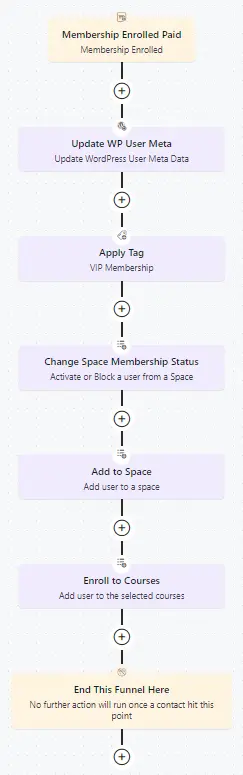
when i update the courses and trying to add them to the automation the existing members not adding to the new courses
Also, I’m genuinely curious — who is the testing manager? 😄
Looks like their team might need to revisit and update their test cases!