


I have a situation where we make have multiple form submissions for work orders from the same client. How can I do this? Example: Joe submits his first form, contact is created and form data is in the CRM. Joe has a second form filled out for a different project, and then a third or more.
How can I keep this organized in FCRM Pro so each form entry is accounted for with this contact? Multiple entries will be active at the same time so they can't be overwritten. I would be ok with a separate contact for each but the user info will always be the same. Just not sure how to deal with this situation.
I have an idea to use FluentBoards to create a "to-do" for each entry, that may work, but I haven't got the client to spring for it yet... lol

I've been running into situations where I need to import contact information from contacts who have filled out a specific form. Currently the only way to do that is to go into FF, export the contact information as a csv, and then import that into FCRM.
As these two products are closely related, can we have an integration that would directly recognize all the entries for a specified FF and then import and map those entries?
#request #suggestion

I’m currently using FluentCommunity to create course links for students to purchase. After a student completes an order, is it possible for the course on FluentCommunity to be automatically unlocked for them?
Can FluentCRM handle this kind of automation?
Thank you!

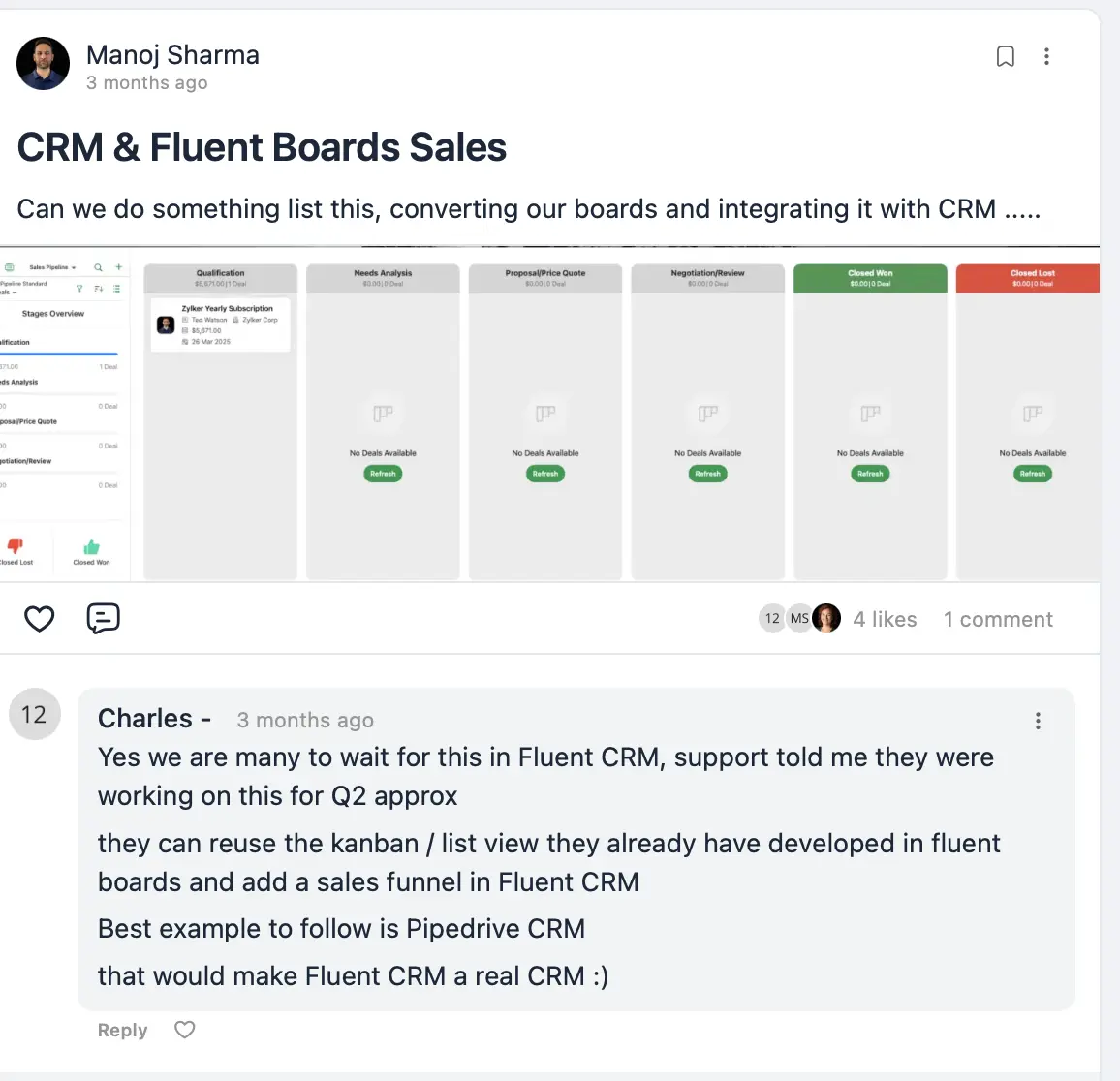
FluentCRM is already a powerful email and automation tool, but to truly function as a full CRM, it would be great to see Sales Pipeline features added.
aving visual sales pipelines with stages (e.g. Lead → Contacted → Proposal Sent → Won/Lost) would make it much easier to manage and track customer journeys — especially for service-based businesses and agencies using FluentCRM.
This would bring it closer to being an actual CRM and not just a marketing automation platform.
Appreciate your continued improvements — looking forward to what’s next!
Original Post Link
https://community.wpmanageninja.com/portal/space/fluent-crm/post/crm-fluent-boards-sales
Cheers, Manoj from ONEMCO

I have a site where FluentCRM/FluentSMTP is the only plugin installed. I have a list of around 170k. I am using AWS and can send 72k per 24 hours at a rate of 14/second
My server/account has 50 dedicated php workers. How can I make sure I'm sending at the maximum speed possible? Yes I have the maximum per second already set in the settings.
This would also be a great thing to add to the stats when the campaign completes

Hi,
I’d love to suggest a feature that would make the platform even more helpful: the ability to import and export contacts in vCard (VCF) format.
The export function is especially important for us right now to ensure compatibility and easy data transfer between systems.
Import support would also be a valuable addition for future workflows.
Thanks for considering it!
Best regards,
Marco

What have you been using to build funnels?
I did some research and found Cartflows, Funnelkit, WPFunnels...
But I confess I was confused about which one to buy considering I already use the Fluent stack.
Shahjahan Jewel any suggestions?

An integration with multilingual plugins, such as WPML, has been requested for years. Will this ever be available?

Hi there! I have been struggling with getting the email editor to be consistent with CSS styling, particularly inheriting things like border radius changes. I would like to create more visually appealing emails by nesting elements within one another, but the editor doesn't seem to be able to handle it.
Would anyone mind uploading some template JSON files from any of their campaigns so I can see examples of how you got things to work? Particularly interested in nested groups of blocks with rounded corners and background styling handled via the UI controls - things lose their styling when they're more than a layer deep for me.

when i create it in postman says it's unauthorized