


Hi all,
I'm trying to figure something out, and I would love some help please.
I'm coming from an ActiveCampaign background, where contacts can have multiple lists with different status for each - e.g. I can be subscribed to the Newsletter list, but if I get an email from the Margarita Fridays list, I can unsubscribe from the Margarita Fridays list but stay on the Newsletter list.
How do the experts in the room manage this please?
Is it simply a "use Manage Preferences" and hope for the best...?
FluentCRM Team: are there plans to offer more granular control over this at some point? Or can it be hooked using custom plugins to offer better control over the unsubscribe function? Especially now Gmail has a big [UNSUBSCRIBE] link at the top of any newsletter emails... where I'm sure it will simply change the overall subscription status to Unsubscribed, removing everyone from ALL lists.
Help. Please. 😃❤️🙏

After the FluentCart and FluentAffiliate integrations went live, we received a lot of event requests for FluentCRM from community members. We’ve shipped those events in Bit Flows latest update.
Now, you can deeply integrate FluentCRM (or the entire Fluent Ecosystem) with WordPress and any third-party platforms.
More details in the comments.

I just ordered FluentCRM and am figuring out the best path for setting up an ESP. I have a Google Workspace account. Can it be configured with that? Before going to AES, I wanted to check.
Hi Team,
I'm migrating all my CRM stuff from ActiveCampaign. I'm using the Companies module, but it seems like both the included companies fields and custom fields for Companies are NOT present in the shortcodes?
This means I can't easily insert "company name" or any associated custom fields (e.g. my sales rep contact details) into emails / automations / etc.
Am I missing something? Please advise if this is possible, and if not, please could you add this to your feature requests list.
Thanks,
Israel.

Would it be possible to introduce a section for Campaigns in this view? Under each campaign, it would be incredibly helpful to have a “Failed Email Addresses” list, with sorting options—by reason (e.g., bounce, invalid), by domain, or by timestamp. This would make it much easier to troubleshoot and take corrective action.
it will help me delete failed email contact in bulk
Thanks for considering!


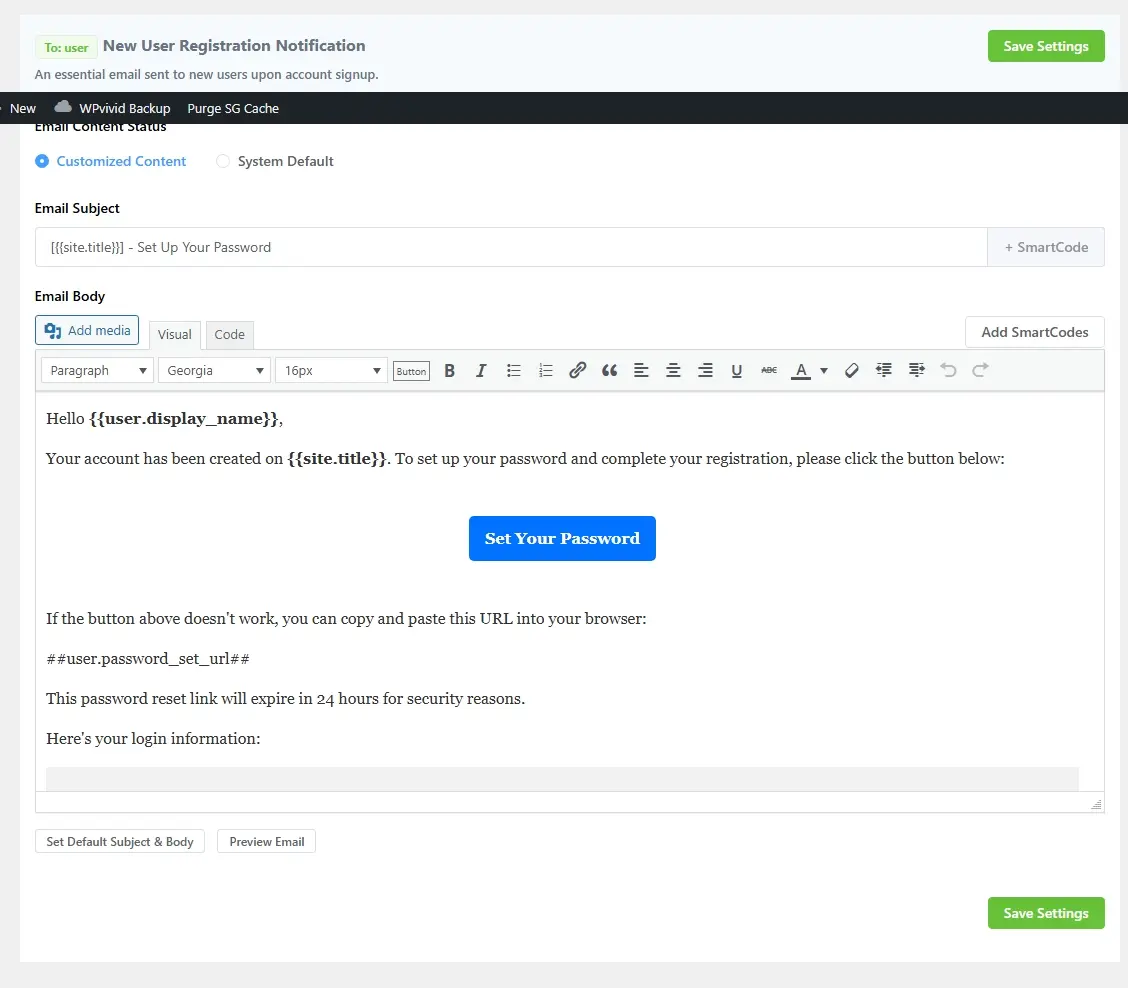
When I choose customized content, the user doesn't receive the email, but it works with the System default setting. Does anyone know how to fix this?


Is there a way to set a FluentCRM management permission that prevents purchase history from being visible? We are using Paymettic and want donations to show up in FluentCRM, but we want to limit donation history to admins only. Any suggestions?

If some one need to track link click and use as trigger event you can activate event tracking modules and add this php script into your functions.php or in a custom plugin or in the fluentsnippet plugin or similar product.
https://gist.github.com/mredodos/b7cec831372a4d7e0af6fe49c8bbd7b6
Hi, pls we need and hope you can add:
A general/global event track setting, like every click in an email, if they open an email,
An automation trigger about multiple event tracking trigger or multiple trigger in general
A global objective like email read or link clicked