

The featured image is not displaying
The featured image fails to appear on the frontend whenever I update a product; I'm using Bricks Builder.
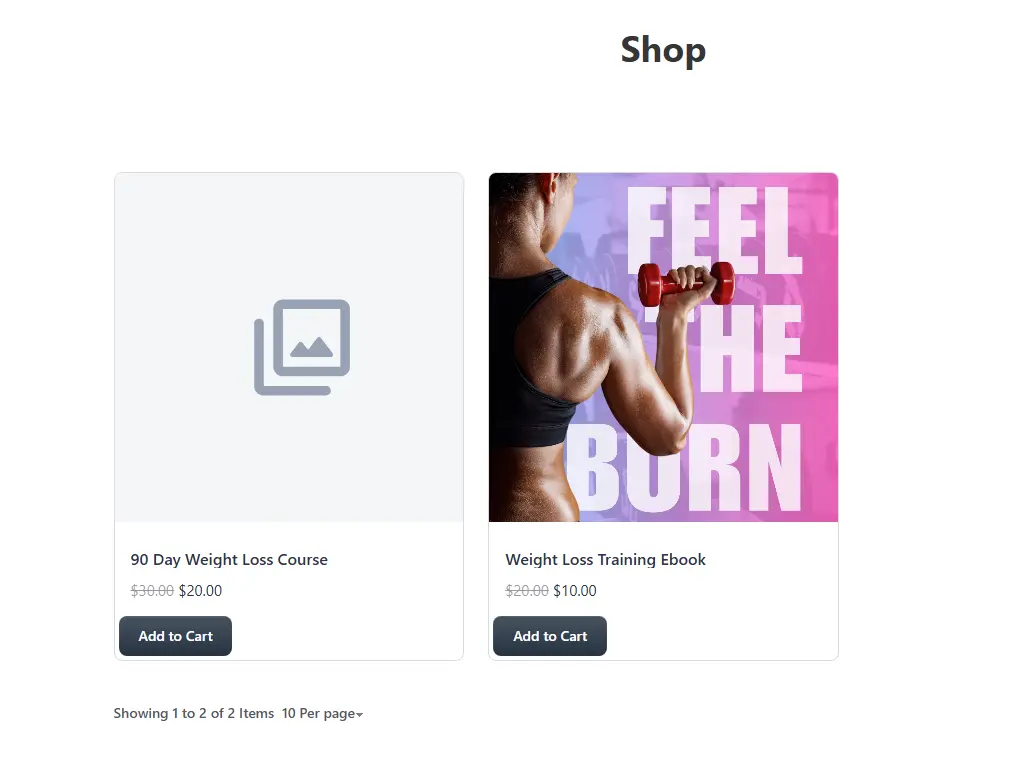

I have found that when you update a product the featured image gets deleted.

It's a known issue they'll be fixing in the next release.

I found i had to reload the featured image after every text edit.

You are correct, we introduced this bug in the last release. We have already fixed it, and it will be resolved in the next release.

Ripon Sarkar I found a few glitches on the product edit page:
- Default variant selection isn’t working on the front end.
- The Preview and Delete buttons are too close, making me cautious about previewing. The Preview button should be more visible and not hidden in a dropdown.
- In Product Cards, the view options button opens a popup, but I can't switch between simple variation tabs, and the quantity option isn’t working.
- More brick elements and Gutenberg blocks are needed for individual items, like separate "Buy Now" and "Add to Cart" buttons. Thanks for confirming, and I look forward to the next release.

Thanks for sharing as I experienced this just now. I'm launching my new book tomorrow morning and it's somewhat embarassing (and could impact sells) when the product you're selling isn't displaying the image. Glad to here that it will be resolved on the next release.