

Testing v1.0.9
Please find my findings:
-
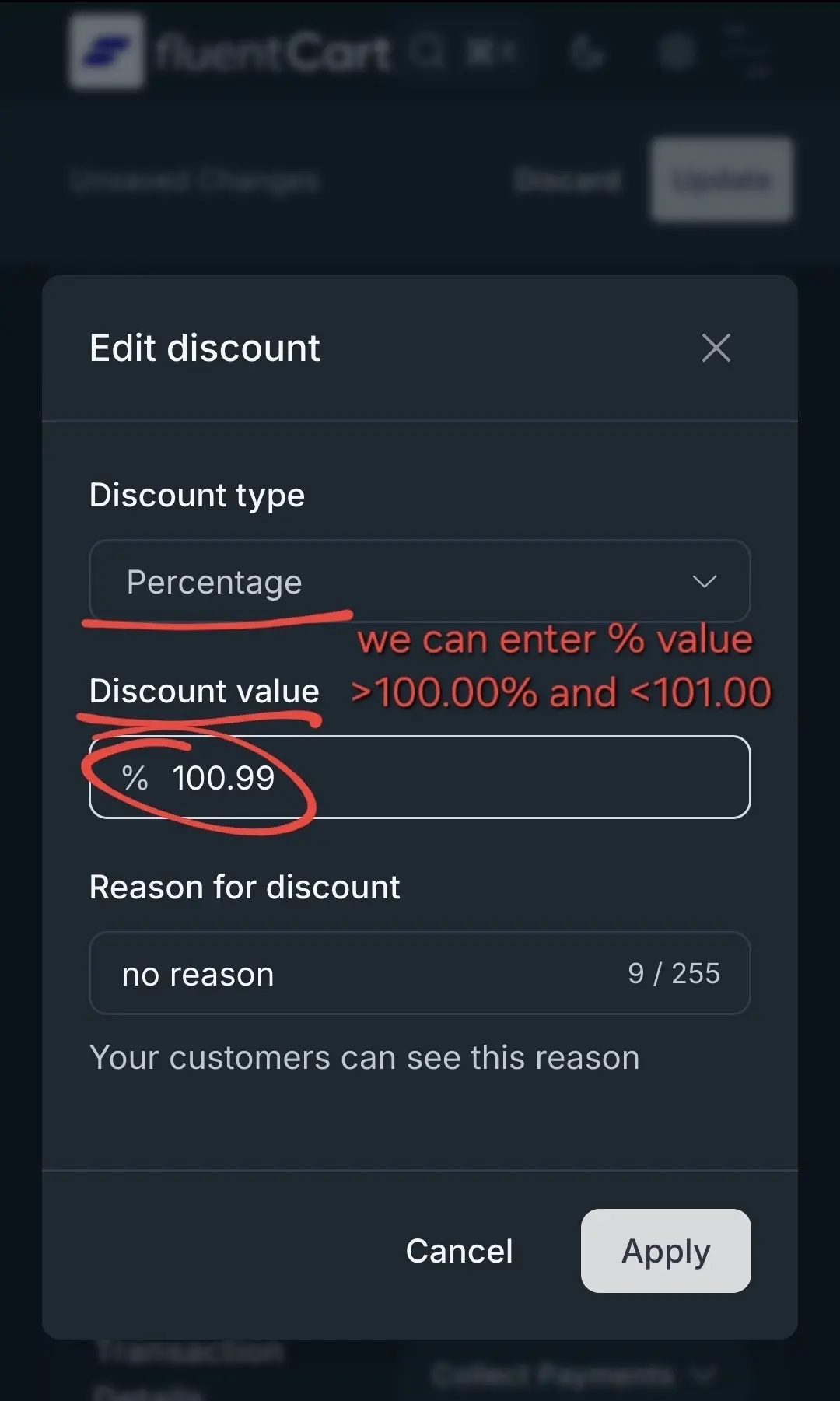
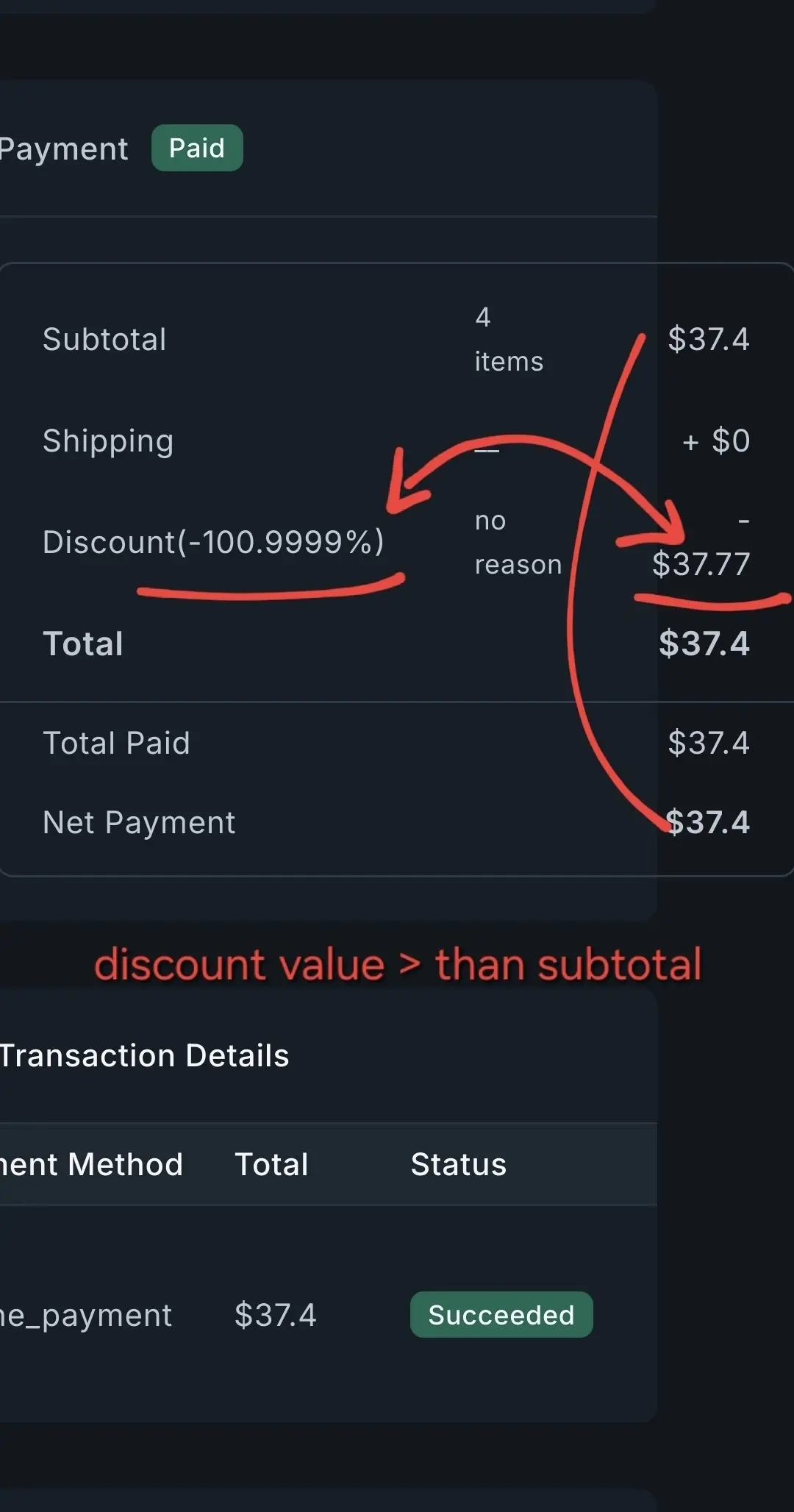
when a product price on a manual order is $37.4 we can enter discount $37.99999999999999 (14 digits as a decimal value instead of 2 digits but also decimal places in this case are not validated against the price value). The same story is with % discounts or coupon codes - we can enter 100.9999...% as a discount value.
Note: Should we use dots or commas for decimal places - warning shows dots where the number format is choosen to be commas.. I need to verify this again - maybe during plugin upgrade a formatting number was overwritten.
Note: I hope all quantity and all kind of values are validated on the backend so nobody can inject negative values on the frontend (fields/urls/web dev code manipulation) etc.
-
after upgrate currency settings were reset and I need to configure currency and currency sign position - not an issue but just highlighting
-
still I cannot specify a role for an existing user (its probably Pro) - dropdown list is empty
-
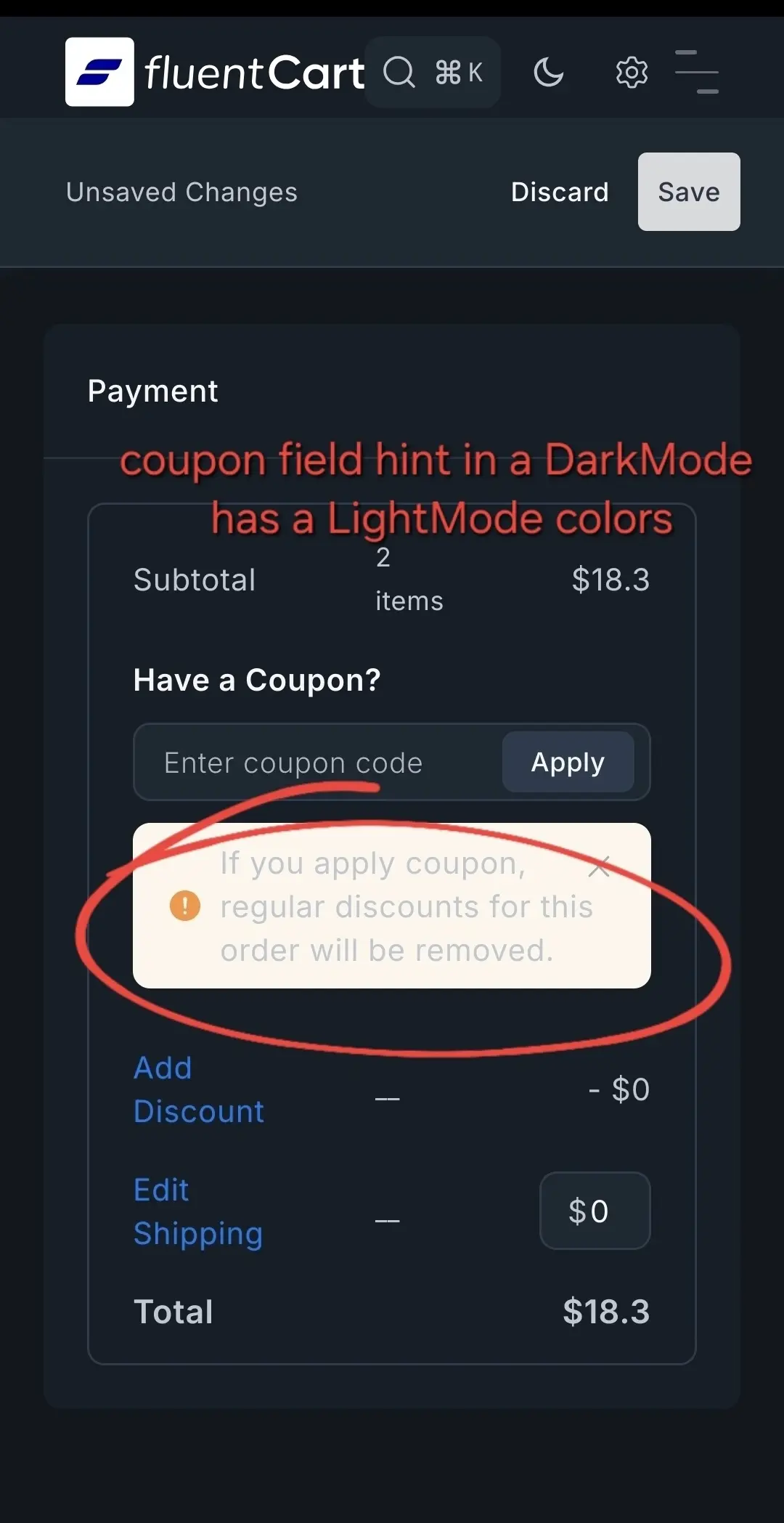
coupon field hint in a DarkMode has a LightMode color
-
unable to change customer information like address in the shop directly and on the backend (no edit button?) - fCRM will be required to do so? We can add a new address but how to make it default. How to change address for a customer without WP account.
-
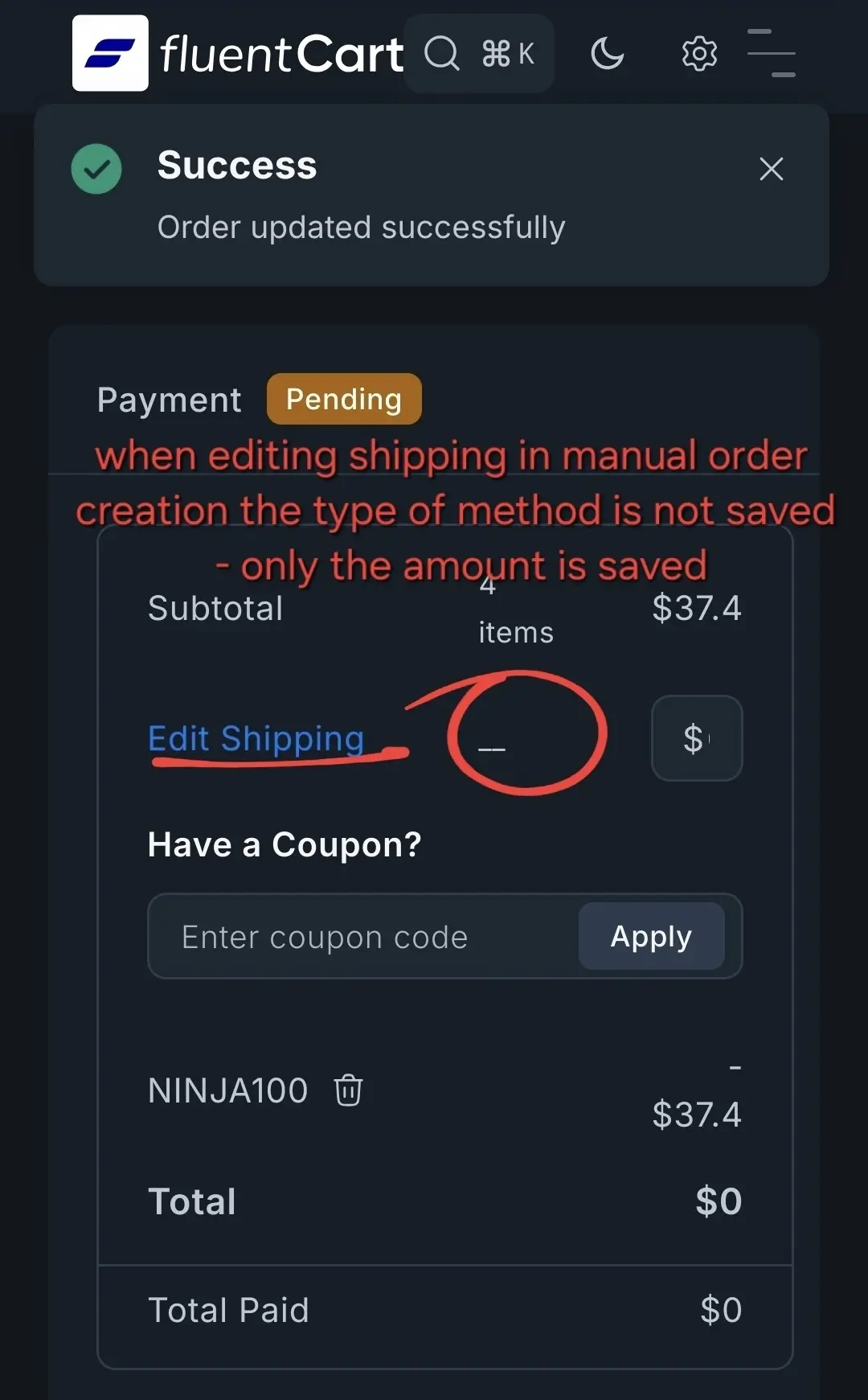
when editing shipping in manual order creation the type of method is not saved - only the amount is saved
-
how to change email/other address for a customer when there is no WP user account and CRM
-
maybe a coupon usage historical log would be nice to have (at the bottom of coupons settings) so it would be easy to check who used our coupons and with which order (customerName|date|orderID|value)
-
Correct wording in the default email notification: FIRST BUMP not a Fist Bump unless it is on my end only LOL
-
cannot remove a product from a cart?
Previous feedback:
https://community.wpmanageninja.com/portal/space/fluent-cart/post/sharing-some-more-notes

Att1

That is very nice feedback Mat..:)
A single product page has a default: "items" slug - just wondering how to customize that archive page (probably doable with Kadence Elements +set canonical to /shop) or redirect users accessing domain.com/items url without any product name in the url.
Maybe when someone manually type the url /items it should be redirected to /shop.
I tried to change single product page slug to shop so it wouldnt show unformatted posts (display shop page here) but then its overwrite the default /shop content (so cannot have two archives under one endpoint url/slug).
Currently domain.com/items url points to a WP posts view with products list - looks funny like a blog posts types..