

Order ID vs. INV-#
I noticed that at some point, my Order Number and INV # are not the same. I was exporting data using Bit Integrations using the Order ID field and noticed they are no in alignment. Order 1 and INV-1 are in alignment up until about 60. I had a bunch of test transactions that I cleaned up in that range.
I opened a support ticket and this is expected behavior.
In FluentCart, the Order Number is the internal ID stored in the database. The Invoice Number (INV #) is what your customers see in their emails and invoices. It’s normal that these two may not always align, especially if orders were created, deleted, or imported during testing. The Invoice Number can also be affected by prior deletions or manual adjustments.
Has anyone else experienced this?
If so, what field contains the INV number that customers see in their email. I am using Bit Integrations to post certain orders to a Google Sheet. The only field I see available is Order ID, but the customer does not see that number in their invoice.
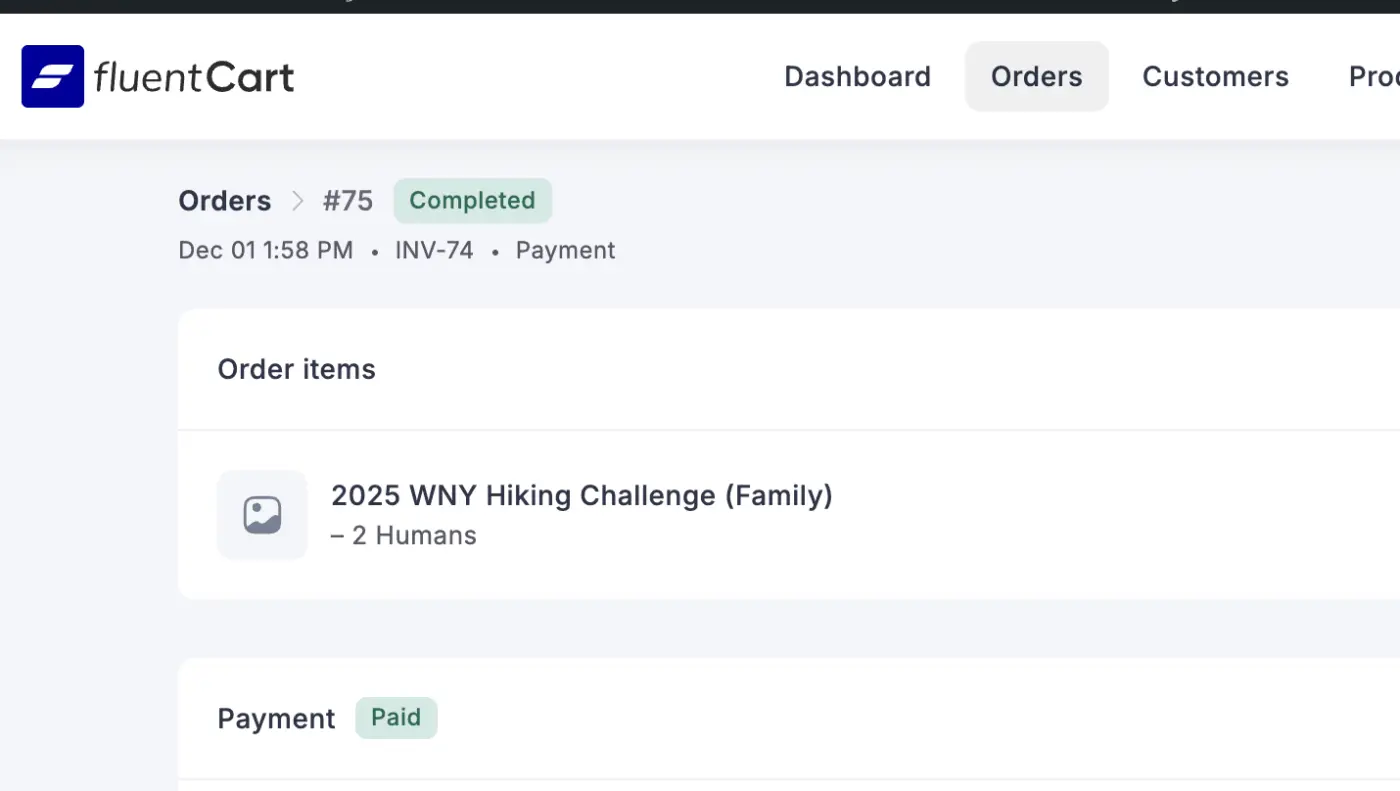

Order ID => The read database ID which is auto-increment
Invoice ID: Which is a sequential Invoice ID when an order mark as paid. You can also control that ID, add prefix and add the starting point. The Order ID is not visible to the end user. Only visible to Admins.
Why we need two diffent ID: In many countries, the invoice recepts need to be sequential and only can be generated after payment. You may have 100s of pending/abandon orders and that may break the invoice ids sequences.
Woo has similar feature which requires 3rd party plugins. We made it available to the core as free.
Hope that makes sense.

Shahjahan Jewel Got it, and makes sense. Thanks for the explanation. What is the field that contains INV-#? When I fetch the form submission in Bit Integrations, I do not see and INV data. I have a ticket open with them as well.
Mike Rads The field name is invoice_no and it's an order property. You may ask them to include the field.

Shahjahan Jewel I also found that confusing. There should be a way to "activate" this functionality/module. These differences in IDs end up confusing and hindering the user experience in countries that don't need it.