


Fix for quantity input bugs: visibility and double arrows (FSE)
Hi everyone, I noticed that the quantity selector in FluentCart currently has two annoying bugs when using Full Site Editing (FSE) themes with non-standard fonts and sizes. In my case, it happened with Ollie WP, but I have run into the same issue with other FSE themes as well.
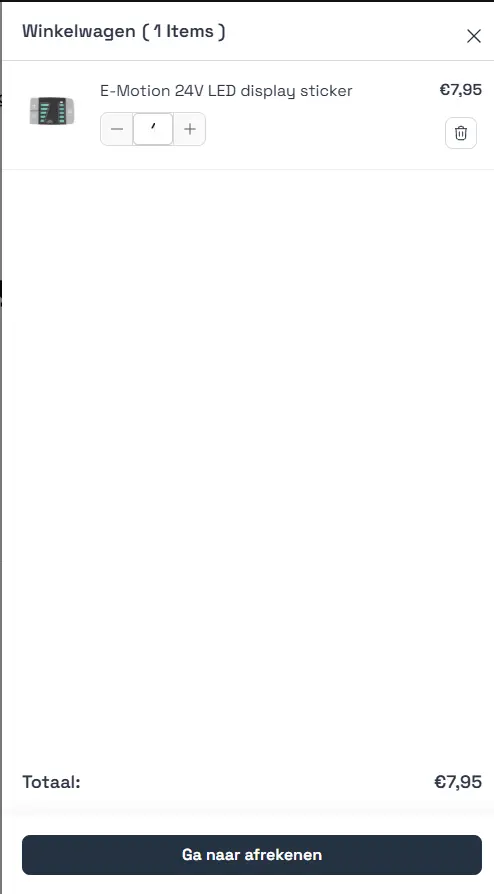
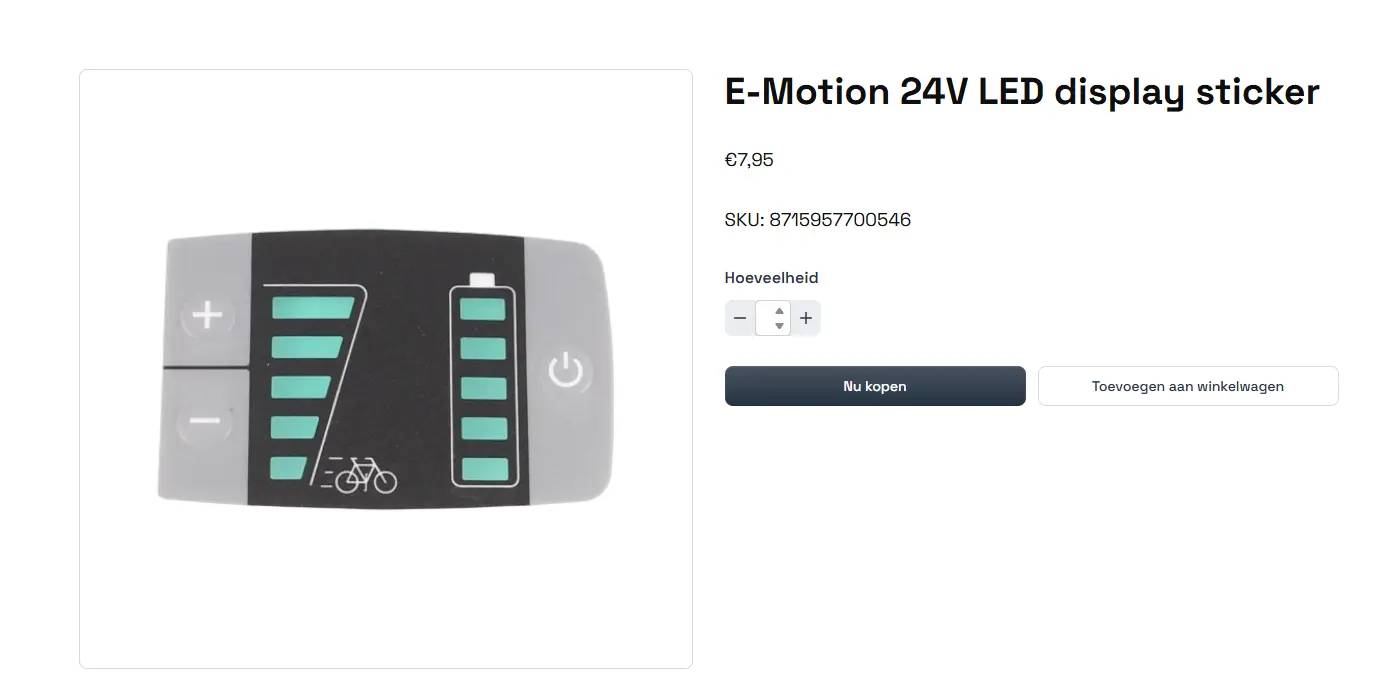
There are double arrows (native browser spinners) appearing even though there are already plus and minus buttons, and the numbers become barely visible on both the product page and the cart.
Until there is an official fix, I have put together a CSS snippet that solves this. It removes the extra arrows, resets the styling, and makes the text clear and centered again. Hopefully this helps anyone else dealing with the same issue.
/* Quantity input: shared font reset
   Overrides theme/plugin styles on both the product page and cart inputs.
   All !important flags are intentional. FluentCart inlines its own styles. */
.fct-product-quantity .fct-quantity-input,
.fct-cart-item-quantity .qty-value {
    font-family: -apple-system, BlinkMacSystemFont, "Segoe UI", Arial, sans-serif !important;
    font-size: 16px !important;
    font-style: normal !important;
    font-variant: normal !important;
    font-variant-numeric: normal !important;
    font-feature-settings: normal !important;
    color: #2F3448 !important;
    opacity: 1 !important;
    width: 52px !important;
    max-width: 52px !important;
    text-align: center !important;
}

/* Product page: slightly bolder, taller line-height for the larger input */
.fct-product-quantity .fct-quantity-input {
    font-weight: 600 !important;
    line-height: 36px !important;
}

/* Cart: medium weight, slightly shorter line-height */
.fct-cart-item-quantity .qty-value {
    font-weight: 500 !important;
    line-height: 32px !important;
}

/* Hide native browser number spinners */
.fct-product-quantity .fct-quantity-input::-webkit-outer-spin-button,
.fct-product-quantity .fct-quantity-input::-webkit-inner-spin-button,
.fct-cart-item-quantity .qty-value::-webkit-outer-spin-button,
.fct-cart-item-quantity .qty-value::-webkit-inner-spin-button {
    -webkit-appearance: none;
    margin: 0;
}

.fct-product-quantity .fct-quantity-input[type="number"],
.fct-cart-item-quantity .qty-value[type="number"] {
    -moz-appearance: textfield; /* Firefox */
    appearance: textfield;
}

I confirm the bug in FSE site, Thanks for the fix :)