


- i can't save the template....after editing, saving and reloading, everything goes default
- How do i set the Font size of "Order items Table"?
- should the "eye-icon" be a preview? when i click on it, it only saves the template (which doesn't work)
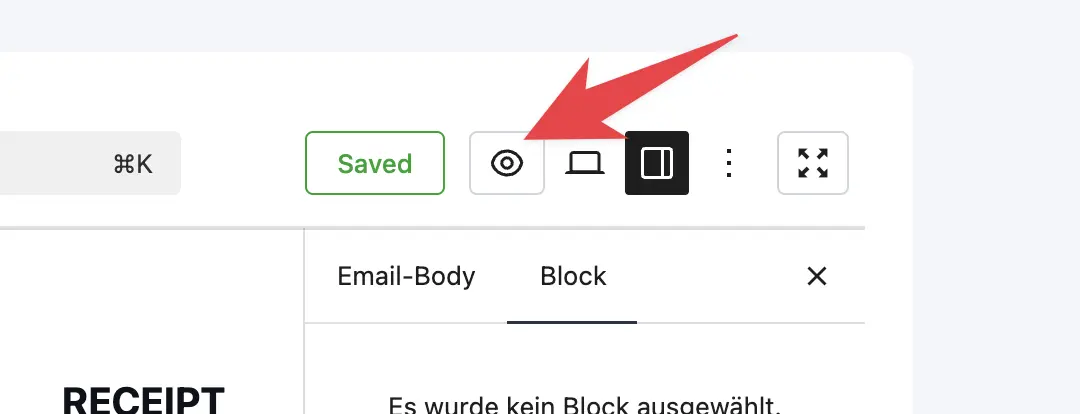

Shahjahan Jewel is this normal in the Invoice Customizer to have this type of message : "Your website does not support the block "Fluent-cart/receipt-addresses" ?


The team has been heads down for the last few weeks and this release is one of the most feature-packed ones we've shipped so far. A lot of things people have been asking for, and a few things you didn't know you needed yet.
This one goes in two directions at once. More control for developers under the hood, and more flexibility for store owners in their day-to-day operations.
- Visual PDF Invoice Customizer. You can now design your invoice layout visually. Adjust structure, add your branding, shape how order details appear. Invoices aren't just receipts, they're brand touchpoints. Now you can treat them that way without writing code.
- Saved Filter Views. If you've ever built the same complex filter three times in a week across orders or subscriptions or licenses, this one's for you. Save any filtered view, come back to it with one click. Works across products, orders, subscriptions, and licensing tables.
- E-Invoice Support (ZUGFeRD / Factur-X). For stores operating in Europe or working with enterprise clients, FluentCart now generates structured, compliant e-invoices with EN 16931 profiling. No external tooling needed.
- Fees API. Developers can now programmatically add fees based on custom conditions. Service charges, regional fees, payment method surcharges, whatever your pricing logic requires. Clean, structured, and extensible. Dev docs: https://dev.fluentcart.com/modules/fee-system.html
- Shipping Country Include/Exclude. You can now explicitly set which countries a shipping method should or shouldn't apply to. Much simpler than layered rule configurations.
- Filterable Frontend Asset Loading. Developers get more control over when and where cart-related assets load on the frontend. Great for custom storefronts and headless setups.
- Delete All Test Orders. One-click cleanup for all test orders directly from the Orders page. No more clutter during development.
Plus a solid round of fixes covering stock handling after test order deletion, bulk product duplication, downloadable file editing, Turnstile verification, decimal support in shipping fees, Paddle recovery links, checkout summary block consolidation, and pagination sync.
Full release notes with screenshots: https://fluentcart.com/blog/fluentcart-1-3-17/
Our team is working super hard and the next few updates are going to be even more exciting. Stay tuned!

Shahjahan Jewel , I have a new client for a webshop, and I would love to use FluentCart for this.
She sells personalized items. I need a way to add extra fields on checkout for those specific items, like for name or message to be engraved on the items.
Is there a way to do this allready?

Just seen this site https://storepulse.co.
It’s a new plugin for woo that lets shoppers virtual see products in their home. Eg see what cloths look like on or a chair looks like in their room etc.
How about this feature in Fluentcart?

Hi!
Am I losing my marbles? I can't currently find a way to reorganise the order of products on the front end of my store. I would like to sort the products by importance but I'm not sure how!

What is the recommendation if the website is on the main domain, and I want to run FluentCommunity as a paid membership with FluentCart on a subdomain? Where would I add the FluentCart shop when the community runs at community.example.com?
The shop cannot go into the main domain.

Hey just wondering if fluentcart has current support for stripes usage based billing. or some form of credit system for fluentcart... i looked through the documentation but couldn't find anything specific on it. If it isn't currently supported, is it on the timeline?

Hi, how can I translate this in the cart? It’s not available in Loco Translate. It’s the Tax label (‘fct_summary_label’).


I'm probably missing something very obvious 😅 but where can I export orders as a spreadsheet to load into PirateShip, etc.? Thanks!