

Vimeo videos list and search
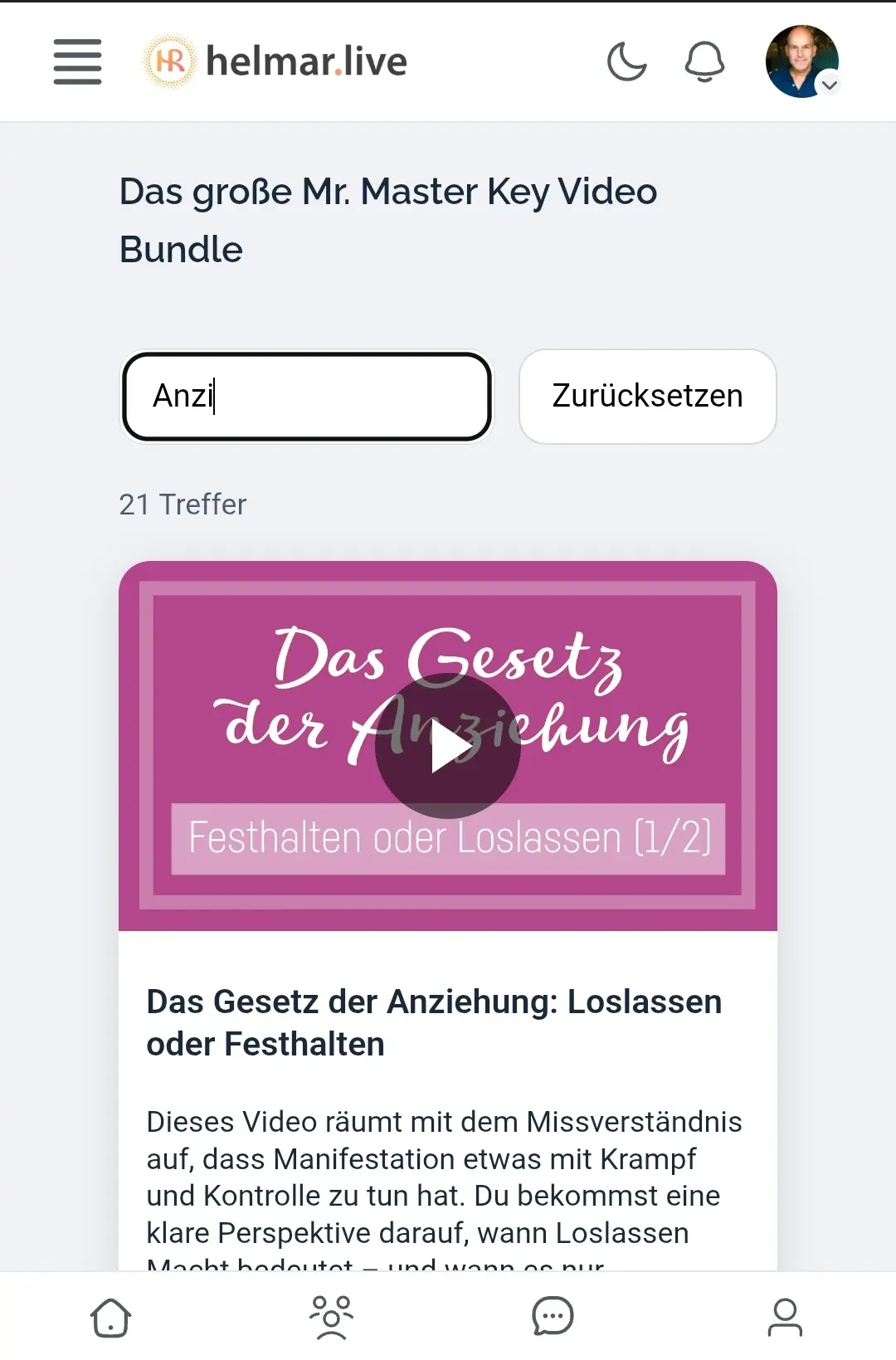
In case anyone's interested. I have hundreds of videos on Vimeo. Some are part of a paid product that I wanted to move across to the community.
I've created a JSON file that sits in my uploads folder.
I then created an API access token on Vimeo (private and public), and defined that in wp-config php.
I then got chatGPT to create a shortcode snippet that pulls the videos from the JSON and lists them on the page, to be played in a modal popup. At the top of the list is a search box to narrow down the videos.
I then created a standard wordpress page, placed my shortcodes inside a fluent community condition block, and changed the template to FC iframe.
Works like a charm.
If anyone is interested in the snippet code, just shout.
Btw, CSS, which usually doesn't work inside FC, it does if you enqueue the script beforehand. That's also part of the snippet.

Hi Helmar, That is super cool! I would love to see the snippet.
So when you say "fluent community condition block, and changed the template to FC iframe." that means this?
- You are using a WP pages, but there is a block from FComm that restricts access to the page content in that block?
- The template makes the page have the FComm menus and look right?
I wonder if I should do my issue (I posted earlier today) where I am trying to use space posts to each hold an <img> but am having cache busting problem. If I am interpreting your post correctly, then I might be able to do a similar thing by just using WP pages because I know how to get code to run in there... as long as I can control who can access each page.
Peace,
Jamie

Yes, a standard wordpress page with a fluent community condition block.
Yes, selecting a fluent community template on that page renders it inside the community UI, menus and all.
It's not elegant though, because if you've given your space links, and that page is rendered inside that space, the space links at the top get ignored. Already alerted Shahjahan Jewel to the fact.

Helmar Rudolph hey Helmar, just to clarify, when the page template is applied it's the other way around, the Fcomm UI and menus are rendered on your wordpress page rather than your content being rendered in the fcomm portal. Your solution isn't too far away from being able to take your resulting posts and show them in the community natively though.
Ross FCA Ahhhh, oooook, got it! If we could now find a way to a) get the site builders like Bricks and Oxygen to cooperate with FComm, and b) get FComm to show space/room links ontop of the wordpress page.
Actually, the non-display of the space/room links is perfectly explained by what you said: "It's the other way around". :) IF it was NOT the other way around, meaning: WP pages get displayed within FComm, then one would be able to retain space/room links at the top of the page. I'm sure eventually there will be a solution for this.
Ross FCA PS: Can't wait for a native solution, which would be so easy if there was a new module called "external content" that allowed the rendering of shortcodes, just like wordpress pages do. And it would be nice to have another module called "structured content" where I can post books (titles and its chapters), neatly organised and displayed inside FComm.
Ross FCA Last one: IF or rather AS the FComm UI and menus are rendered on my WordPress page, how can I get rid of the excess page padding, which is a bit annoying when viewed on mobile?
Good morning everyone, Helmar I will try your approach. I also opened a support ticket and will be making them a video of what I am encountering and will share any finding back.
As far as my understanding, since FComm is a JS single page app, everything is pulled dynamically outside the WP loop system. So for shortcodes or something like them to work, we would need to have some sort of API and system from FComm that could pull things we code in there onto our posts. I was going to suggest this to them, as in my case I would be fine if they could add it like they do the video option at the bottom of the post editor now. It could be something like adding a FComm snippet or something. I would be fine of it was JS instead of PHP. Anyway, I am 100% sold on this system, especially since this is such a sharing user community :)
Jamie Robe Shortcodes do work, but not in posts / spaces. I use them in lessons inside courses. They aren't supported as an official element, but you can paste the shortcode "as is", and FComm will render it just fine. I've had nother post on this, and shared some code on tabbed content inside a lesson.
Jamie Robe Which is here.

Looks cool. I'm curious, why do a JSON file rather than writing Vimeo video id's to the database?
Willie Myette Good and valid question. Probably because I am so used to working with JSON files. But: thank you for this kind of a no-brainer, because once in the database, they become searchable, and that's the only thing still missing.