Registration/Password
- when registering in FluentCommunity, there is no password check for a minimum number of characters, you can even specify only one character, this is unsecure and unprofessional;
- suggestion: set limits, at least 12 characters long, combination of uppercase letters, lowercase letters, numbers, and symbols or as you see fit;
- username:
- if you enter one or two characters, a message will appear: "Username is already taken. Please use a different username" - this is not true, the system is lying.
- If you enter three or more numbers (only numbers), a message will appear: "The username may not be greater than 30." - the system is lying again. it's unprofessional;
- as a result, the username must contain 4 characters, including one letter; - if FluentAuth plugin is active:
- password - same story, there are no password security checks, you can even specify just one character;
- username - even worse than built-in FC registration, no minimum character count check;
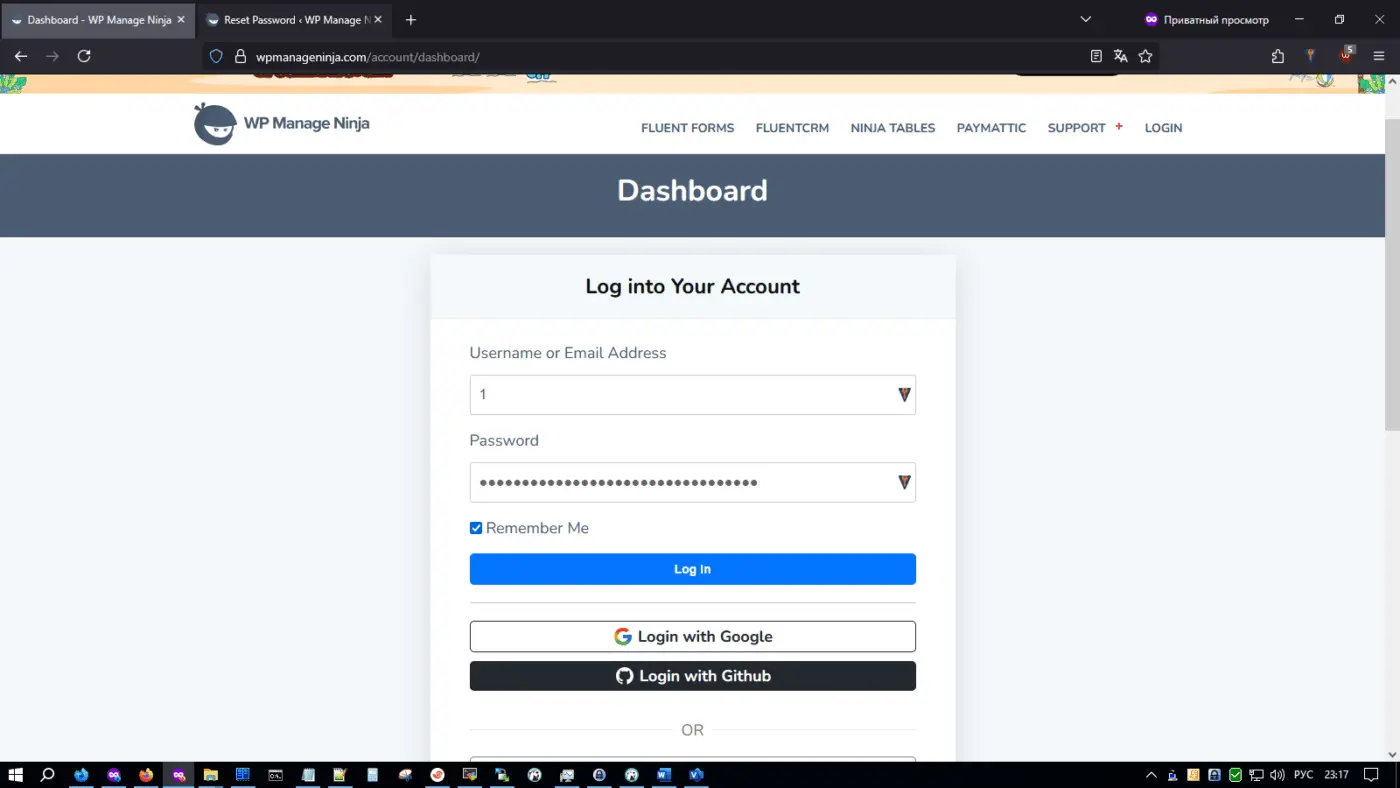
- when registering on community.wpmanageninja.com, I specified the username as "1" and the system accepted this username; I like it, but it is unsecure for users; - In profile menu of FC, the system uses wp-login.php to logout - this is a big minus, as wp-login.php is blocked by security plugin, I have to use "wp ghost" plugin to rewrite wp-login.php to another name;
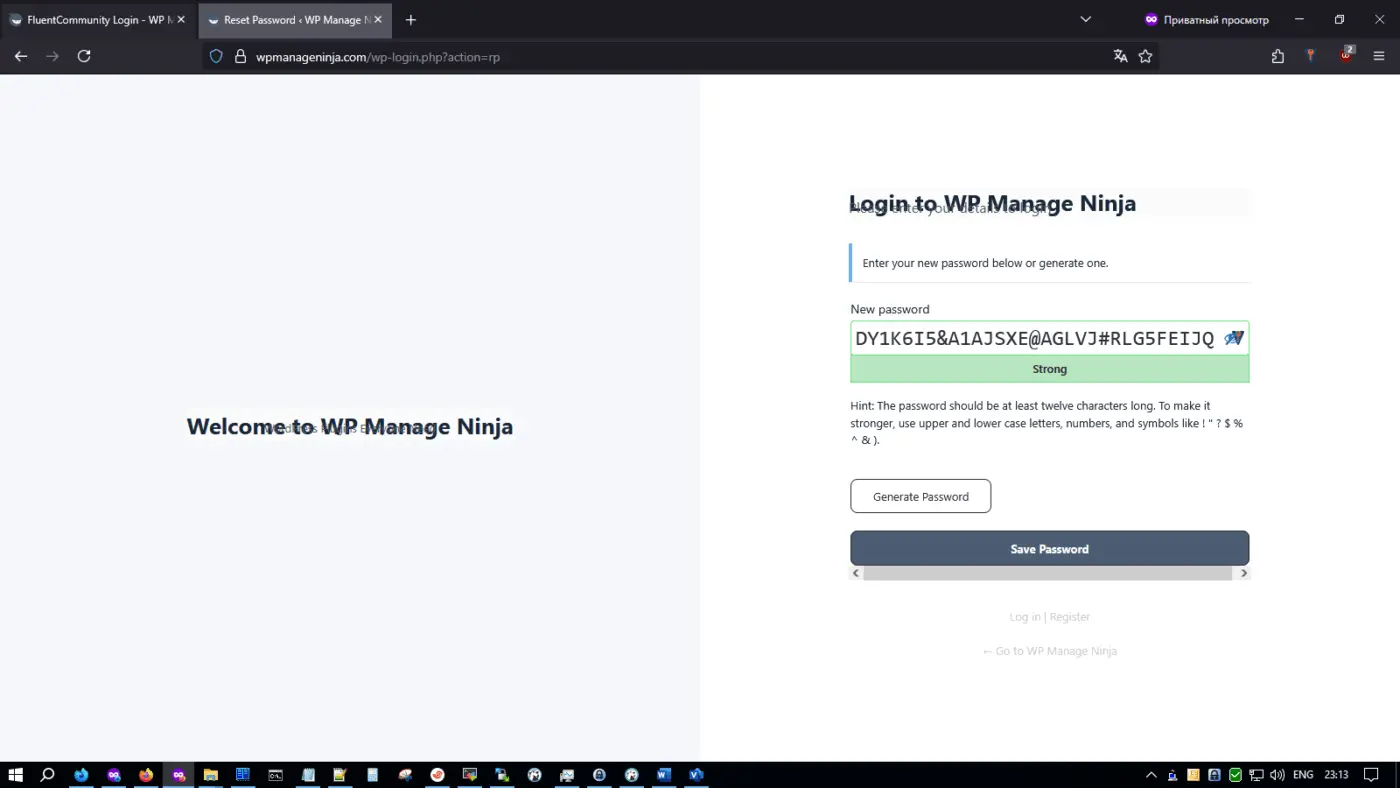
- to reset password, system again uses wp-login.php
- the password recovery page looks ugly (see attached screenshot);
- in FluentAuth you can remove the left banner on the login and registration page, but you can't remove it on the password reset page, please fix it;
- in FC the user has no way to change the password, is this a joke or are you serious?;
- anyway, thanks for your work;