

Plus for FluentCommunity Beta
I have released a beta version of the plugin for anyone who is interested in trying it out. Please join my community to download and discuss: https://jeffbrigman.com/community/?fcom_action=auth&invitation_token=9f903fd56f42ecf2b8206f87e314e1cf
I had wanted to release this yesterday, but made myself take a break from coding. So here is the beta release for testing. The plugin and all features are installed/enabled on my site.
Once you install and activate the plugin, you can find it under the WP Admin -> FluentCommunity -> Plus Settings. By default all features are disabled, and the assets for each only load if that feature is enabled.
What It Does: Plus for FluentCommunity enhances your FluentCommunity installation with powerful customization features and quality-of-life improvements. This plugin adds professional touches and control options that aren't available in the base FluentCommunity plugin.
Key Features
Enhancements Tab:
- Block Self Reactions - Prevent users from liking their own posts and comments (like most social platforms)
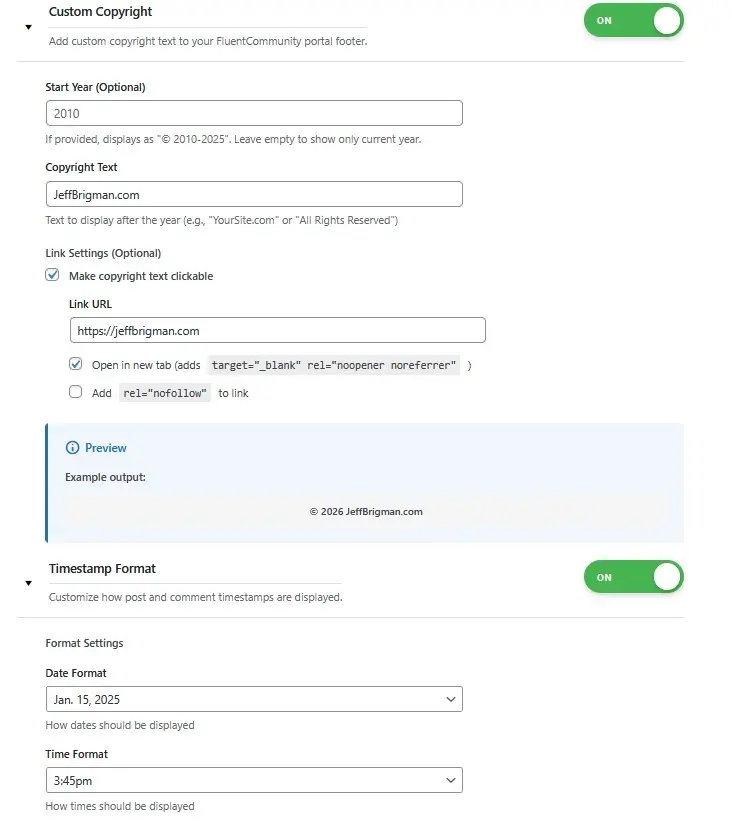
- Custom Copyright - Add branded copyright text to your community footer with optional clickable links
- Default Dark Mode - Set dark mode as the default theme for new visitors while preserving user preferences
- Reserved Usernames - Block specific usernames from being registered (admin, moderator, etc.)
- Timestamp Format - Customize how dates and times display with multiple format options and auto-timezone detection
Styling Tabs:
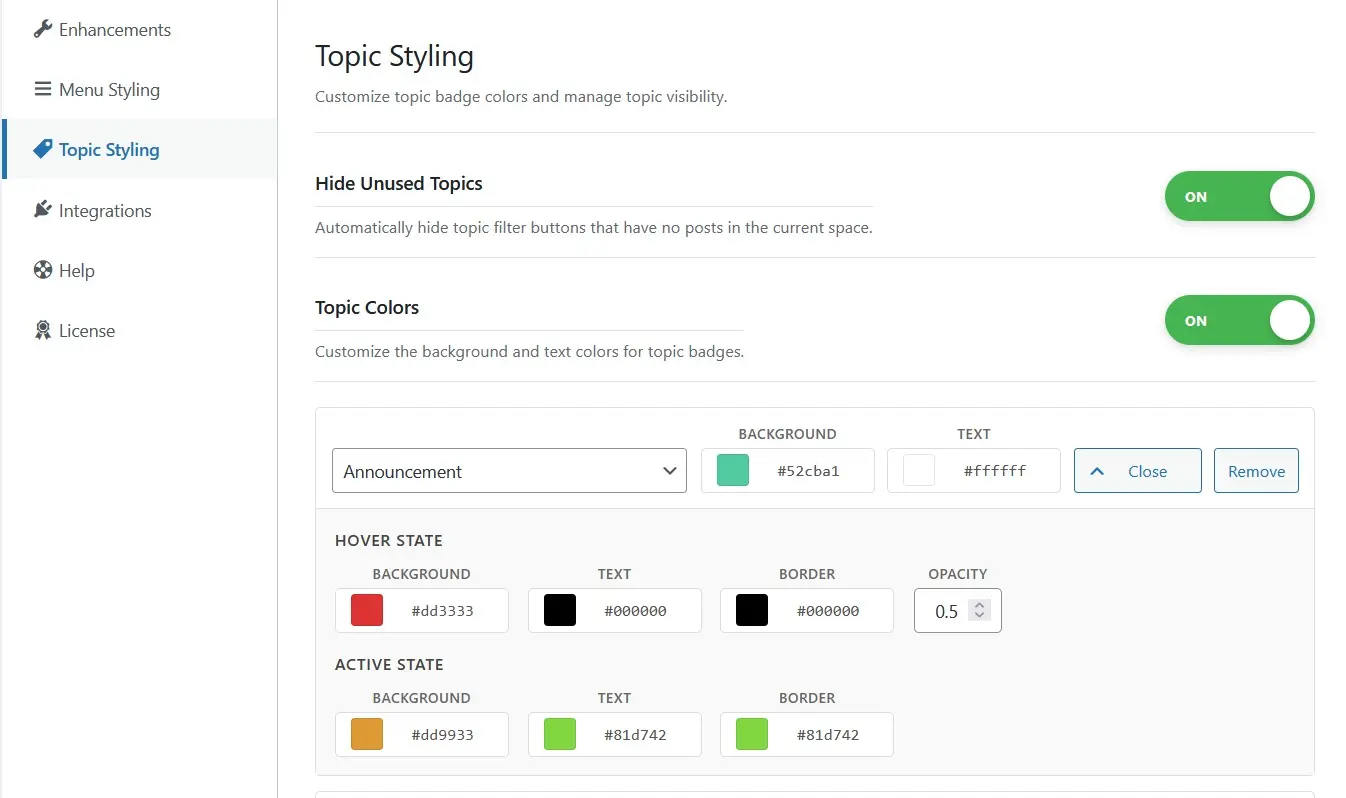
- Topic Styling - Color-code topic badges with custom colors and automatically hide unused topics
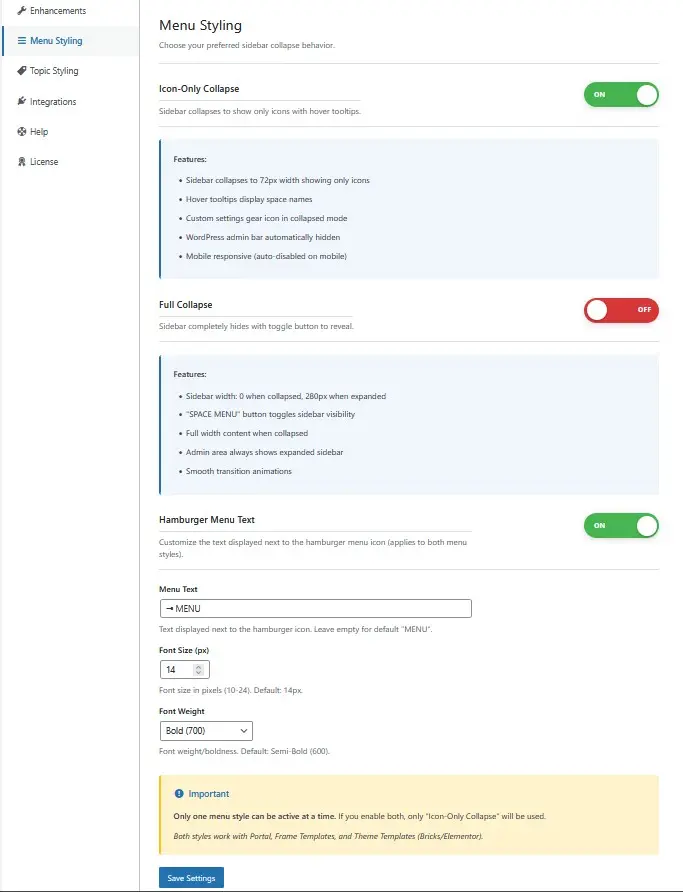
- Menu Styling - Customize hamburger menu text, control menu item spacing, and enable full-collapse functionality
Integrations Tab:
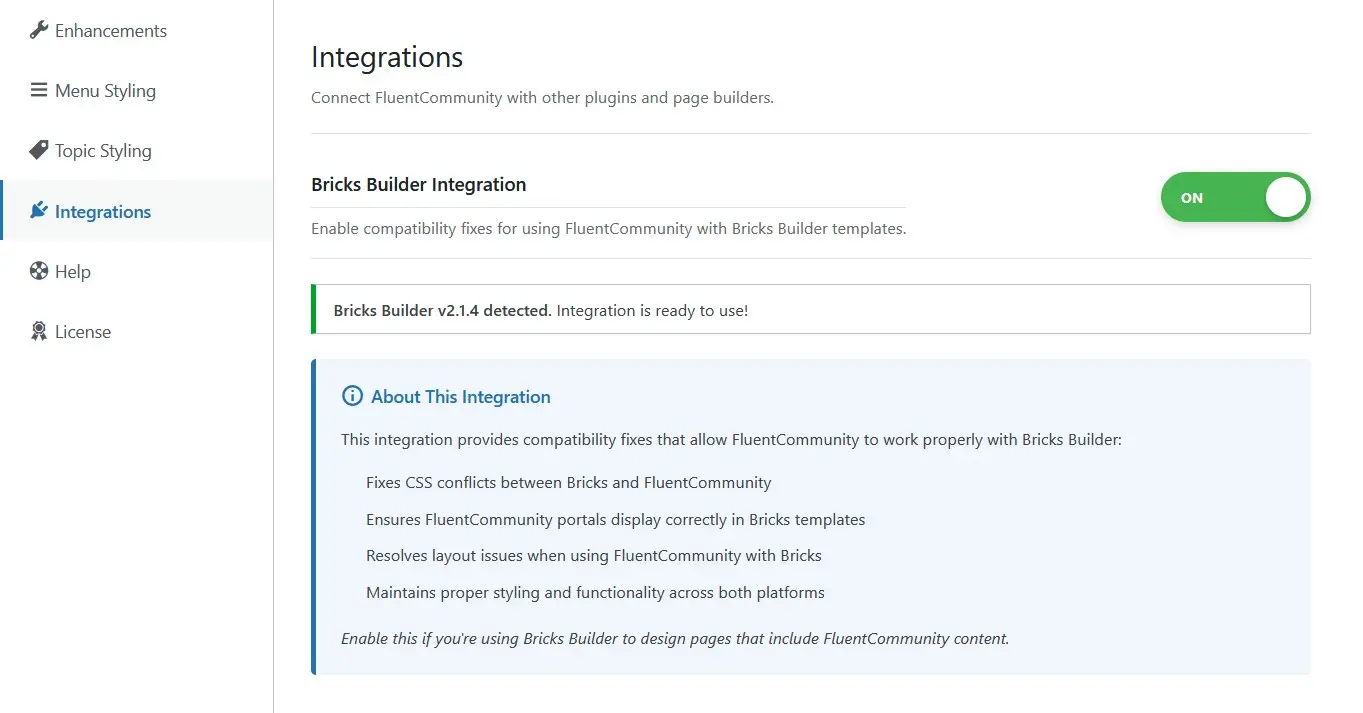
- Bricks Builder Integration - Compatibility fixes for using FluentCommunity with Bricks Builder templates (requires Bricks v2.0+)
⚠️ BETA SOFTWARE WARNING ⚠️
This plugin is currently in BETA testing. Please read carefully:
- NOT RECOMMENDED FOR PRODUCTION SITES - This software is under active development and has not been fully tested in all environments
- USE AT YOUR OWN RISK - While we strive for stability, bugs and unexpected behavior may occur
- BACKUP YOUR SITE - Always maintain current backups before installing or updating this plugin
- TEST THOROUGHLY - If you must use on a production site, test all features extensively in a staging environment first
- FEATURES MAY CHANGE - Settings, functionality, and behavior may change between updates as development continues
- NO WARRANTY - This beta software is provided "as-is" without any guarantees of functionality or support
- REPORT ISSUES - Please report bugs and provide feedback through the community at jeffbrigman.com/community
Recommended Use: Testing environments, development sites, and non-critical communities only until the plugin reaches stable v1.0.0 release.
When to Avoid: Mission-critical production sites, large established communities, or sites where downtime would cause significant issues.

Hi Jeff! What is Plus for FluentCommunity?

Jeff I've updated my post with more info. I had meant to add it but got pulled away for a bit.
Jeff Brigman Ha! Makes more sense now! Looks cool brother!

Tested. Great product, truly enhances FluentCommunity with quality features! Only a few things I saw that could be improved:
1) Menu collapse could/should stay like it was set when walking around other pages. So after a page refresh it would respect the previous settings of the user.
2) An option to disable ''MENU'' text in header. I dont think this text is needed there, burger is self explanatory already.
3) On regular WP pages (when using FC snippet to set FC header and sidebar everywhere), the burger, its color and logo appear differently.
Really good job!
Cointacter what theme and builder are you using to test this with?
Jeff Brigman blocksy theme with greenshift/greenlight builder.
Number 2 is already there, scroll down on menu styling and you can customize the text or completely disable it.
Number 1 is in the works for persistent menu state.
Number 3, you will have to provide me with some additional details such as a link to their documentation on it.
Jeff Brigman 1. great. 2. yeah i missed the disable button. 3. here it is - https://github.com/WPManageNinja/fluent-community-docs/blob/master/theme-compatibility.md
Cointacter I’ll look at this and set up a staging site to test it and see what it does.
Cointacter I was able to verify the issue and will work on it. I wasn't aware of a site wide implementation of FCom's header and sidebar. In fact, I'll add their code to my plugin so you can enable it there with the fixes automatically applied.
Jeff Brigman good stuff
You can create a test site using the WordPress Playground and installing the free FCom and the Beta: https://playground.wordpress.net/
Jeff Brigman I didn't know that. That makes it easy to test plugins before installing on your live site. I use wp locals for all my development.
Jeff I still will do local/staging but direct folks who want to test the beta that direction. Win for everyone.

Looks really good, thanks for doing this.

super

Great concept all around! I look forward to kicking the tires.
