


Option to Hide Privacy Settings on Spaces
Under the "About" section on each space, the privacy settings (such as "Public") are visible to users, along with the privacy setting description. This might not be necessary to display for users, and in some cases, it could be unnecessary to show at all. It would be useful to add an option to hide the privacy settings description for users, so they don't see this information unless it's needed.
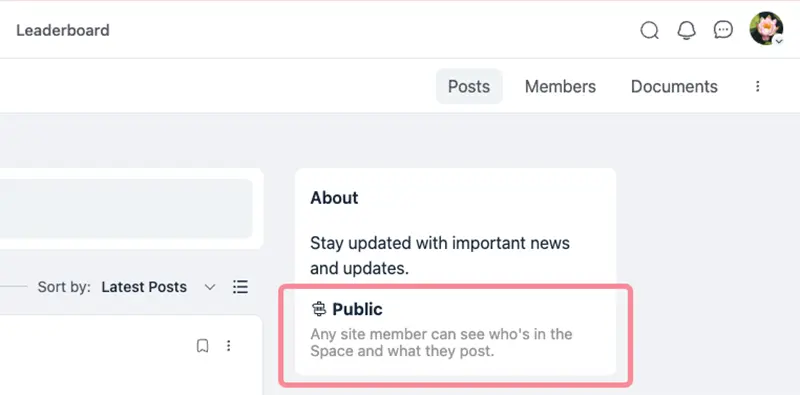

You can remove that with css. Simple function here:
add_action('fluent_community/portal_header', function() {
echo '
#fluent_com_portal .space_meta {
display: none !important;
} ';
});


Ross H I don't understand how they use css code for the portal if it is supposed to be a single page app. Where do they enter the code?

Sombri Luna you can enter the code snippet for example in Fluent Snippet plugin and the magic will happen for your own custom CSS etc
Fluent Community plugin has its own layout (styles like: colors are not taken from your Theme - if you want to use your custom CSS you can use code snippet from here - maybe it will be nativly implemented in Fluent Community settings later on - will see.
If you dont have a Code Snippet plugin for changing Slug and/or CSS code snippet then use Fluent Snippets plugin for Free - here is how to use the Fluent Snippets plugin by @dcmcca David McCan).

What's the CSS to hide the entie left hand sidebar?
Curtis Marshall there is a setting to disable this please
No setting for it. I just had to create a script to do so.