

Optimize Your Fluent Community Profile and Rank Higher on Google
Complete Your Fluent Community Profile
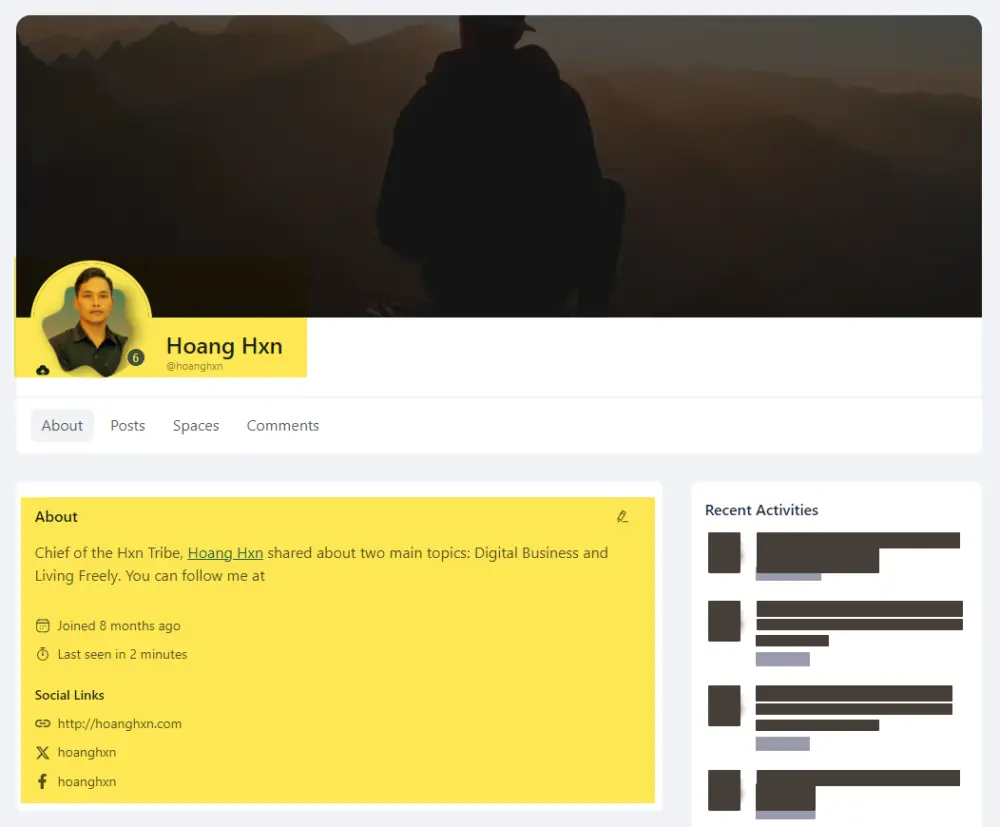
- If you're in this community, make sure to claim your Community Account Username before someone else does.
How to Perfect Your Fluent Community Profile:
- Fill in All Personal Information: Include links to your website, Twitter/X, Instagram, Facebook, YouTube, and LinkedIn.
- Clear Profile Picture: Choose a professional-looking portrait or half-body shot.
- Write a Short Bio: Keep it concise and engaging within 150 characters.
Tips for Naming Your About Profile Effectively
- Memorable and Easy to Find: Choose a simple, easy-to-remember username that’s searchable.
- Relevant to Your Niche or Keywords: Use words or phrases related to the field you want to build your brand around. This improves searchability on Google.
- SEO-Optimized Keywords: Consider SEO when naming your profile. A keyword-friendly name increases the chances of your profile and posts appearing in Google search results.
Example:
I used the keyword hoanghxn for personal branding in both my profile name and posts.
🔥 Result: The keyword “hoang hxn” now appears in Google search results, linking to my account and posts on community.wpmanageninja.com.
I’ve experienced the value of effective naming firsthand, and it works!
Do you have questions about optimizing your profile or choosing the perfect name?
💬Drop a comment I’m happy to share my experience and guide you!
📖 You can read more of my series "How to make money from the community with FluentCommunity".

Amazing 😍 Very helpful. Thanks for sharing 🙏

Thanks for reminding, Will complete Profile soon 😏

should we innstall any seo plugin like rankmath?

Andre Gois As far as I know, Fluent Community uses its own database, automatically optimizes SEO but integrates with SEO Plugins.

Some nice tips, Hoang Hxn! Do you know if you can change title tags and meta descriptions, say for lesson pages in courses?

Joe Williams currently we cannot customize meta tags from the fCommunity settings but it would be nice to allow Admin for some customization.
Adding related link so the fTeam can follow if needed