

Need help with security issue...
I am running the FluentCommunity Pro with FluentAuth, and Wordfence Premium on my site currently. I'm having issues recently with uploading videos to my Community (all of my members are seeing this too).
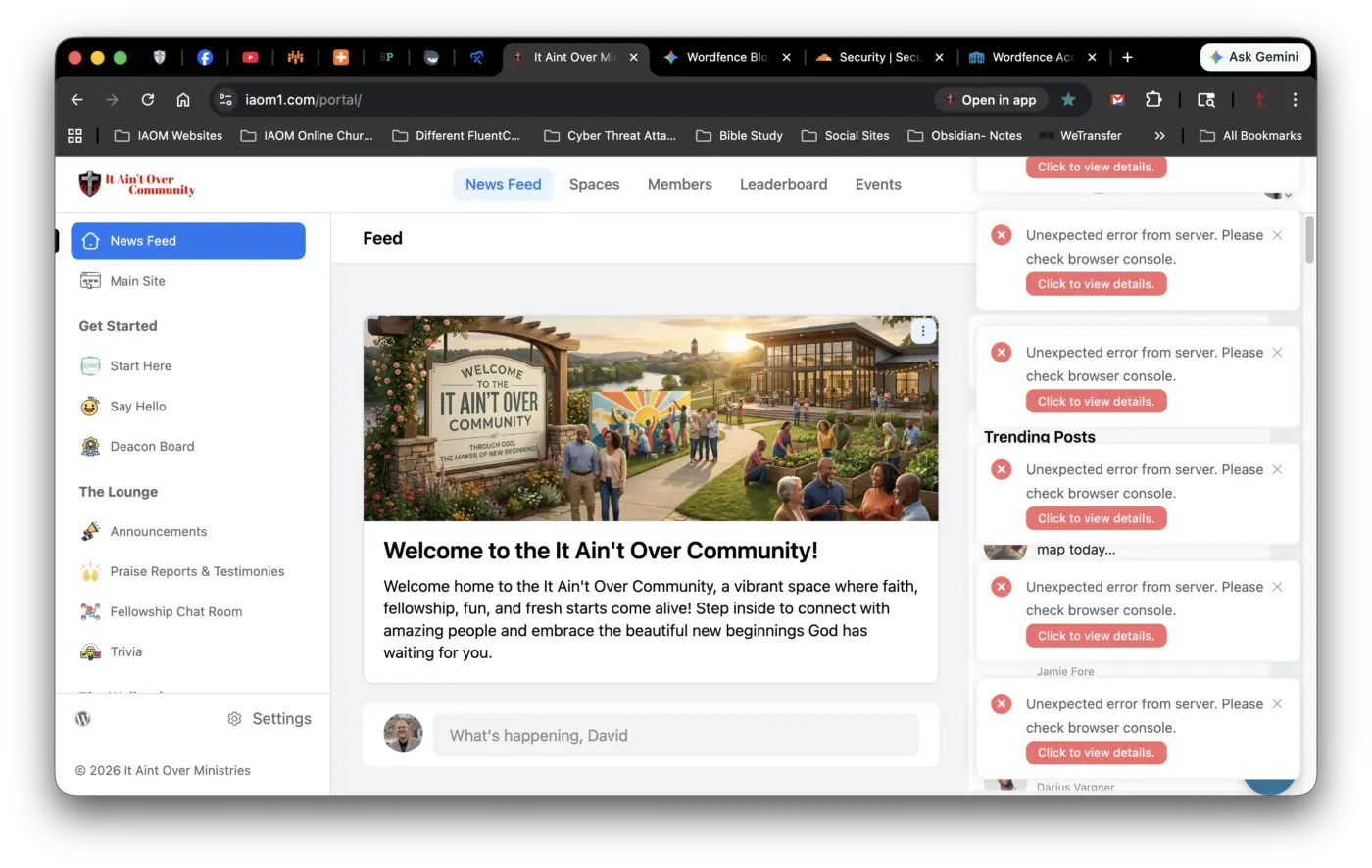
The issue is that when we click into a Space that has a video uploaded in it, we get this error message that pops up in the bottom right corner. (See Screenshot attached).
I'll add the screenshot to this post, and the error code in following comments.
I know I probably don't need Wordfence right now, but we just renewed our Premium subscription this month and would hate to lose that $150.00 by deleting Wordfence now. BUT, if I need to, I will. I just need to know that if I do, my Community and Members accounts are still as safe and secure without Wordfence.
So, if anyone has any advice or tips, I'm all ears 👀.

Here's the first 4 pages of the error code.
Here's the last 2 pages of the error code

David Fore I see you are getting 403 error and it's clearly showing WordFence is blocking the request. I am not sure why they block it, so it will be better if you reach out to them and ask why the block the REST API request. Maybe they should add this plugin's rest api calls to their allow-list.
Shahjahan Jewel thanks. I’ll mention that to them.

What does the error(s) in the Browser Console say?
Think you are using Firefox? So open Tools > Browser Tools > Web Developer Tools and select the Console tab, you may need to reload the page, but it should show you the errors.
David Churchill I'm using Chrome. But I just opened it in Firefox and followed what you said above, and this picture (screenshot) is what it's showing. I don't know how to make heads or tails of any of this.
David Fore thanks for sharing, looks like Shahjahan Jewel has answered your question, definitely contact WordFence.

Wordfence is blocking some fcom features, because they work via public rest api. They should be able to help especially if youre a paying customer.
Cointacter Thanks. That's the same thing, basically, that Gemini said about. I did reach out to Wordfence via Support Ticket, but that was yesterday, Saturday, and I think they don't work weekends, so I'll probably hear back from them tomorrow. I was just wondering if anyone else here in the WPMN Community has had this issue before.

David Fore If you just renewed your Wordfence subscription and still within their refund policy request a refund. Refund policies work for subscriptions too (at least they should and have worked for me). That is if you can see Wordfence is the culprit.

Morgan McArthur easy to test... briefly disable wordfence and see if the error occurs.
More shameless self promotion, but here is my take on Wordfence... Cloudflare Web Application Firewall (WAF) stops attacks before they ever reach your website.
Think of it this way:
- Your current security plugin = Guard inside your house
- Cloudflare WAF = Bouncer at the property line
Jeff Mapes Yeah, I was running both WAF Rules and Wordfence. I got rid of all of the Wordfence plugins (1-Premium; 2-Free) yesterday, cleaned my file system, and database from all of the crud it left behind, and sent their tech support a request for cancellation and a refund.
Thanks for your help and advice with this.