

Introducing User Switching for Fluent Community, a free plugin
A free plugin for Fluent Community sites: sign in as any member from their profile, and switch back from the header.
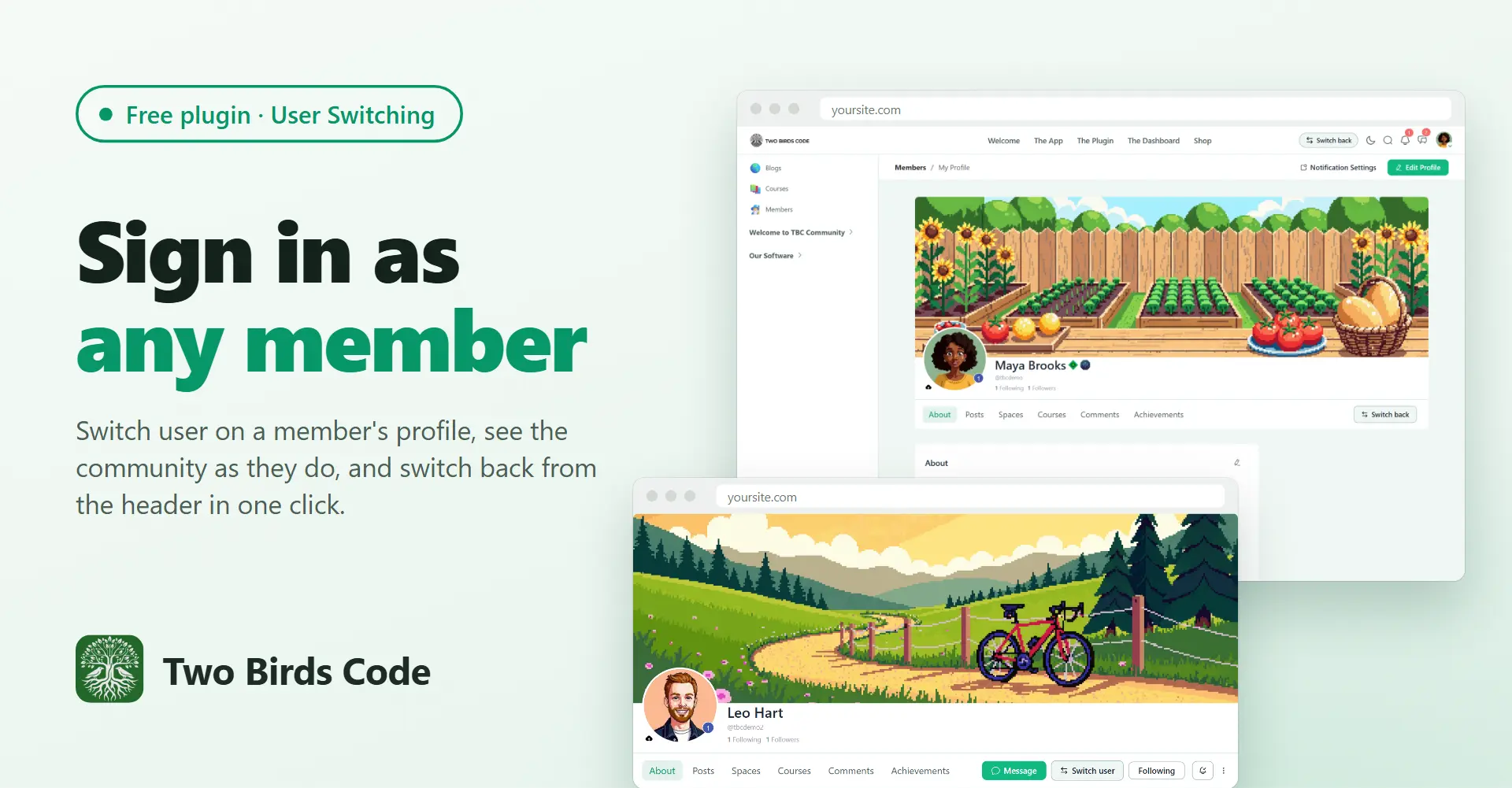
Switch user, on the profile
The free User Switching plugin from WordPress.org lets an admin sign in as another user and back again, but its buttons live in WP Admin and the toolbar, and the Fluent Community portal hides the toolbar. This plugin puts a Switch user button on member profiles. Click it and you land on the same profile, signed in as them, so you see the portal exactly as they do.
Switch back, from the header
While you are switched, a Switch back button sits in the portal header on every page. One click returns you to your own account on the page you were on. Hover it to see whose account that is.
Nothing to set up
User Switching keeps every permission check and cookie, so the rules match WP Admin: on a standard site only administrators can switch, and members never see a button. The plugin's Overview page shows whether User Switching is active and installs it for you if it isn't.
What you need
- Fluent Community, free or Pro
- User Switching, free from WordPress.org
- A free licence key from our store, which turns the buttons on and brings updates
It's free: https://www.twobirdscode.com/blog/item/tbc-web-user-switching/
Full details and screenshots: https://www.twobirdscode.com/blog/free-plugin-user-switching-for-fluent-community-1-0-1/
If you also run our TBC Community App, the app shows no switch buttons. This one is for the website.
Tell us what you'd like us to build next.

Moodle has that and it is SO useful!

Yeah, once you've had it it's hard to go back. Seeing exactly what a member sees takes all the guessing out of support.

Great minds, I released a User Switch plugin to my community the other day. How are you handling private messaging and GDPR? Does this give you exact login so you can just read DMs with one click? Mine does just now but considering alternatives.
Good timing! Switching into a member's account was a common feature on BuddyPress and BuddyBoss sites, and Fluent Community didn't have it, so we added it. Like User Switching itself, ours is free.
We didn't write the login part. Signing someone in as another person is the riskiest thing a plugin can do, so ours is built on User Switching by John Blackbourn (the developer behind Query Monitor). It's been on WordPress.org since 2009, runs on over 200,000 sites, is rated 4.9 out of 5, was last updated in August, and is approved for WordPress VIP. He takes private security reports through GitHub, issues CVEs when needed, and keeps it current for free.
Under the hood it uses WordPress's own login system, nothing custom. A switch only goes through if you're allowed to edit that user (admins by default, never yourself) and the link carries a nonce made for that one user. Your own login is saved in a signed, HTTP-only cookie, so Switch back has to prove you are who you were. If another admin is already switched into that account, it warns you first. When you switch back, the session you used is destroyed. Every switch also fires a hook, and Simple History, WP Activity Log and Stream all log it out of the box: who, into which account, when.
His buttons live in WP Admin and the toolbar, and the portal hides the toolbar. Ours puts Switch user on the member's profile and Switch back in the portal header, so a community admin never has to leave the portal. Every switch still goes through his code.
On DMs: yes, it's a full login as that member, so their messages are readable while you're switched. User Switching doesn't hide anything once you're in. It covers privacy with who's allowed and the log. For GDPR, add a line to your privacy policy saying admins may sign in as a member to help with support, and the activity log gives you a record of every time it happened.

Congratulations !
Thanks Dragan!

Great work!
Thanks Nicolas, appreciate it!