

How to onboard new Members
I am trying to set up my Community so that when a person registers for an account, it will give them very limited access to the entire Community until they follow a specific step-by-step procedure in order to get full access to the whole entire Community once all of the steps are completed.
For example, when they fill out and submit the "Registration", the system sends them the Account Activation email with the 2FA Code that they have to enter, and once they do this, they are now logged into the Community.
I want it to block access to all but a few spaces, for example the "Start Here" space and the "Say Hello" space. The "Start Here" space is where they can read the instructions on how to gain full access to the Community which entails that they complete their whole profile filling in all of the information, uploading a profile pic, and a cover pic.
Then they will need to go to the "Say Hello" space and make a post introducing themselves to the rest of the Community. Once this is done, they'll then get the "Member" badge and the system will automatically send them an email with a link to click to get "Verified". Once they click this link, it will log them back into the Community and add the blue "Verified" badge.
And now, once this entire process is complete, they will be granted full access to the whole Community.
Is this something that someone has accomplished already and can help guide me through the process of how to get this done as soon as possible, please?
I'm using FluentCommunity Pro, FluentCRM Pro, and FluentForms Pro with a few other plugins, so I'm thinking there must be a way to do this with all of these "Pro" Fluent plugins, and especially with the FluentCRM "automations", I'm just not sure how to get it done.
Thanks for any advise or help with this. 😀

Easy, first of all, you need to put all required spaces in private or secret mode not public, because if spaces are public members can just join without going through your procedures.
And you don't need members to click links to get verified, you'll need another automator or a custom code for this not just fluentcrm. But I'll show you how to get members verified.
Also you'll need a 3rd party automator, I use WP automator.
And you have already created badges of your choice. Example: post-badge.
Let's go:
-
Create a fluentcrm trigger: wordpress member sign up,(for the 2fa, WP or fluentauth does it automatically, no configuration needed, unless you want to customise the looks).
-
Action: add member to space(start here).
Done.
Now second process, very important.
Get any 3rd party automator(example: WP automator). See image below
Let's go:
- Create trigger(FluentCommunity): user writes a post in a space(say hello) 1 time.
- Action(fluentcrm): add tag (badgeTag). You have already created badgeTag.
- Done.
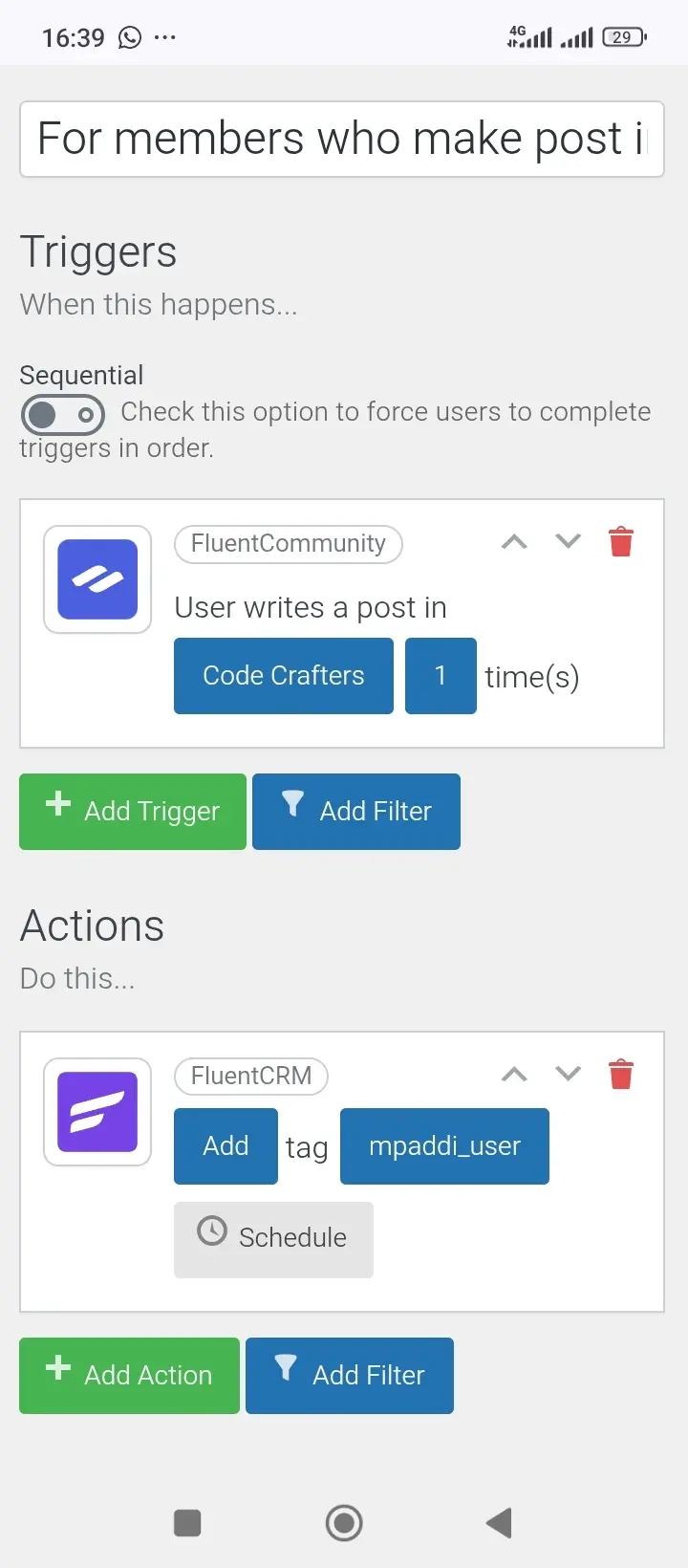
Done.
Now for final,
Let's go:
- Use fluentcrm trigger, when tag is applied: badgeTag.
- Action: add badge to user(post-badge).
- Wait for 5 mins
- Send custom email telling member that he/she has a badge now.
- Add member to space(all spaces you need members to be added).
- Optional: send them custom email telling them they have been added to all spaces.
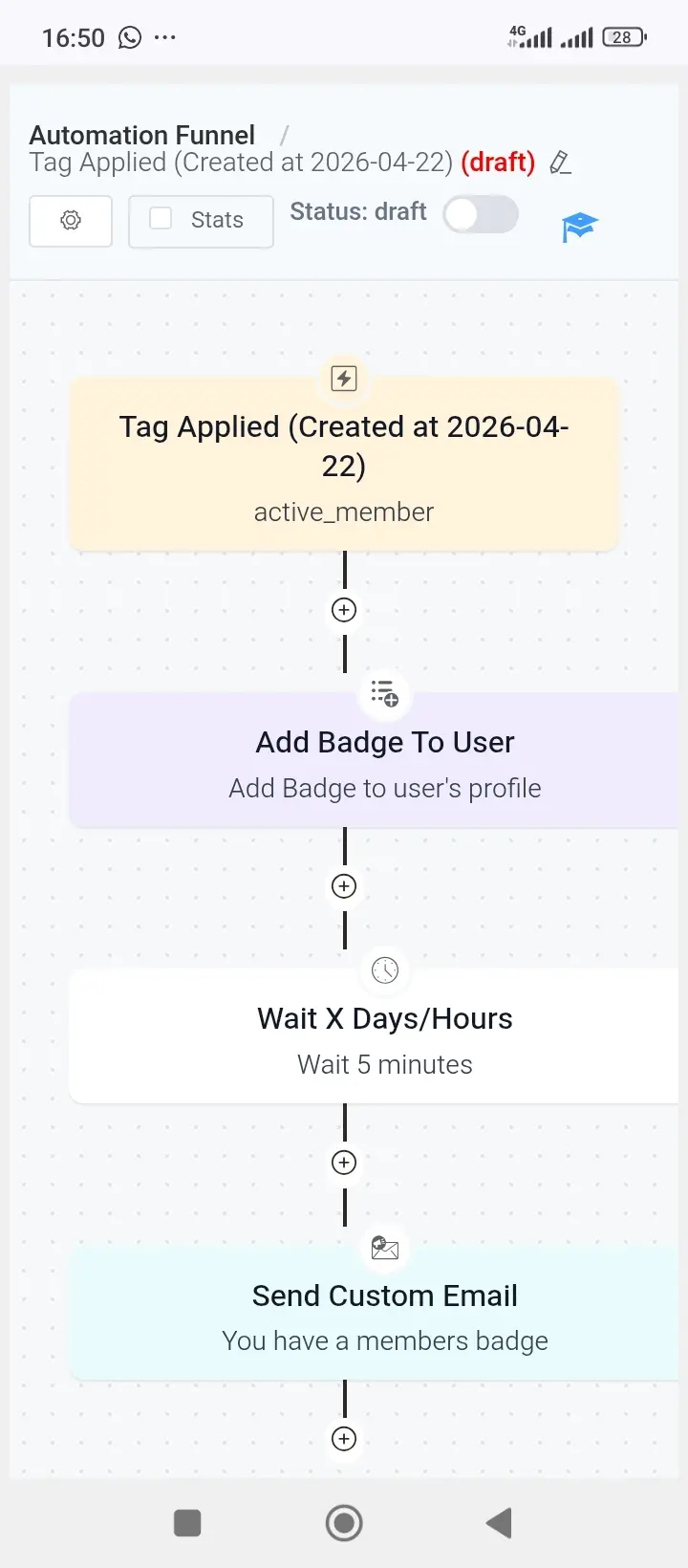
Done
I hope this helps.

WiLson Eberechi Thanks. I'll work on implementing this soon. Just to make sure I'm clear on this, all of my Spaces need to be set to "Private" and not "Public", so they can't gain access to them until they complete the process, and the last "automation" will unlock the Private Spaces for them by adding them to each one all at once. Right?
David Fore yes. I already said your spaces should be private or secret mode