

How to Edit or Remove Left Side Feed Menu on Desktop
Good morning everyone. I tried getting this fixed yesterday but it seems the Feed Menu edit only applies to Top Nav (Primary) Menu Items. There is no option to edit the left side Feed Menu that only shows up on Desktop view.
I tried using the css code to hide it but didn't work:
.spaces .space_contents ul li a.router-link-exact-active {
display: none;
}
Anyone with any idea how to hide this menu since it can't be edited?
CC: Shahjahan Jewel, Raiyan Marzan, Shiam Chowdhury Mat
It will be very nice if we're able to visually edit that secondary menu without using code too.
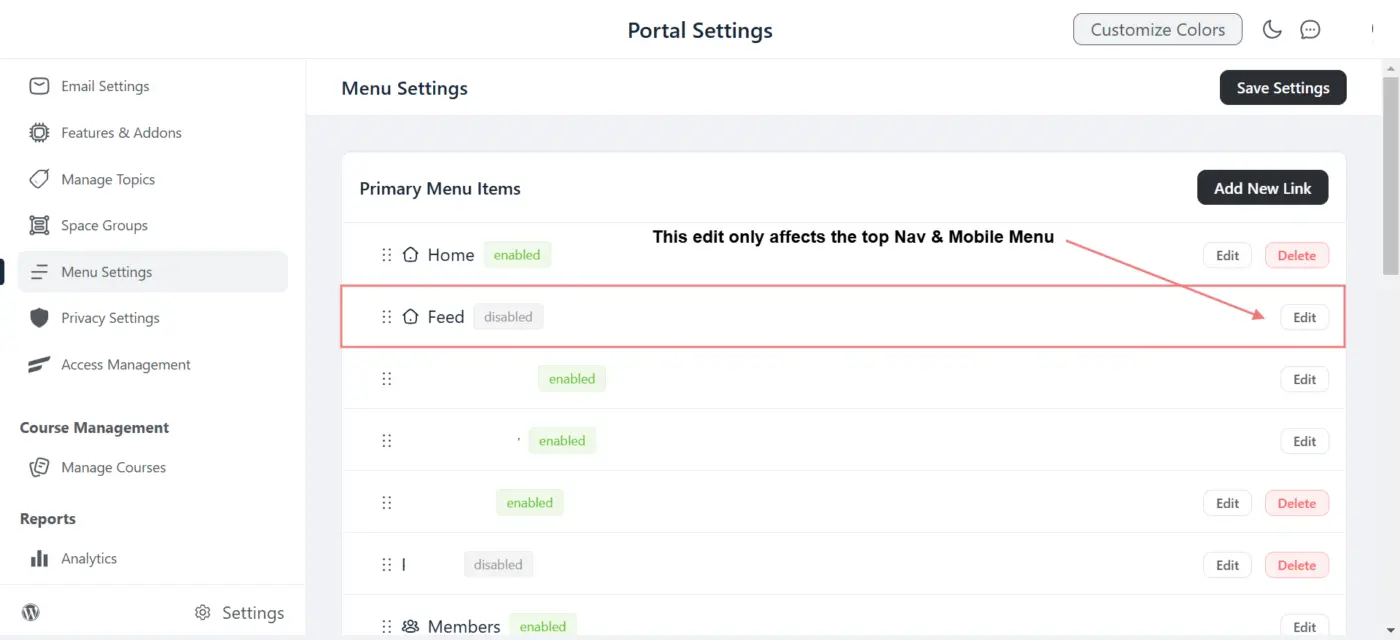
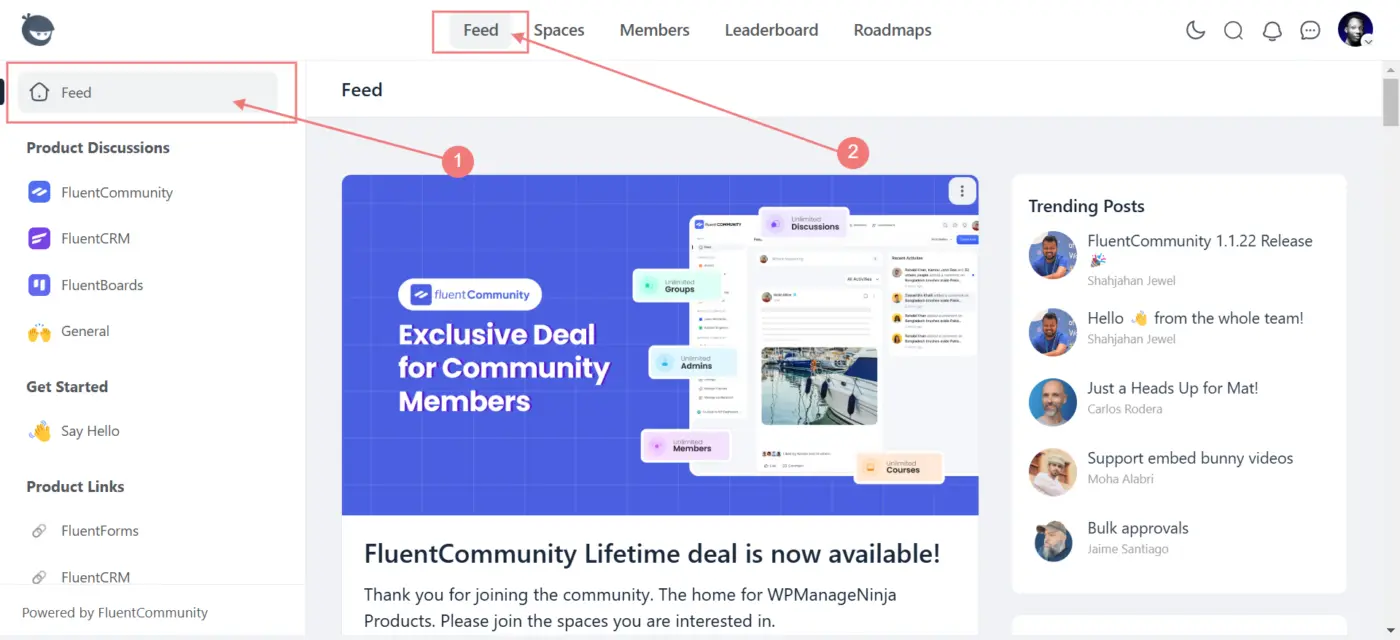

I second this! It will be nice to have CSS section here on the portal.

This is under Settings - Customizations. Just uncheck this option.

Stuart McKelvie Thank you so much. I wondered why non of Managed WP Ninja responded to my post even when this option is available. It is so hidden. Once again, thanks and God bless you for coming through. Issue solved.