

How to Add Members With Their Original Joined Dates?
What steps do I follow to add old users (members) who already have a Wordpress user account, and who are also members in my paid membership and have user information already in FluentCRM Pro ... -INTO- FluentCommunity and then to a particular Space ... -AND- also keep the "joined" date that is associated with their Wordpress joined (date created) date when they originally joined my membership?
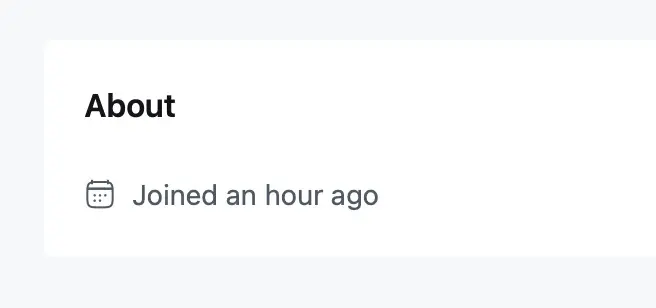
I just did a test and added 25 members using FluentCRM, in the Contacts list, by putting a checkmark next to their names and then bulk adding them to one of my Spaces. It seemed to work well, except for when I go to each of their member profile pages in FluentCommunity, in the about section, they all say, "Joined an hour ago."
My own (admin) FluentCommunity profile, and a couple of other users I've been testing in FluentCommunity since it first came out, have the original "Joined" dates that are like "10 years ago" and "5 years ago" — when they were originally created in Wordpress. So, I somehow was able to bring these few in "correctly" in the beginning. But now I don't know how I did it back then.
REASON: I don't want Members of my membership to see their "about" profile sections and have it say that they just joined today or recently, when they've been paying members for months or years. They might think this is a reflection of how long they have been members, which is not the case.
(1) How can I fix these dates for these 25 users I just brought into FluentCommunity so they actually reflect their Wordpress joined (created) dates?
(2) What's the best process I should actually be using to bring in other members so that they come in with the correct (original) WordPress joined/created dates and not the date they were added into FluentCommunity (current date)?

You can technically go under the database and easily change their created date. It’s actually not bad.

Shahjahan Jewel I need this too. Any chance we could get a filter for the join date before it gets written to the database? Just one line of code... :)

I wrote in to WPManageNinja support, and received a GREAT answer with a workaround solution.
Like Donald mentioned below, support told me #1, I could manually change the database. I'm not confident enough, nor really willing to do this for hundreds of users. But, support also gave me option #2, a code snippet I could run that would swap the current join date with the Wordpress account date in real time, when someone visits a user's profile page!
The code required me to revise the code and manually add the user ID for every single user I wanted it to change — and for hundreds of users, this would be a long, tiring list to make. So, I ran this code through ChatGPT, and it changed it for me so that it would live-swap the join date for ALL users. And it works! (I added mine in FluentSnippets)
Worth Noting:
1: It only shows the revised date on user profile pages, not the "admin" list of members in any particular Space. But, this should be enough to cover my pain point, so I can make do. ;-)
2: It has to always be running, since it appears to do the swap in real-time. So, load the code in a snippet and set it to stay running (not run once).
3: Not the code, but the way FluentCommunity works, the swapped join date is rounded to the month or year. So, it doesn't give a specific date, it will say like, "Joined 5 years ago" or "joined 2 months ago."
/**
- Force FluentCommunity profiles to display the original WordPress registration date
- instead of the FluentCommunity created_at date.
- Usage: Add as a snippet via your snippets plugin.
*/
add_filter('fluent_community/profile_view_data', function ($profile, $xprofile) {
// Get the WordPress user ID
$wp_user_id = $profile['user_id'];
// Get the WordPress user data
$user_data = get_userdata($wp_user_id);

// If we found the user, swap the join date
if ($user_data) {
    $registration_date = $user_data->user_registered;

    // Convert to DateTime for formatting
    $newDate = new DateTime($registration_date);

    // Replace the profile's "created_at" with WordPress registration date
    $profile['created_at'] = $newDate->format('Y-m-d H:i:s');
}

return $profile;
}, 10, 2);
Curtis Bisel This is awesome!!! Thanks very much.
Thomas Oates ~ Support wrote me back again with another code update. This second revision even fixes the issue on the members list of a Space, and shows their Wordpress registration join date — Just tested it and it works!
/**
- Fluent Community Profile Date Modifier
- Force FluentCommunity profiles to display the original WordPress registration date
- instead of the FluentCommunity created_at date for ALL users.
- Works on both individual profile pages and members listing page.
*/
// Hook 1: Individual profile pages (/u/username)
add_filter('fluent_community/profile_view_data', function ($profile, $xprofile) {
$wp_user_id = $profile['user_id'];
$user_data = get_userdata($wp_user_id);

if ($user_data) {
    $registration_date = $user_data->user_registered;
    $newDate = new DateTime($registration_date);
    $profile['created_at'] = $newDate->format('Y-m-d H:i:s');
}

return $profile;
}, 10, 2);
// Hook 2: Members listing page (/members)
add_action('fluent_community/members_query_ref', function (&$membersQuery, $requestData) {
global $wpdb;
$tableName = $wpdb->prefix . 'fcom_xprofile';

$membersQuery->selectRaw("
    {$tableName}.*,
    (SELECT user_registered FROM {$wpdb->users} WHERE ID = {$tableName}.user_id) as created_at
");
}, 10, 2);
Curtis Bisel Awesome...even better. Thanks!!