

How do I delete space groups
Maybe the question is a typical beginner question.
The FC documentation says: Edit/Delete Group: To change the details of a group, click the Edit Info button next to the group. This will allow you to update the title, slug, description, or visibility settings.If you want to delete the group simply click on the Delete button next to the Group name.
If I try that I get a message"You cannot delete a group with spaces. Please move the spaces to a different group first."
Moving the spaces (that can only be completly deleted) leaves a group over that clutters the right sidebar.
What is the correct process?

What's your overall goal? Spaces need to be assigned a group, they are basically a container for the spaces. You can't delete the container if it has content. So you first need to move each space to it's new container/group. Once a group is emptied it can be deleted.
Is the goal to hide the group from the sidebar?

Yes, the goal is to hide the groups from the sidebar?
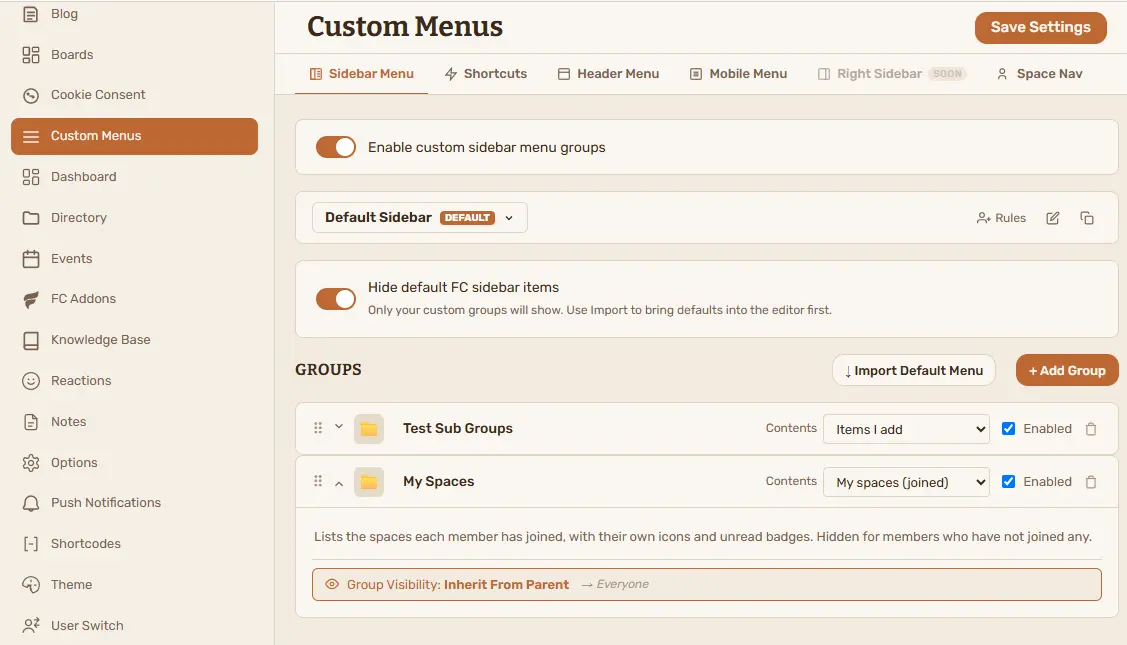
Jochen Weber that's not possible just now in FluentCommunity. As you're already a user and it's not a sales pitch... You can do this with my Custom Menus add-on. Just activate it and you'll get a Custom Menus tab in your admin settings where you can hide all the default groups and build your own.

We will improve the Space Groups section of settings, currently there are some limitations, we have noted these and we will work on these, thank you.
Thank you guys!