

Help with Community Indexing
I'm asking the more experienced folks here:
We’re having an issue with the indexing of our community.
We've set it as public, but when we request indexing of the community homepage via Google Search Console, we get the following message:
Page not indexed: Excluded by "noindex" tag
And the following values:
Last scan: 28 Nov 2024, 13:01:22
Scan performed by: Googlebot for smartphone
Crawling allowed?: Yes
Page retrieval: Successful
Indexing allowed?: No: "noindex" detected in the "robots" meta tag
We’re using Rank Math SEO, which also prevents us from seeing the FluentCommunity Sitemap.
How do you suggest we proceed?

This link doesn't work https://fluentcommunity.co/docs/community-seo-sitemaps

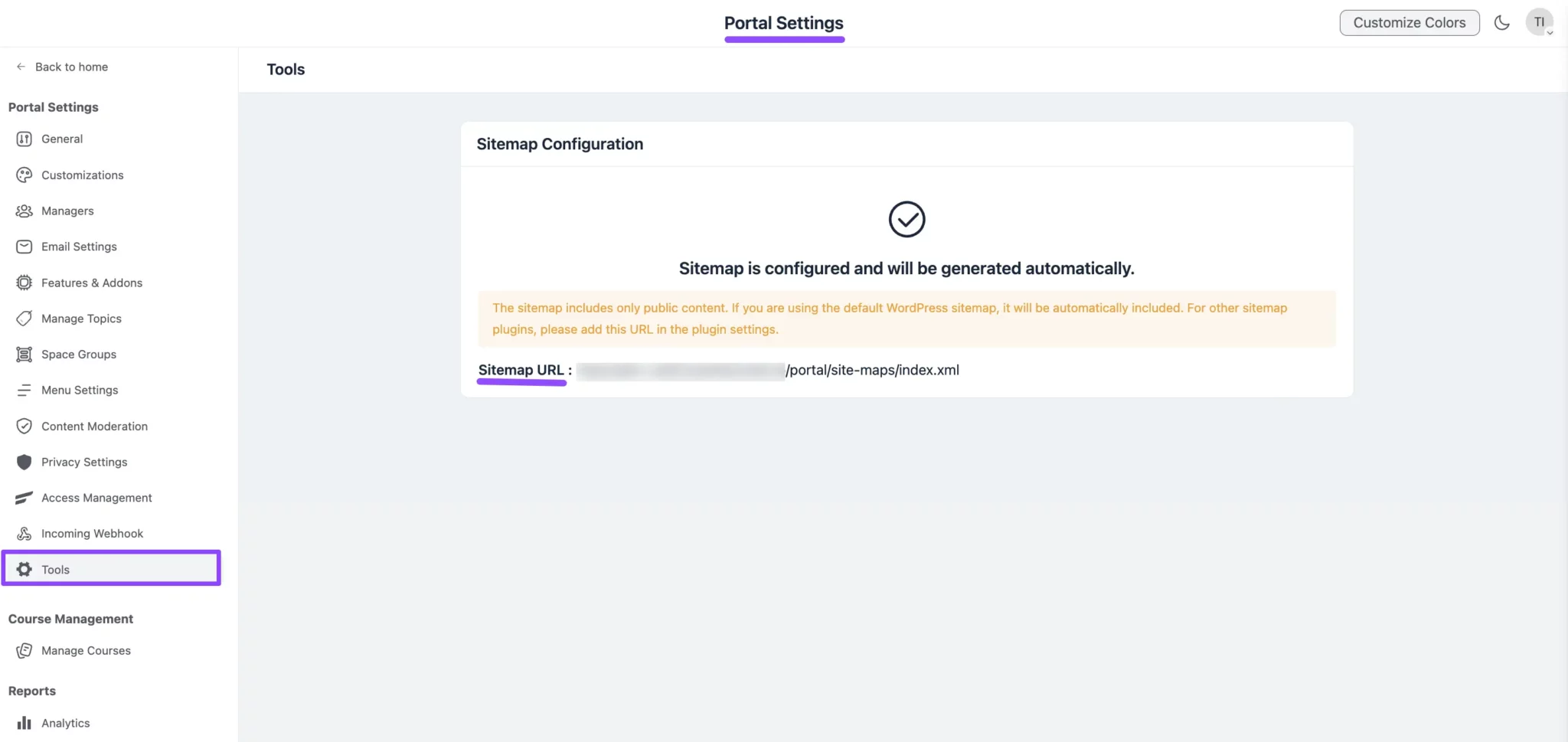
- can you access your sitemap directly from the browser: domain.com/portal/site-maps/index.xml or these files are not being generated at all?
https://community.wpmanageninja.com/portal/site-maps/index.xml
https://community.wpmanageninja.com/portal/site-maps/feeds-1.xml
https://community.wpmanageninja.com/portal/site-maps/feeds-2.xml
https://community.wpmanageninja.com/portal/site-maps/spaces-1.xml
\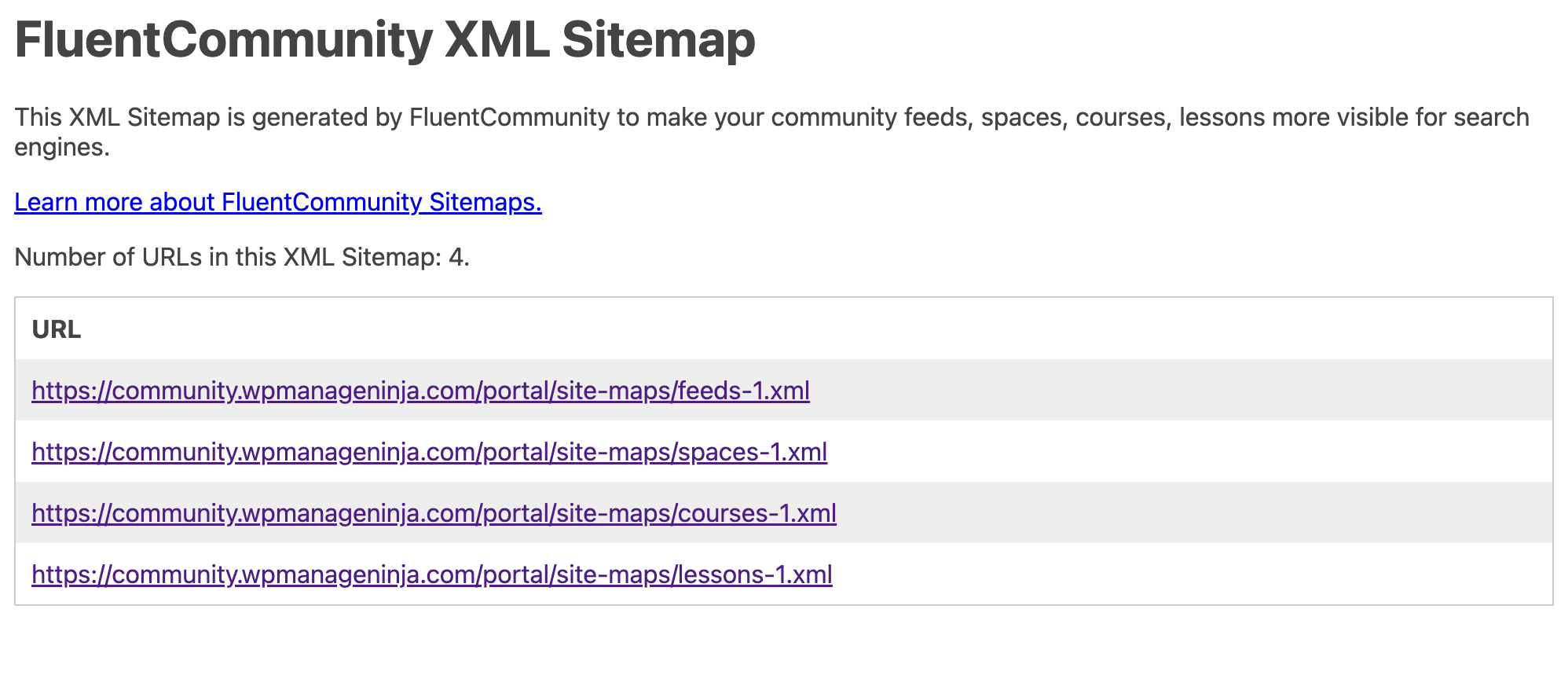 ](https://fluentcommunity.co/wp-content/uploads/2025/05/sitemap3.png'>)
\
Note: I assume you dont block any bots/crawlers via CloudFlare and/or do not modify any X-Robots-Tag’ http header via CF
- When you preview your fCommunity html code in a browser > right click: View Source do you see anywhere the tag:
<meta name="robots" content="noindex">- Do you embed your fCommunity into fCommunity Compability Theme?
- What results do you see when performing using this checker: https://seo.ai/tools/noindex-checker > enter your url: domain.com/portal or any other custome one (if applicable)
Is your site indexable as shown below?
This page is indexable
Search engines are not blocked by:Noindex metatag
Noindex HTTP headers.
HTTP status code
Robots.txt.
- what are you Wordpress settings:
Navigate to wp-admin Settings > Reading in your WordPress dashboard.
Locate the "Search Engine Visibility" section and check the box next to "Discourage search engines from indexing this site".
Save your changes.
- what are your RankMath settings:
Note: fCommunity should no be affected by any Pages unless you do some embeds for fCommunity (Theme Compability) etc
navigate to Rank Math SEO > Titles & Meta in the WordPress dashboard.
Select the post type (posts, pages) or taxonomies (categories, tags)
Enable the Robots Meta option and choose Index - save changes
Mat Hello! To answer your questions:
"can you access your sitemap directly from the browser: domain.com/portal/site-maps/index.xml or these files are not being generated at all?
https://community.wpmanageninja.com/portal/site-maps/index.xml
https://community.wpmanageninja.com/portal/site-maps/feeds-1.xml
https://community.wpmanageninja.com/portal/site-maps/feeds-2.xml
https://community.wpmanageninja.com/portal/site-maps/spaces-1.xml"
I can't, because rankmath apparently blocks it.
"Note: I assume you dont block any bots/crawlers via CloudFlare and/or do not modify any X-Robots-Tag’ http header via CF"
No, I don't think so.
"When you preview your fCommunity html code in a browser > right click: View Source do you see anywhere the tag:
"
There's not such a string in the source.
"Do you embed your fCommunity into fCommunity Compability Theme?"
Never did. Should I?
"What results do you see when performing using this checker: https://seo.ai/tools/noindex-checker > enter your url: domain.com/portal or any other custome one (if applicable)"
It gives this message:
This page is indexable
Search engines are not blocked by:
Noindex metatag
Noindex HTTP headers.
HTTP status code
Robots.txt.
"what are you Wordpress settings:
Navigate to wp-admin Settings > Reading in your WordPress dashboard.
Locate the "Search Engine Visibility" section and check the box next to "Discourage search engines from indexing this site".
Save your changes."
Confirmed
"what are your RankMath settings:
Note: fCommunity should no be affected by any Pages unless you do some embeds for fCommunity (Theme Compability) etc
navigate to Rank Math SEO > Titles & Meta in the WordPress dashboard.
Select the post type (posts, pages) or taxonomies (categories, tags)
Enable the Robots Meta option and choose Index - save changes"
Confirmed
Fabio Pinna I am not sure if this is possible but.. if you disable Rank Math plugin everything works? Maybe it is good to check this scenario on the staging site.
Once the Rank Math plugin is disabled (check if your fCommunity index.xml sitemap files are generated and accessible - it will be obvious that there are some settings or plugin conflict.
If the no-index tag is not there I am not sure what causing the indexing issue.
You can also just temporary disable CF traffic (Dev mode) but I dont think its an issue (headers related) in your case.