

FluentForms integration?
Hi Shahjahan Jewel I created a review form in Fluent Forms and added it to the final lesson of the course. However, when the form is displayed inside a Fluent Community lesson, all styling is stripped and the form appears without its intended layout or design.
On the left you can see how the form looks on a regular page outside the community. On the right is how it appears inside the Fluent Community lesson.
The form uses conditional logic, where additional questions are shown based on selected answers. These fields are all visible as well inside the FC lesson so conditional logic does also not work.
Is there a way to ensure that the Fluent Forms styling is properly loaded when the form is embedded in a course lesson? I would love to see a full integration.
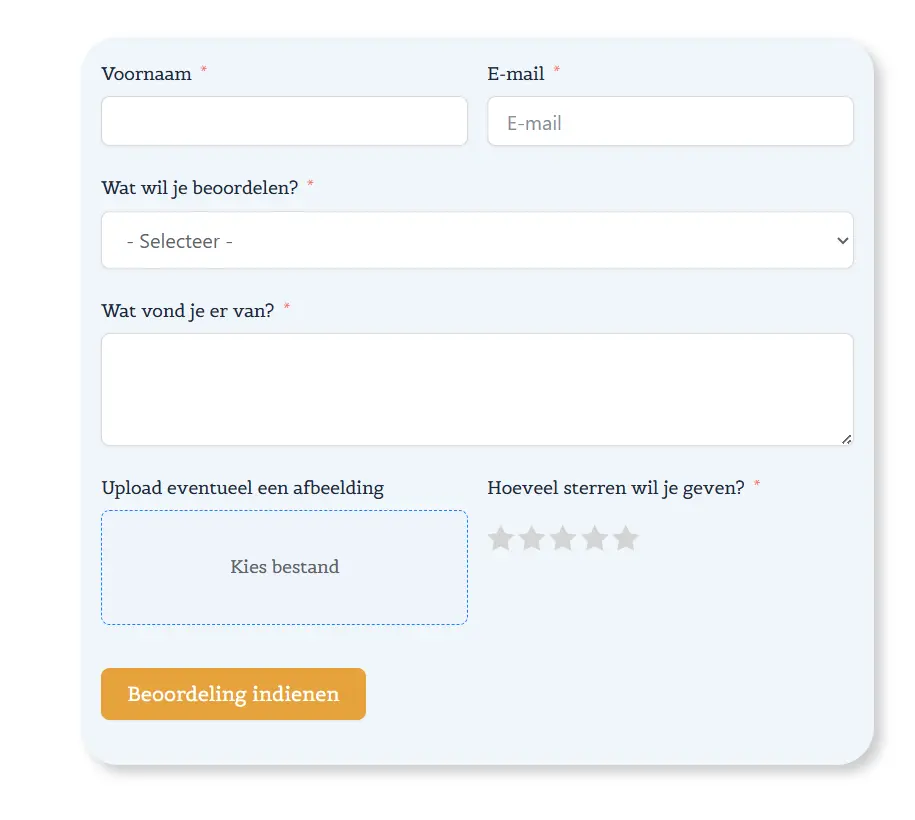
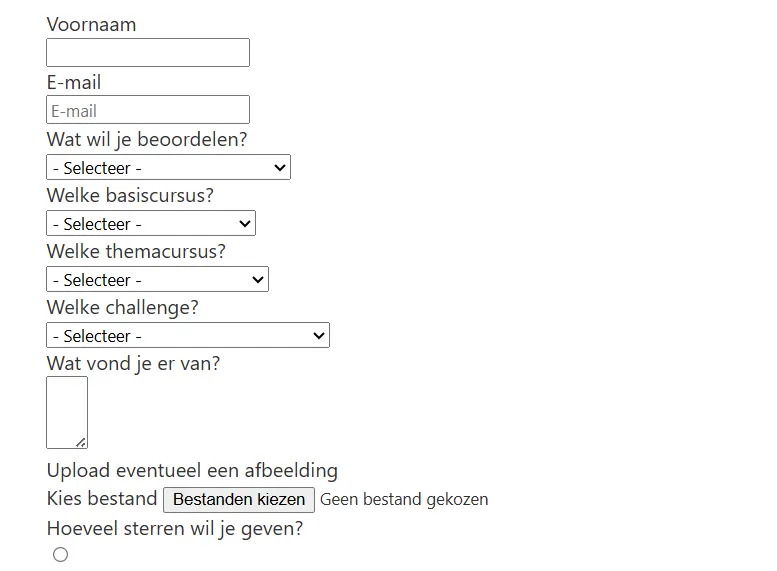

hey Gee - sure the ninjas will give an official response, but this is the same as what happens when any wordpress plugin tries to enter the fcom environment. It's not necessarily "stripped out" the styles and scripts, they're never loaded in the first place. A shortcode just calls a small bit of html - in this case the titles and containers for your form - it then expects a scripts and styles to be available to make that html come to life, which is the case for any standard wordpress page, but not the case in fcom.
Here's my newest analogy. Fcom is like a photography darkroom, for it to work it needs to be completely isolated from natural light. Your fluent form is like an already developed photograph, and you've taken it into the dark room to look at it. Obviously you can't see it because it's dark, maybe you can see general idea of the photo due to the red light provided in the dark room, but you can't see the true photo. The only way to see the photo in the darkroom would be to shine a light, thus completely destroying the items in the dark room that need to be there. You can't put light in a darkroom for then it ceases to be a darkroom and it's only function is now gone due to the presence of light.

Ross FCA good explanation! I really hope the Ninjas will do something about it. It's a pity that it's now not working together. Of course it's an easy workaround to just add a button in the last lesson with the request to give a review, but this is a step that often is not done. So I want to make it as easy as possible for the students to give a review.
Previously I just enabled the lesson discussion where the students can give a review but then I need to manually collect them at each course and add them myself on the review page. This is time consuming with all the courses that I develop 😅

Ross FCA daaamn, I imagined it as a movie when reading it. If anyone would be writing a book about Fcom it should be you. 😀

We ran into a similar issue integrating a form into a post. Wrote a PHP script. Link to the article https://community.wpmanageninja.com/portal/space/community-meta/post/generate-a-post-using-fluent-forms

how did you add Fluent Forms to a lesson? I can't seem to see how to do that i.e. theres no block and no shortcode option either.