

Feature Inquiry: Custom HTML Embedding in Posts
Hi, I have a question. I’m planning to move from Circle.so to FluentCommunity, but there’s a feature on Circle that’s important for us. It allows adding custom HTML directly within posts.
What we need is a dedicated space where only admins can create posts and users cannot. In that space, we want to present it as an AI tools section by embedding multiple AI agents from Voiceflow. Each post would essentially function as an AI agent chat interface, created by adding an HTML snippet to the post.
We also want to disable likes and comments so it feels more like a tools interface rather than a typical post feed.
While we could embed this on WordPress pages, our goal is to keep it inside a community space so we can make it a paid space offering and have it integrated within the community experience.
Refer below image to see how circle has provided option under post setting for custom HTML
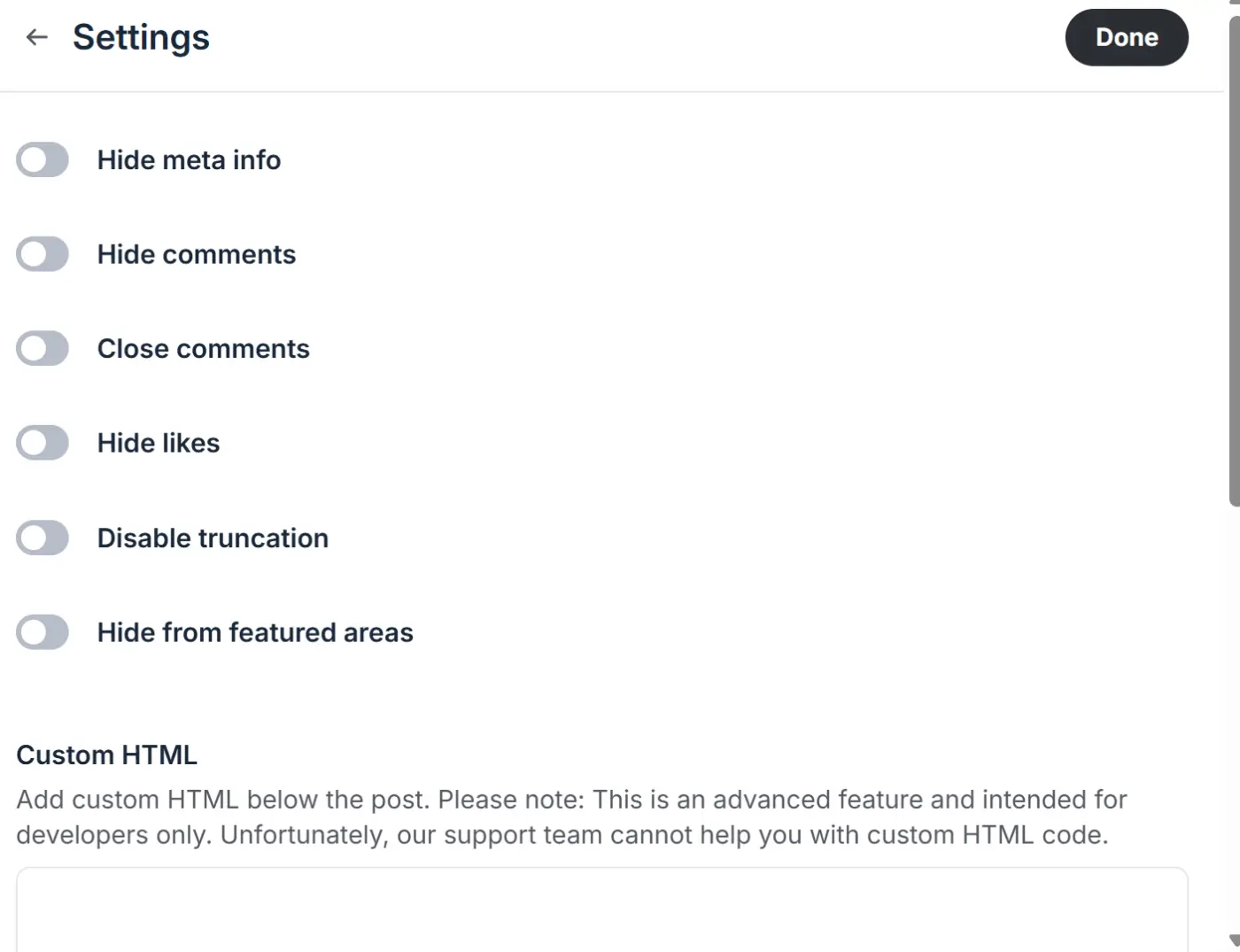

how the custom HTML is actually works? Can you add arbitary html js codes into the post?

Shahjahan Jewel In Circle, we can add custom HTML directly inside a post. We usually paste an embed code provided by tools like Voiceflow.
This snippet includes the chatbot interface, and once added, it renders directly inside the post as an interactive chat UI.
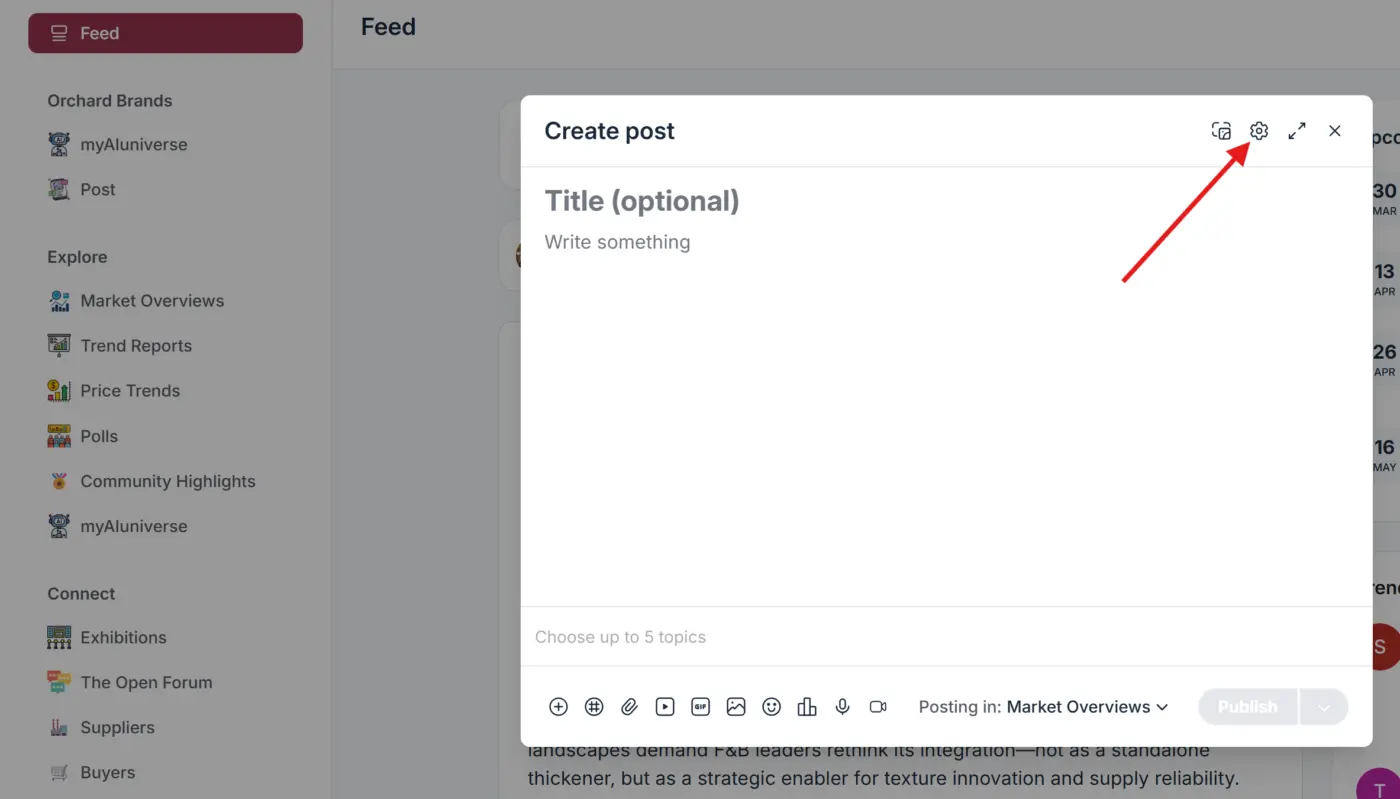
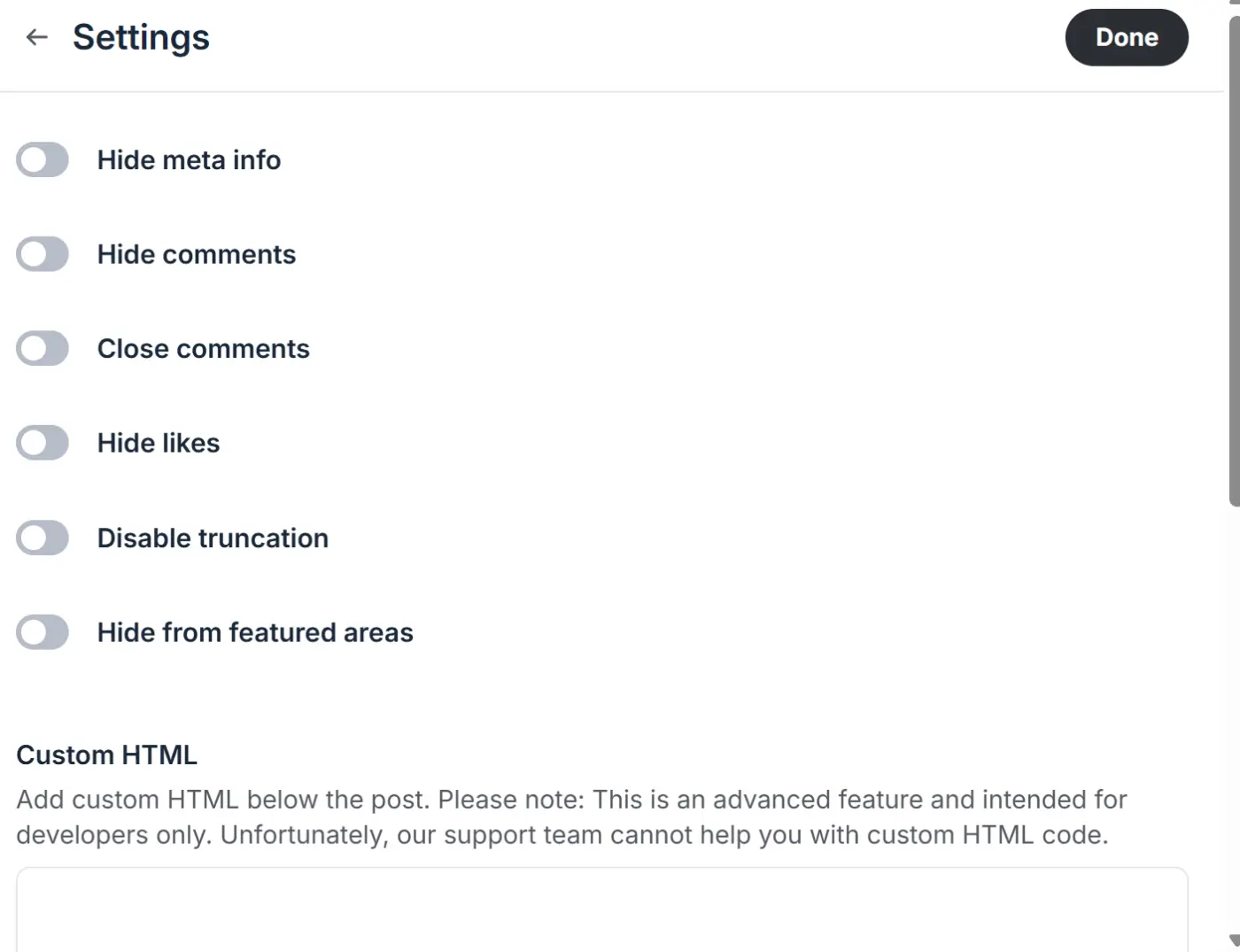
Shahjahan Jewel If the post is left empty, any HTML code added will render directly in the post. If the post contains text, the HTML code will render below the text. To add code in a post, we click on New Post. You can enter text in the title or body or leave them empty and then open the post settings. Inside the settings, you’ll find the HTML snippet option.



You might be better doing this as a standard WordPress page (styled accordingly) and using Theme Compatibility to present within the portal interface.