

Customize Login Page - is only the left side customizable?
I can add a background image, adjust the text, set the background color, but only on the left side. Our entire site is dark themed and having the right side where the login form is be pure white is like staring into a lighthouse. Is there no way to customize this?

Erik Boles You can change the right side of the login page too. Open FluentCommunity → Settings → General Settings → Customize Login/Signup Form, click Customize, then use the pencil icon beside Form. Its design settings include the background color and image, so you can match the form side to your dark theme. Here’s the current login/signup customization guide. If the Form option is missing on your site, please share your FluentCommunity version and a screenshot of the customizer.

Mahfuzur Rahman I did follow the guide you shared above which is why I assume this is a bug, I don't have a design tab for the form, only for the left side banner. I'm on 2.12.0
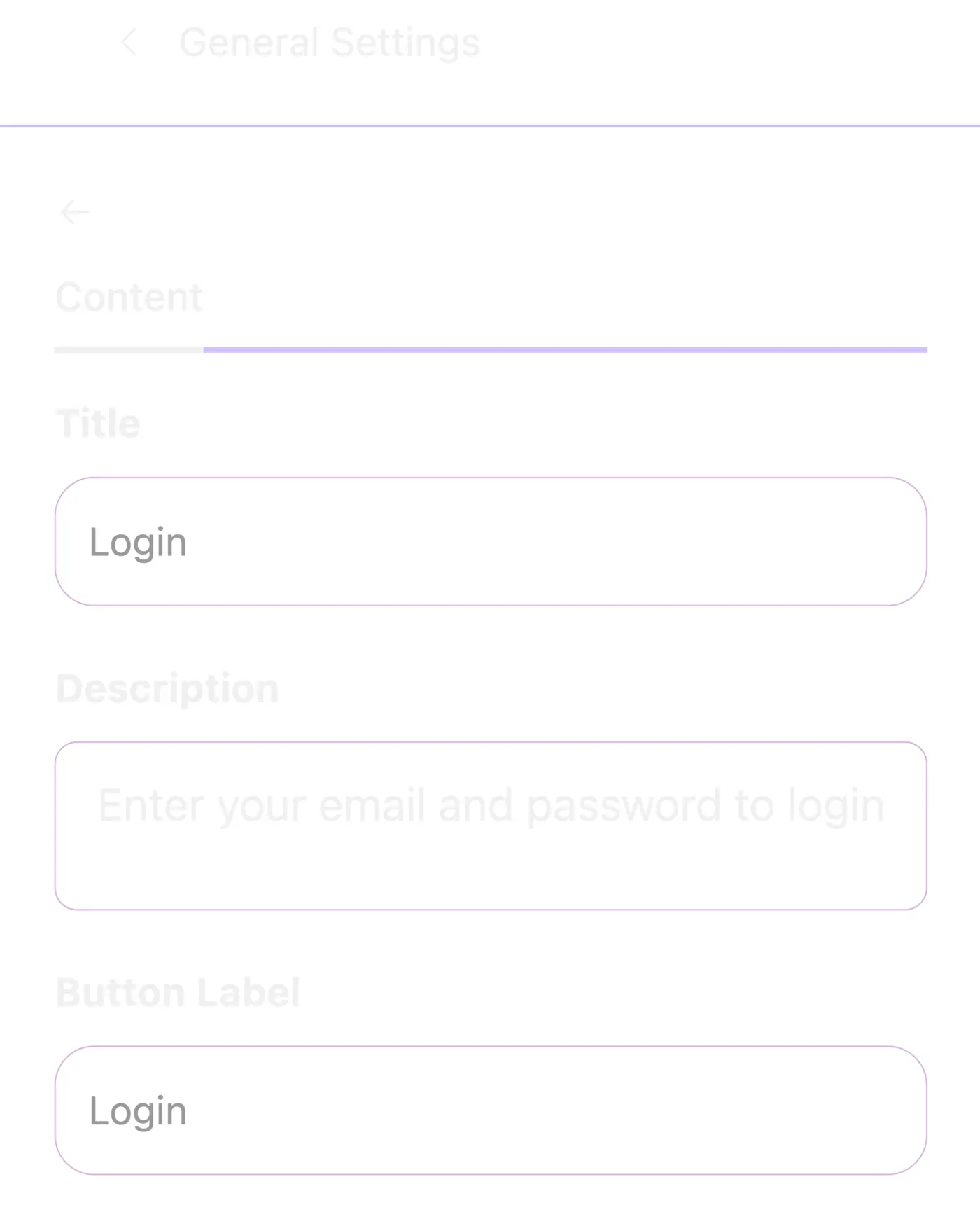
Erik Boles Thanks for confirming, Erik, and for the screenshot. You're right: in 2.12.0 the Form panel only has the Content tab, so the form side can't be styled from the customizer right now. I've reported this to our development team.
In the meantime, you can match the form side to your dark theme with a bit of CSS. Please add it to WordPress's Additional CSS, not the FluentCommunity Custom CSS box, because that box doesn't load on the login page:
- Block theme: Appearance → Editor → Styles → Edit (pencil icon) → ⋮ menu → Additional CSS
- Classic theme: Appearance → Customize → Additional CSS
.fcom_full_layout.fluent_com_auth .fcom_layout_main {
  background-color: #111827;
  color: #e5e7eb;
}
.fcom_full_layout.fluent_com_auth .fcom_layout_main h2,
.fcom_full_layout.fluent_com_auth .fcom_layout_main label,
.fcom_full_layout.fluent_com_auth .fcom_layout_main p,
.fcom_full_layout.fluent_com_auth .fcom_layout_main .fcom_onboard_sub,
.fcom_full_layout.fluent_com_auth .fcom_layout_main .fcom_spaced_divider,
.fcom_full_layout.fluent_com_auth .fcom_layout_main .fcom_spaced_divider *:not(a) {
  color: #e5e7eb !important;
}
.fcom_full_layout.fluent_com_auth .fcom_layout_main a {
  color: #93c5fd !important;
}
.fcom_full_layout.fluent_com_auth .fcom_layout_main input:not([type=checkbox]):not([type=submit]) {
  background-color: #1f2937;
  color: #f9fafb;
  border-color: #374151;
}
.fcom_full_layout.fluent_com_auth .fcom_layout_main #loginform .button-primary,
.fcom_full_layout.fluent_com_auth .fcom_layout_main .fcom_btn_primary {
  background-color: #6366f1 !important;
  border-color: #6366f1 !important;
  color: #fff !important;
}
This styles both the Login and Sign Up screens. Feel free to change the color values to match your theme. To check the result, open the login page in a private window, since logged-in users are redirected to the portal.
Thanks @mahfuzurrahmandev. One other thing I noticed about the FC Login form - doesn't support MFA. I use MFA for admins via wordfence, when I put in a username/pass it gives me a message about "be prepared to enter your MFA code when asked" or something to that effect, but there is never a place to enter an MFA code. So if you switch to FC login form and use MFA you will completely lock yourself out of your site (I had to ssh into the box and disable wordfence via CLI to get in).