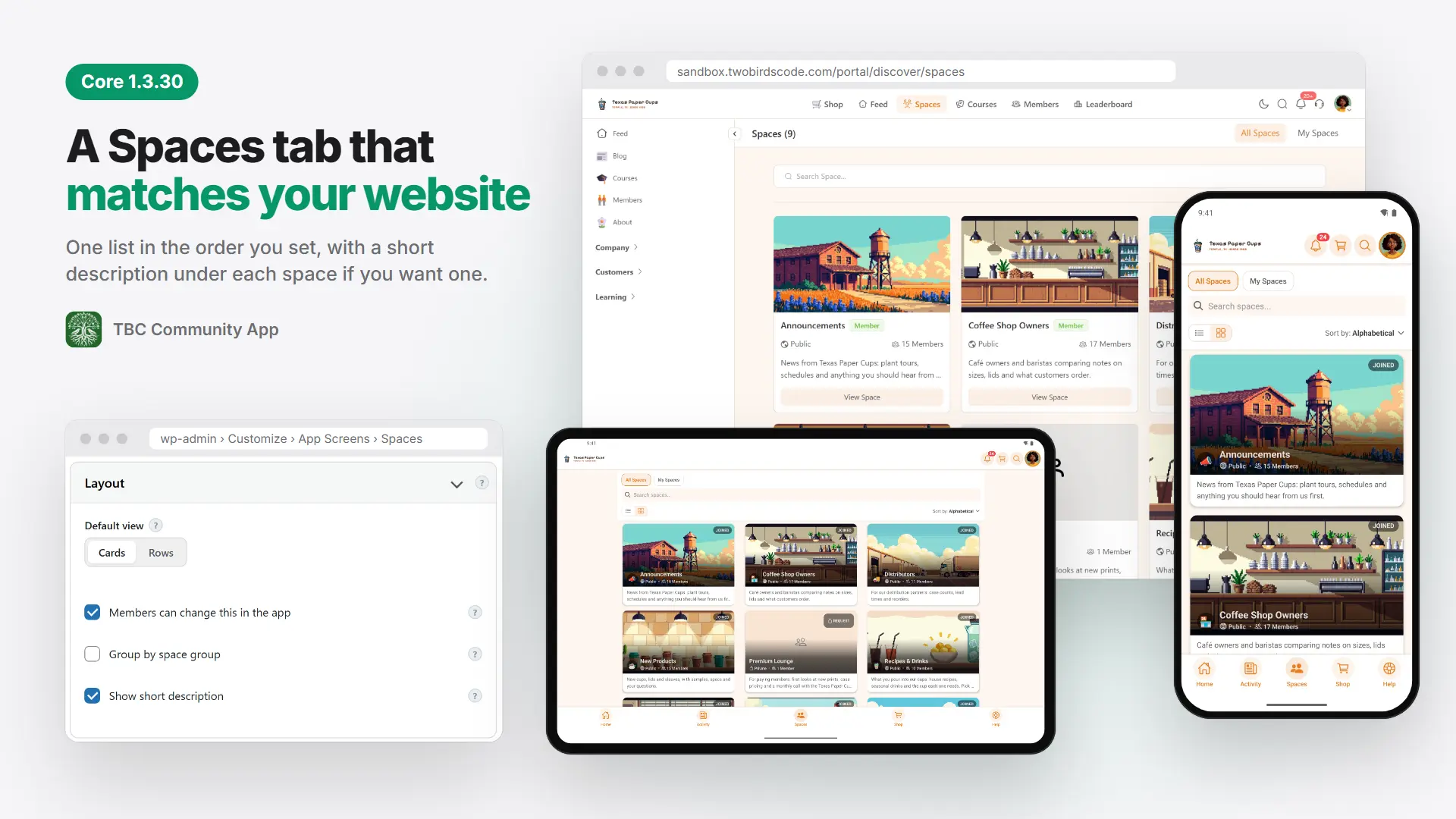


Core 1.3.30: a Spaces tab that matches your website
Core 1.3.30 brings your app's Spaces tab in line with the Spaces page on your website. It also fixes a few things members bump into on tablets and on web pages opened in the app.
Spaces, the way your website shows them
The Spaces tab now shows one list in your sort order, like Fluent Community's own Spaces page. Two new switches in Customize › App Screens › Spaces let you group spaces under their space groups again, and show the first two lines of each space's description. The phone preview shows the change as you make it.
Outside links open the phone's browser
A Buy on Amazon button on a page in your app now opens Safari, Chrome or the Amazon app, where the member is signed in and has their saved cards. Your own site, its checkout and your community stay in the app.
Tablets without the gaps
Switching from card view to list view on a tablet no longer leaves empty space between the rows, and course cards side by side line up.
Pages members can read
Terms of Use and Privacy Policy open from the membership screen, where before they opened behind it. In dark mode, a web page with no dark look of its own is no longer dark text on a black page.
Also in this release
- While your site updates its plugins, members see "The site is updating", and a like or comment sent in that minute isn't lost.
- Audio on the iPhone and iPad lock screen shows its length.
- A link to a Better Messages chat opens that chat, even with another chat open.
- The Plugins page lets you turn on auto-updates for every TBC plugin.
- 1.3.29 came out on October 27 for people who build their own app: the dashboard's Log In to EAS button, which stopped working with eas-cli 24.11, now uses Expo's device sign-in.
Before you update
- Doesn't need a new build. It can go out as an over-the-air update.
- To keep the grouped sections on your Spaces tab, turn on Group by space group before your app takes 1.3.30.
The whole list, with pictures, is on our blog: https://www.twobirdscode.com/blog/core-1-3-30-a-spaces-tab-that-matches-your-website/
Tell us below how you've set up your Spaces tab, and what you'd like us to build next.