

Bookmarking of Blog Posts?
Hi everyone!
Does anyone know of an addon or anything I can do to allow users to bookmark blog posts and custom post types? Have them save in their profiles for later?
My use case is that my website is becoming a bit of a repository for school subjects, and I have posts explaining key concepts and helping students to make choices for their futures, such as what subject options to take. I love that they can save posts from the community, but I'd like to extend that because I think it will make their experience on my site better and encourage them to engage for longer – it puts everything they need at their fingertips.
It would be even better if there was a tab for it in their profiles so other people could see what they have bookmarked.
Right now, my workaround is using the Community Comments addon made by Ross FCA so that people can bookmark the corresponding FC post that is made whenever I post something new. However, it would be nice to have an area that's separated by post type, if you know what I mean!

If you want one that "works" and likely not have to worry about it no longer being supported. Check out Jetengine by crocoblock. Within Jet Engine, it's the data stores module.

Hey Shani, just finished the free add-on as promised, I've sent the add-on to your DM on my site https://mpaddi.com/u/shanistutoring
For this steps:
- Install and activate the add-on.
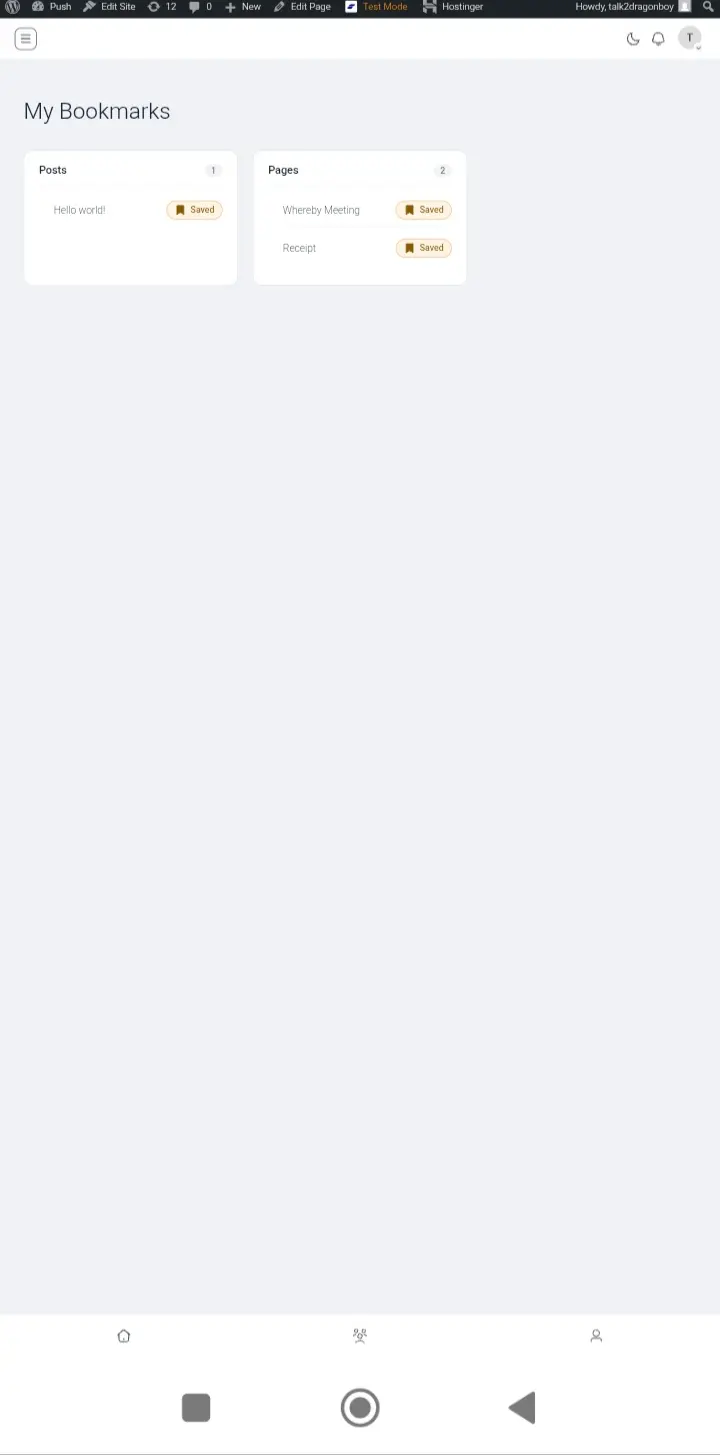
- Create a new WP page, and name it ==> My Bookmarks <==.
- Copy and paste this shortcode ==> [fub_bookmarks] <== inside the newly created WP page My Bookmarks and save and publish.
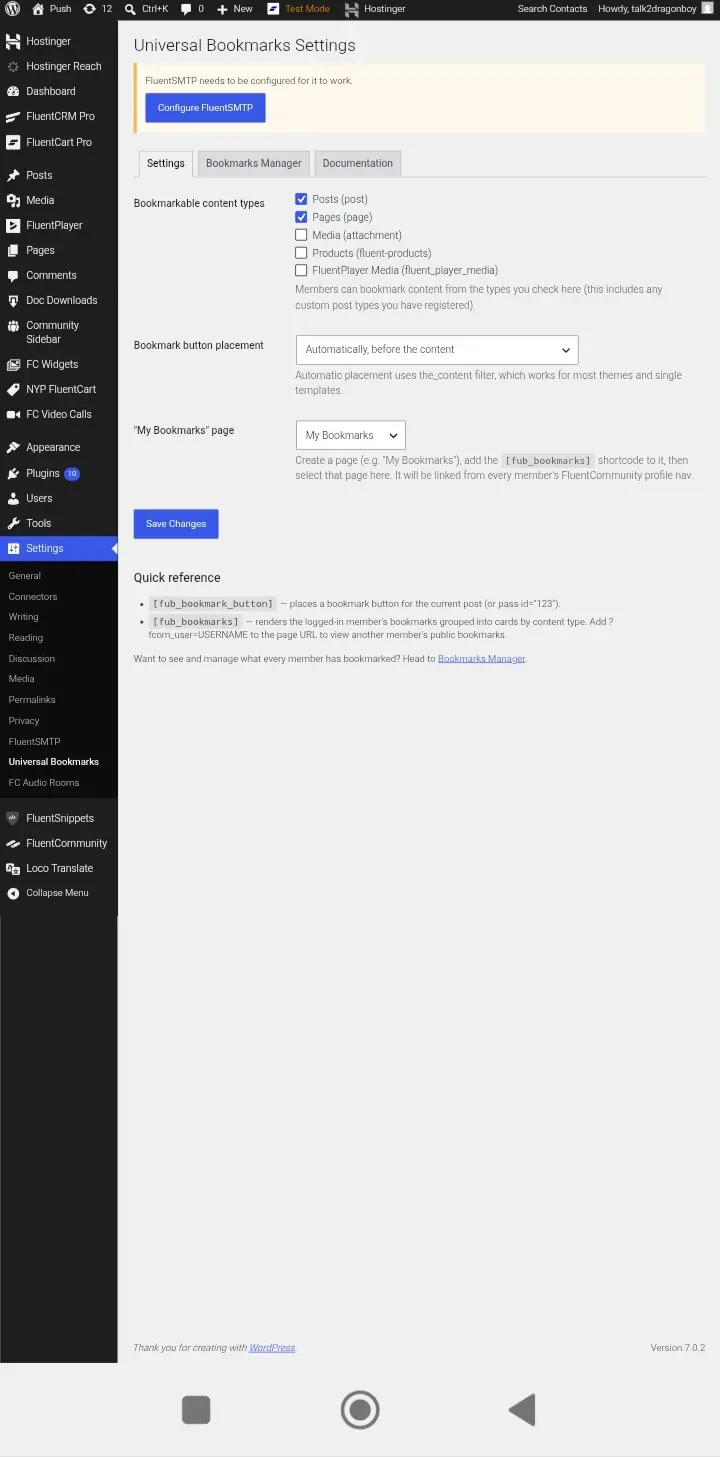
- Go to WP settings, you'll see "Universal Bookmarks" click it and start configuring.
Tick the WP (pages/posts/CPT/etc) you want "save" bookmark buttons to show. - The button bookmark "save" has 3 choices, either
a. you manually place [fub_bookmark_button] on your preferred pages/posts or
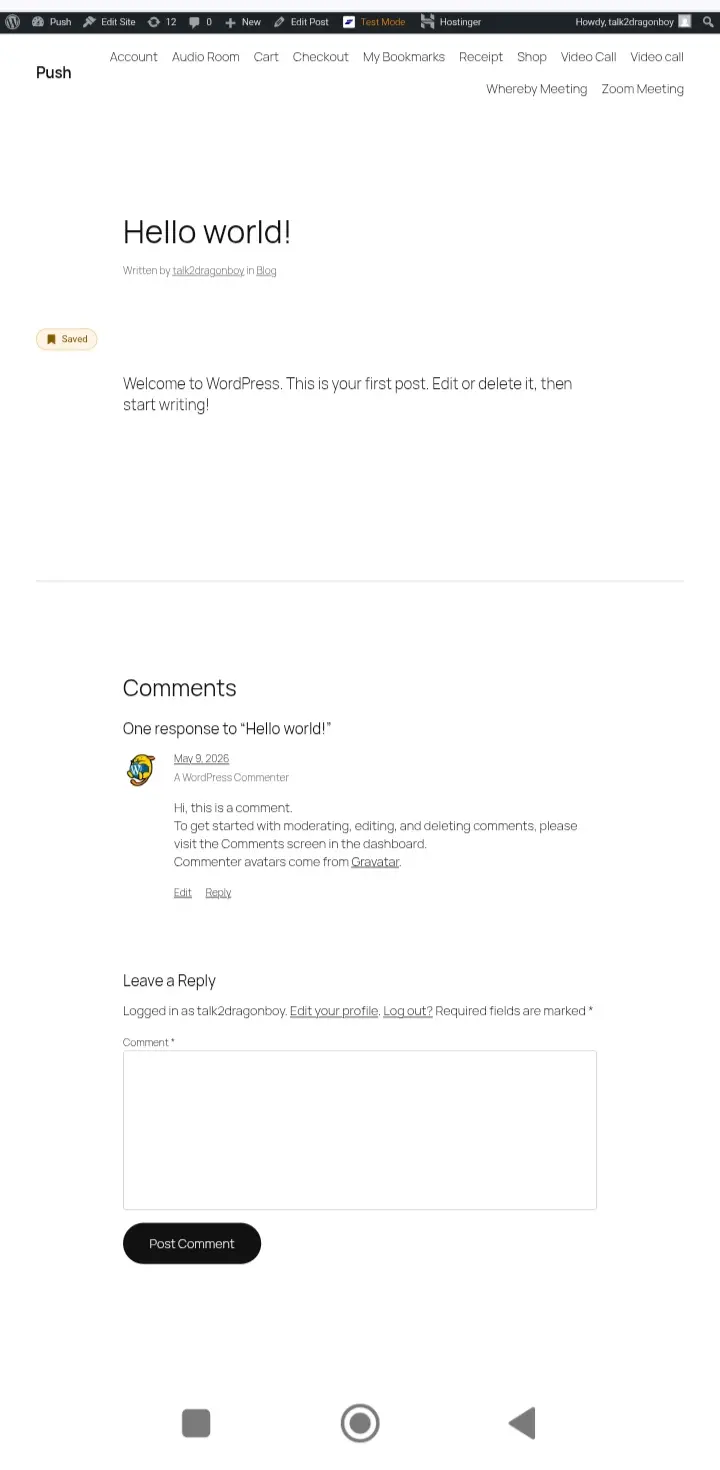
b. Automatically, before the contents of a page/post (all posts/pages/CPT will have a "save" button on top of the contents).
c. Automatically, after the content of a page/post. (all posts/pages/CPT will have a "save" button after the contents) - For the "My bookmarked page, select My Bookmarks page you created earlier and save.
That's all.
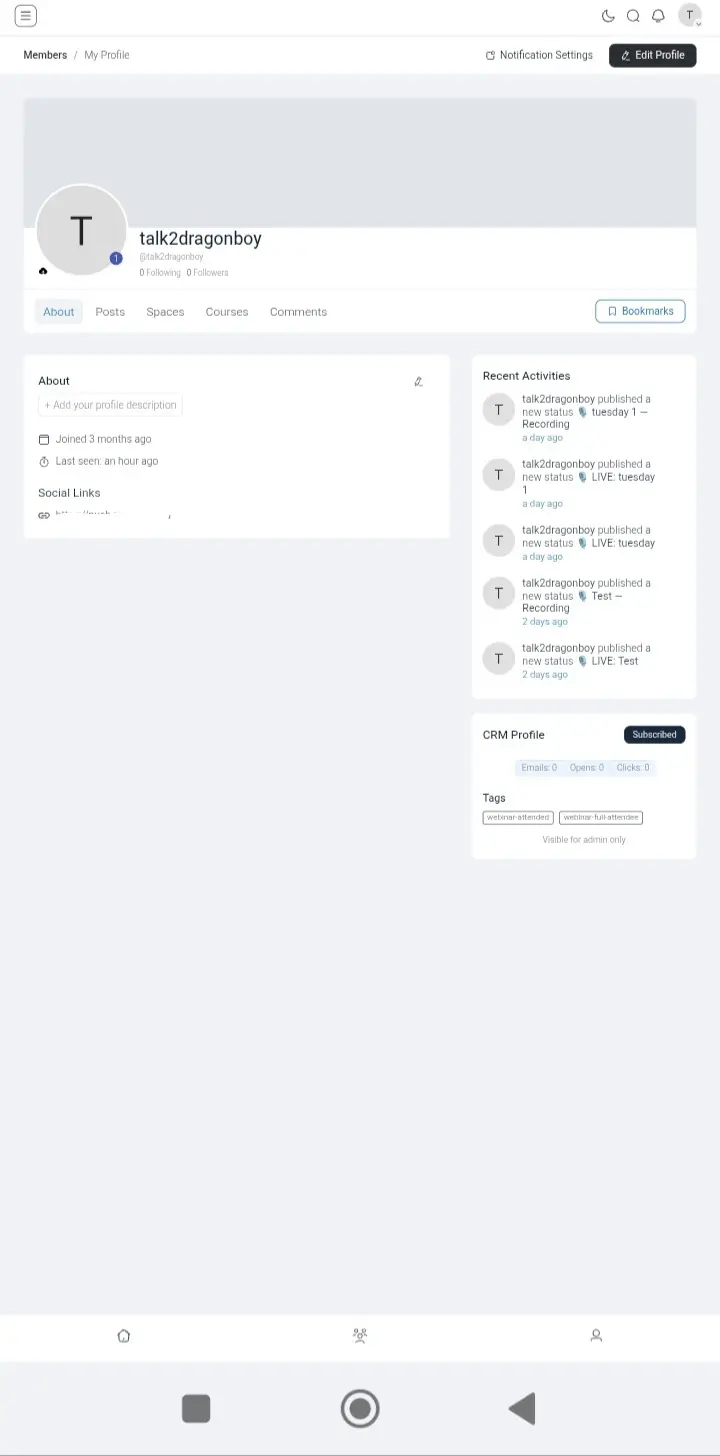
Every members profile will have a "Bookmark" button, when clicked, members sees the current user's bookmarked pages/posts.
No page reload when bookmarking, super fast.
Also as admin, you can also see the contents bookmarked by your members, you can unbookmark/unsave from your admin UI.
There's a documentation tab in it, to assist you set it up.
It took me uninterrupted 9 hours to create this, lol.
For more support, send me a DM on mpaddi.com cause I'm always active there.
.
.
.
..

Shani Cipro are you manually posting the blog posts to your feed on your site? Or using some form of automation and/or plugin?

Chris Davis I am using Ross FCA 's plugin for making the blog posts show up on the community!
Shani Cipro ok, thanks. Is that part of the Community Comments addon or a separate add on entirely? It's not clear looking at his site

Chris Davis new site coming in the next day or so. This is a new one FCA Blog that brings your standard wordpress posts directly into the community. You can use it in tandem with Community Comments to sync feed post comments to your main blog post page and the fcom blog post page. FCA Bookmarks is new too which replaces the default bookmarks and allows you to bookmark these blog posts.
Ross FCA I see. Thanks. So I should wait for the new site to purchase that plugin?