

Blocksy's Blog page doesn't support the "FC Full Width Frame" template! :-(
I'm designing my community website and using the "FC Full Width Frame" template on all pages to keep the design consistent throughout the site. It's working on all pages of Blocksy except the important one — "Blog". 🥺
That one page is breaking the whole consistency, and it's an important one for me. Any expert advice, please? TIA! <3
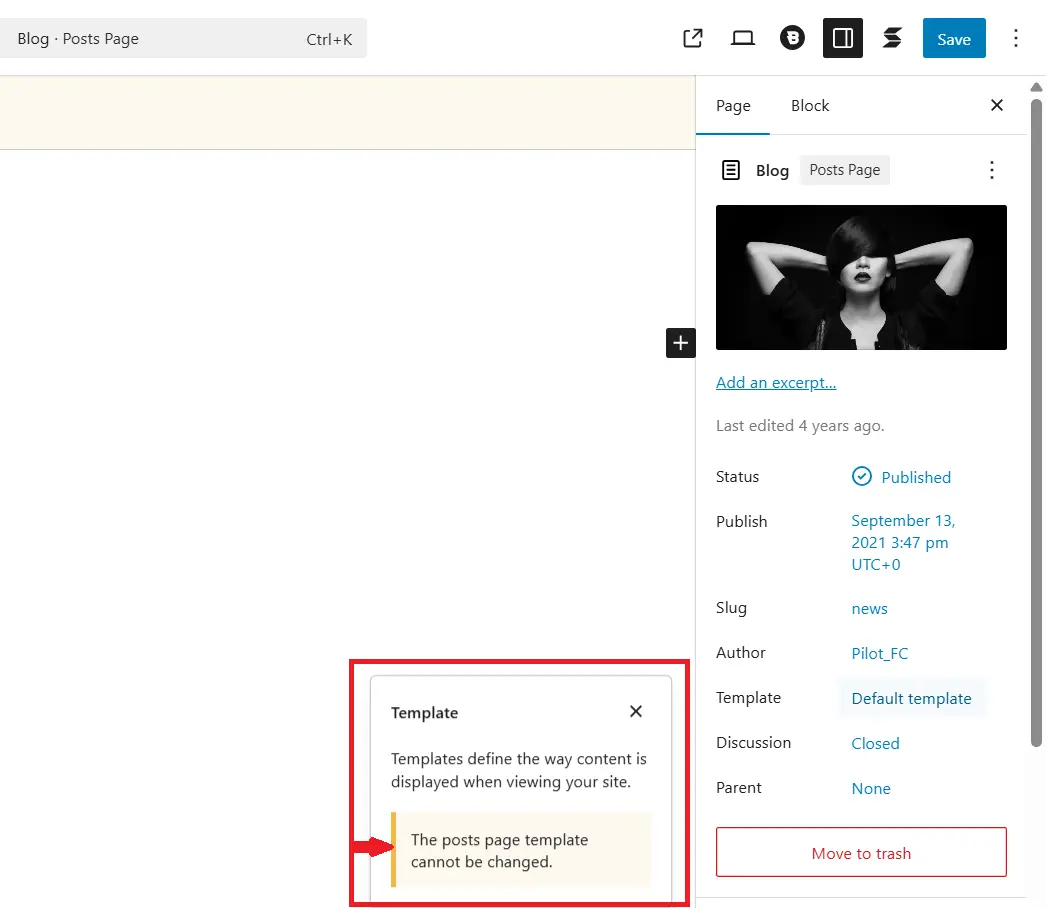

Kadence does not support it either, but I think there is a reason related to the specifics of the theme in WordPress.
Perhaps someone has found a way to get around this for the page with entries?

Artur Abakarov I posted this in the Blocksy community as well! They shared a guide to the solution, but it comes with its Pro version! :-(
https://creativethemes.com/blocksy/docs/modules/content-blocks-custom-archive-template/

An idea but not sure if it will work. Maybe adding one of the functions at this link (https://github.com/WPManageNinja/fluent-community-docs/blob/master/theme-compatibility.md#using-code-snippets) using FluentSnippets (or similar plugin) would work to force using the FC template for posts.
Thomas Oates Wow! This looks like the perfect solution! Thanks so much for sharing this, Thomas. I'm gonna test it out and update here! 😊
Thomas Oates This is WORKING! Thank you so much again! 🤩😍
Now, the only challenge is that it's applying that condensed frame — whereas I wanted to apply the "FC Full Width Frame". 🥺
Any idea?
The GS Try changing fluent-community-frame.php to fluent-community-frame-full.php.
Thomas Oates Man, oh, man! WHO ARE YOU!??! 😲😲😲😲
It's working! 🤩🤩🤩🤩🤩
Thank you, thank you, thank you so much! 💚💙💚💙💚
Thomas Oates Hey Thomas,
Just needed some assistance on one more thing, if you can help!
So, I've applied FluentCommunity Full Width Frame for all pages, including blog post pages. But the challenge is — it removed the Blocksy footer as well.
I was trying to get the Blocky footer back on certain pages (Home, About, Blog, Contact, and Blog post pages), and asked ChatGPT for help. It provided the following code, but it's not working. Any idea on this? 🙈🫣
add_action('fluent_community/after_content', function () {
    //  Page IDs for which you want the Blocksy footer visible
    $public_pages = [689, 690, 691, 3, 17, 20];

    //  Check if the current page is one of the public pages OR a blog post
    if (is_page($public_pages) || is_single()) {
        get_footer(); // Load Blocksy footer
    }
});
I feel like this is not achievable!??! So, should I just insert a footer section manually on all these pages? 🤔
The GS Disclaimer: I've never used Blocksy so this likely won't work but maybe we'll get lucky. :)
Try this: I have no way of testing it since I don't use Blocksy. Hopefully I got all the syntax correct.
function addblocksyfooter($content) {
    $public_pages = [689, 690, 691, 3, 17, 20];
    if ( is_page($public_pages) || is_single() ) {
        $themeName = 'blocksy';
        (new \FluentCommunity\Modules\Theming\TemplateLoader())->renderWpContent($themeName);
    }
    else {
        return $content;
    }
}
add_filter('the_content', 'addblocksyfooter');Thomas Oates Yeah, I totally understand that! 🙌 And I think, at this point, I feel like I'm just trying to do too much customization. 🙈
But nonetheless, thank you so much for all your help! I truly appreciate it so much! 💚
The GS No problem. Did that code work? I'm curious.... :)
Thomas Oates Haha! I get it! :D It did not work and understandably so! 🙌
I think what I'm trying to do is an unreasonable ask! It's like telling the system I need the FC template on all pages, but then want the Blocksy footer too. I think this is getting too complex at this point. 😄
And perhaps, inserting a footer manually is a more appropriate approach! Once again, I appreciate you taking the time to look into this! <3
The GS It turns out I will likely need to dig into this deeper. Today I started working on integrating a knowledgebase plugin so it uses the FC page templates. It uses custom post types and has page components beyond just the title and content so I need to be able to use the FC template yet include all the knowledgebase info as well. This is basically the same problem you're having with Blocksy. If I get it figured out, I'll let you know.