

xCloud SSL issue?
Anyone else experiencing this issue?
When I park/add an additional domain to a site within xCloud, the parked domains all result in an SSL error when going to the https version of the URL.
This is synonymous across all of my sites that have additional domains attached to it.
Going to the non-HTTPS URL redirects just fine.
I've raised this with xCloud support, and they are looking into it.
Just curious if anyone else is being affected and if you have been able to resolve this?
EDIT: these domains have been added in xCloud for many months now. These are not newly added domains.
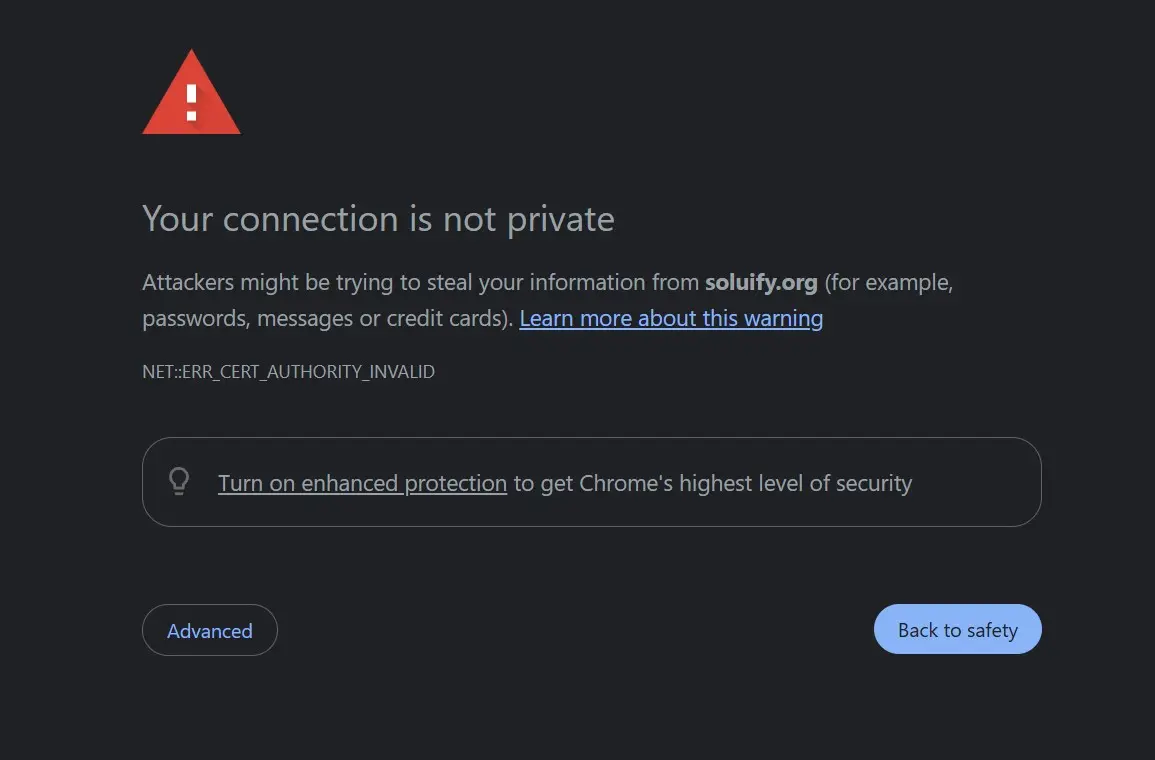

maybe a DNS propagation issue? I think the xcloud team will assist you soon.

Shahjahan Jewel Yeah I am honestly not sure, that's what we are looking to figure out.
3 hours ago they stated the DNS propagated successfully, however the issue is still prevalent.
When you look at the cert, it all shows localhost.
requesting a new SSL cert doesn't resolve it.
Shahjahan Jewel Also too, these are attached domains that have been linked for months now!

Possible issues:
-
SSL Not Automatically Issued for Parked Domains
Some platforms only issue SSL certificates for the main domain by default.
Parked domains may require manual SSL activation or a separate certificate setup.
-
DNS Misalignment
If the parked domain’s DNS isn’t properly pointed to your xCloud server, Let’s Encrypt (or any SSL provider) can’t verify domain ownership.
This prevents the certificate from being issued, resulting in HTTPS errors.
-
SNI Misconfiguration
If your server isn’t correctly configured to serve the right certificate for each domain via SNI, browsers will reject the connection.
This is especially common when multiple domains share a single IP address.
-
Certificate Scope
Your current SSL certificate might only cover the primary domain.
Parked domains need to be included in the certificate’s SAN (Subject Alternative Name) list or covered by a wildcard certificate.
-
Limitations or Delays
Hosting may have a delay or limitation in provisioning SSL for parked domains.
Some platforms require you to explicitly enable SSL per domain - even if it’s parked.
What you can do:
-
Check SSL Status for Each Domain Use a tool like SSL Labs to see which domains are covered and which arent.
-
Enable SSL Manually In hosting dashboard, look for an option to enable or reinstall SSL for each parked domain.
-
Ensure there are no conflicting CNAME or AAAA records.
-
Try accessing the HTTPS version in incognito mode or after clearing cache.
-
If your server uses .htaccess or NGINX rules to redirect HTTP to HTTPS, make sure those rules don’t assume the primary domain.
A misconfigured redirect could send parked domains to a hostname not covered by SSL, triggering errors. -
If you’re using a wildcard certificate (e.g., *.example.com), it won’t cover example.com itself or unrelated parked domains like example.net.
SAN (Subject Alternative Name) certificates must explicitly list each domain. -
If you’re using Cloudflare, a reverse proxy, or CDN, SSL errors may stem from misconfigured SSL modes (e.g., “Flexible” vs “Full”).
Ensure the parked domains are properly routed and that the proxy trusts your origin certificate.
Mat Thank you for that highly detailed overview Mat! Much appreciated.