


Ability to show leave and non-working days on calendar.
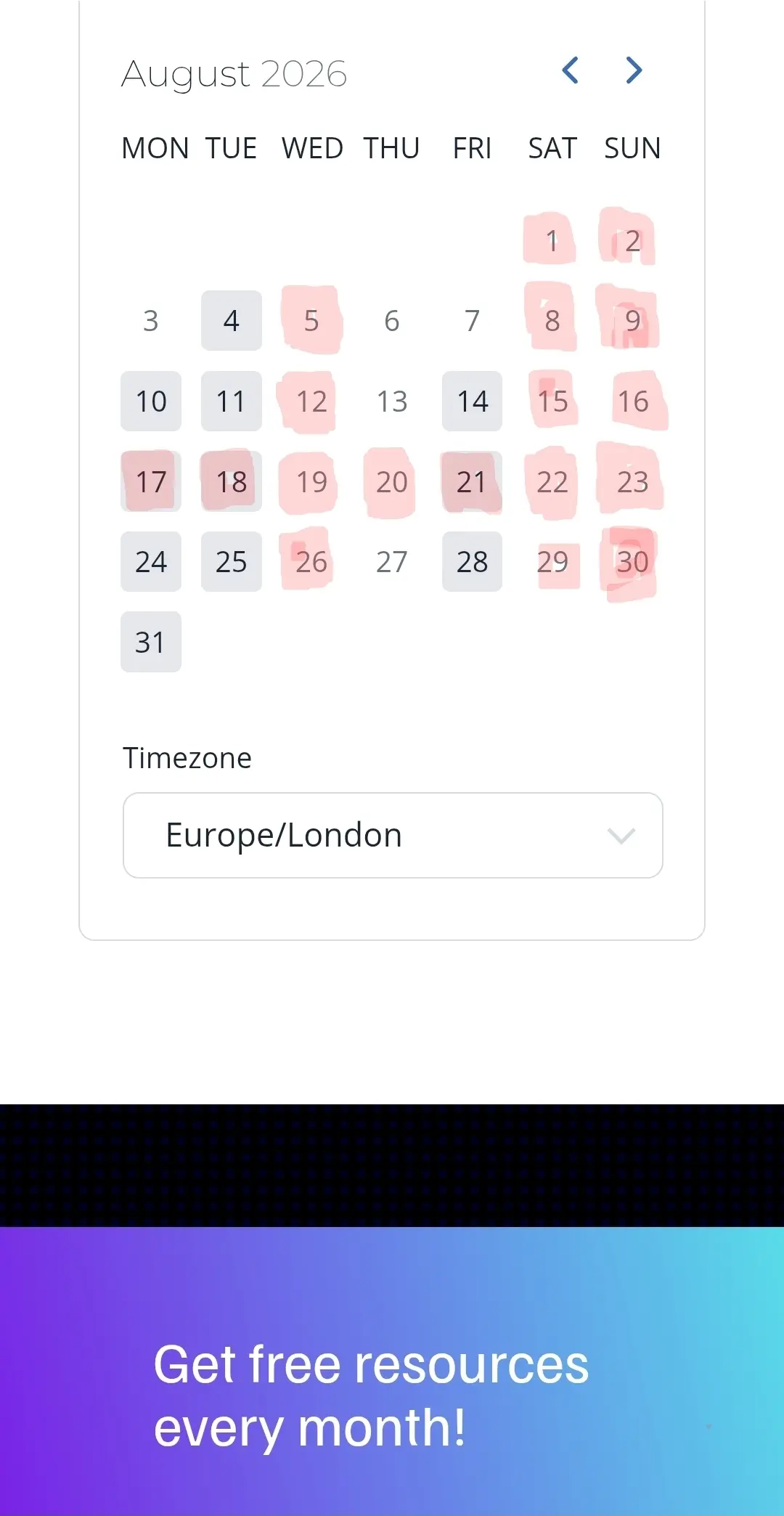
Im a part time stay at home Dad as well as a company CEO. I would love the ability to show days im not working, such as school holidays, as well as times im away on holiday. Visualised on the booking calendar, such at with red boxes. This could be optional, as not everyone would want this, but I think many people would find it useful. For example :
- It would help stop my clients sending emails and WhatsApp messages with expectation of reply. Even though they cannot book meeting, they still assume I'm available. Understandable.
- Or would help my clients understand why there may be a delay in support tickets and replies as they could clearly see that I've been away for two weeks, for example.
- This could work similar to GBP where you can set and show days you are closed/away.
If you would find a fake like this useful, please share in the comments. 😁👍
I've attached a screenshot of my idea. Just to visualise it.

I like this idea. Right now I just post a banner above the booking block for why availability might be different than usual.

Thanks for sharing this idea! 😊
At the moment, FluentBooking lets you block off unavailable dates, but it doesn't display leave or non-working days on the public calendar. We'll pass it along to the team as a feature request.

We have a business that shows online availability such as you are describing. In our case we show half day availability 5 days per week (available, booked, and unavailable). I can't make it work visually in any of the modern booking calendars though (wp plugins or saas). Everything is too wedded to that Calendly knock-off style.
I've done it with an embedded saas calendar for the past several years. Moving it to a WP-based calendar now. Check out PieCal and Listapage plugins for that.
Then link the visual calendar entries (eg. PieCal) to the FluentBooking link. Or embed FluentBooking into a larger FluentForm and link the form to the visual calendar for direct booking.
That's how I'm doing it, anyway. Open to ideas. And really wish it was all just handled inside Fluent products. But alas... And this isn't a bad workaround. It does get fiddly in PieCal changing events from 'available' to 'booked.' That's the part that really needs a better solution.