

FluentPlayer 1.3.0 is here, and it is a massive update 🎉
FluentPlayer 1.3.0 just went out, and it is a massive update. This is our first major release since launch, and it takes FluentPlayer well beyond the block editor. Here is what is new.
- Elementor and Divi, done properly. This was the number one thing you kept asking for. FluentPlayer now ships native Elementor widgets and Divi 5 modules for the player and playlists. And I mean full support, not a shortcode in a box. You can control the full settings and config right from Elementor or Divi, live on the canvas as you build. Support for other page builders is coming soon.
- Paste a URL and you are done. FluentPlayer figures out the provider for you. The shortcode got more flexible too, including dynamic sources that pull a different video into every post from a custom field. For a course with hundreds of videos, that is the difference between an afternoon and a month.
- Audio playback. FluentPlayer plays audio now, with the same players, presets, and overlays you already use. Bring your podcast and course audio into the same library, no second plugin needed.
- Private media and playlists. A private video plays wherever you embed it, but its own URL returns a 404 and stays out of search. Videos created from a FluentCommunity lesson are private automatically. (Private playlists are Pro.)
- FluentCRM engagement tracking. FluentPlayer now writes watch milestones and layer interactions, like email captures and CTA clicks, straight to the FluentCRM contact timeline. See who hit 80 percent, who clicked, and build an automation around it. This is the one I am most excited about.
Plus editors can now manage media without full admin access, searchable and paginated pickers, and a long list of fixes.
Full write-up here: https://fluentplayer.com/fluentplayer-1-3-0/
Update from your dashboard whenever you are ready. If you build something you are proud of with it, drop it in the comments 🙌
More cooking 🧑🏻💻

¡Simply A M A Z I N G !

More awesomeness!!

Oh, I missed something in the other post. Paste a URL? That makes my day! Now I need to go find that, because that's what I've wanted for quite a while. Thank you for making it happen.
Hot damn!

William Beem yes, URL paste will be cool as well. We will check. We have to make sure the given url is valid and secure. Will run by the team.
Shahjahan Jewel I just tested with a podcast URL from Libsyn. It works!. It doesn't bring in the title or thumbnail, but I see I can add that in the General settings per episode. I need to play with the Playlist to see if that brings over the details that I enter per episode.
This is a huge win for me to get off the stale FuseBox player I've been using.
It would be cool if the captions could show visibly above the audio, but no idea how that would work for audio.

Shahjahan Jewel William Beem For a podcast that would be awesome!!
Martijn Meijer Give it a try. It definitely works with the URL for the audio for a podcast. It doesn't pull in the show artwork or anything else, but you can put that in the settings for the episode page.
William Beem yeah I wil! 💪🏻
William Beem do you add this as separate media of a playlist? I am adding as regular media, but it doesn't load.
Martijn Meijer I'm adding the URL for one specific podcast, not a playlist. My podcast is on Libsyn. Does your URL work outside of the player?

Shahjahan Jewel Thank you so much for implementing the requested milestones tracking with full integration with FluentCRM for tagging etc. and going even further with completions, integration with the user's profile... This is amazing!
I am in the process of migrating our videos from S3/Cloudfront + S3MediaVault to Bunny + FluentPlayer so that we can make use of this. Awaiting for the devs to provide a few hooks for our migration scripts, and also waiting for the ability to display an index of all the chapters below the video from the chapter info (having to create manually one shortcode per chapter is not ideal).
Hopefully, we'll be able to migrate soon.
Keep up the great work!

I don't understand this part - Private media and playlist...
Videos created from a FluentCommunity lesson are set to Private automatically, so paid content never gets a public page to begin with.

Gabriel Mathew Hi! "Private" only affects the video's own public page — not where you embed it. Your lesson video still plays fine inside the course; "private" just means its direct URL 404s and stays out of search, so no one finds your paid content as a standalone page. Lesson videos are set private automatically — but you can switch it to public anytime if you want that standalone page.

This is massive!!! Thank you soooo much!!!! Keep the great work!

Nice update... It keeps getting better by the day

Just opened a support ticket (#174778).
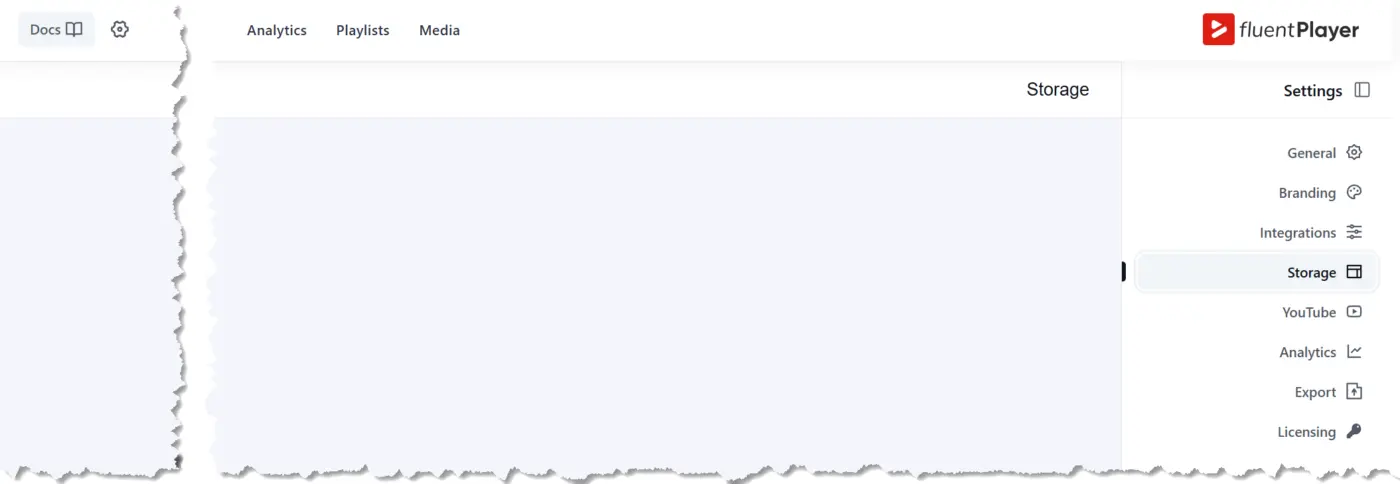
On one of my websites. Storage and integrations are missing.

Hi, Shahjahan Jewel
Ever since purchasing Fluent Forms so long ago, I have always loved WP Manage Ninja products. So much so, I've since purchased most of them.
I also remember when you joined me on The My Future Business Show which was a real treat providing insights that I've not forgotten.
Thank you for Fluent Player and I wish you all the very best personally and professionally.
Rick Nuske
My Future Business

Shahjahan Jewel, I sent an email to support. Fluent Player 1.3.0 doesn't play well with the text module in Divi Builder for Divi 5. I've shared screenshots in the email but thought you might like to know. I don't want to keep deactivating it when building in Divi 5 and then activating it when finished. I hope you can rectify this quickly. 🙂🙏
Jean Hamilton-Fford Thanks for the report. We will tackle that first at the Monday Morning.
Shahjahan Jewel Thanks so much for fixing the issue with Fluent Player so quickly. I can now use it with confidence! 🙂✨🌷

I'm sorry. I'm just not getting the audio setup. It says it's available with the free version. It says to just toggle the audio options in FluentPlayer - but WHERE? I cannot find that option anywhere and thus have no ability to embed audio in a post.

Where does it say that Jeff Westover? My recollection is that you just paste in the .wav/.mp3 url or pick the audio clip from the media library.
Sorry, I haven't tried it in a while so I'm a bit fuzzy on the details, but that's how I remember it working.
I don't know. I'm giving up on this product. If it's too hard to do something so obvious it's not worth using and I'll move on to something that works. I've set every permission I can find but I now get the error that "uploading video is not allowed", when I'm trying to just use player to play an audio file. Makes no sense.
dynamic sources is an amazing new feature. I am only just beginning to imagine all the ways this will be useful.

Yeahhhhhhhhhhhh!!!!! Woohoo! 🤩🤩🤩

Incredible, Can we have a sticky at bottom audio player feature as well? Also, Importing podcast episodes from RSS feed would be useful. Basically, creating a custom post type for podcast seasons and episodes and then creating a playlist on the sticky audio player.
Shanto Asif Great idea!

Shanto Asif We really need this, too! A sticky audio player where I can add a playlist and have the player appear wherever I go on the site—or set it to appear on specific pages.Shahjahan Jewel ?
Would love to see the media page (public) to play nice with the theme (Blocksy), now it is only showing the media and I cannot use the theme styling or hooks. Would like to be able to present media as a full page for SEO, interaction and overall more integrated in the theme.