

Post Management Fields: Missing Type
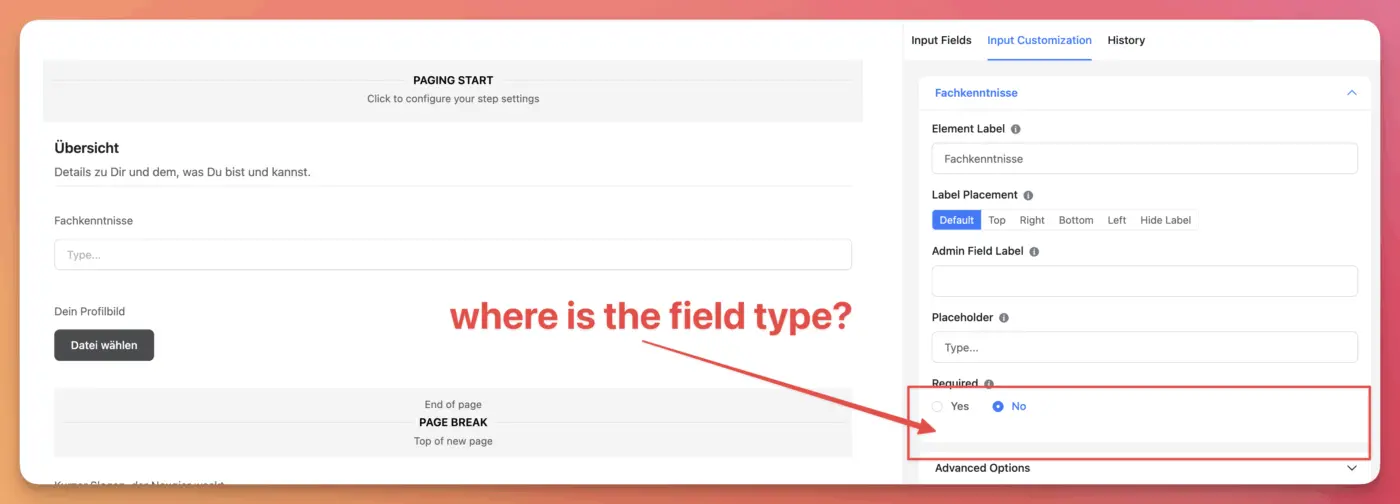
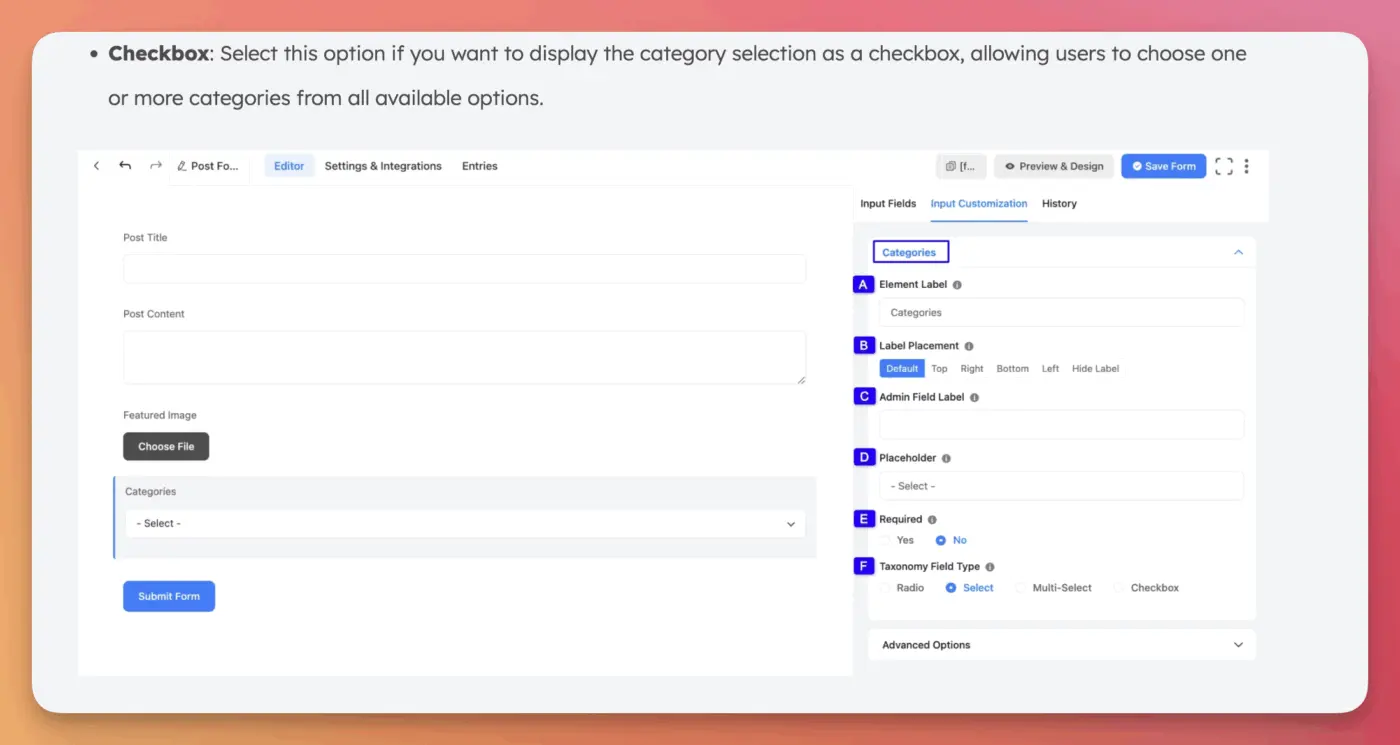
So I am replacing WS Form with FluentForms, finally. But when I try to add the taxonomy fields, the field type is missing. The docs say there should be a field (labeled F in the screenshot), but in my forms, this is missing entirely. So, how can I change the field type for a taxonomy field to checkbox?

Did you choose the checkbox as a block?

AmarokSpirit It is the form builder. There are no blocks. I just added a taxonomy field like described in the documentation: https://fluentforms.com/docs/add-categories-taxonomy-field-in-post-forms/

You will get this Taxonomy Fields Module only in a Post Form. You can also use your own Custom Taxonomy Fields. To learn how to add custom Taxonomy Fields, read this Documentation.
Nishat Shahriyar that’s the point, I am in a Post Form. Hence my Question. I selected a taxonomy field but it lacks the field type setting.
André Daus Okay, can you first go back to your post's taxonomy setting, then make the taxonomy hierarchical?
Then delete the form field and add it again, and check.
Nishat Shahriyar thanks, that worked and saved my day. Do taxonomies always have to be hierarchical to work in forms?
André Daus only for checkbox radio field you need to select hierarchical
Taxonomy - hierarchical means they have a selection option
non-hierarchical means only input field available. This is a taxonomy settings not related to forms
Nishat Shahriyar thanks. I learned something new today, and I can finish my work now. Cheers!