

How to Lock the Default Value - Fluent Form
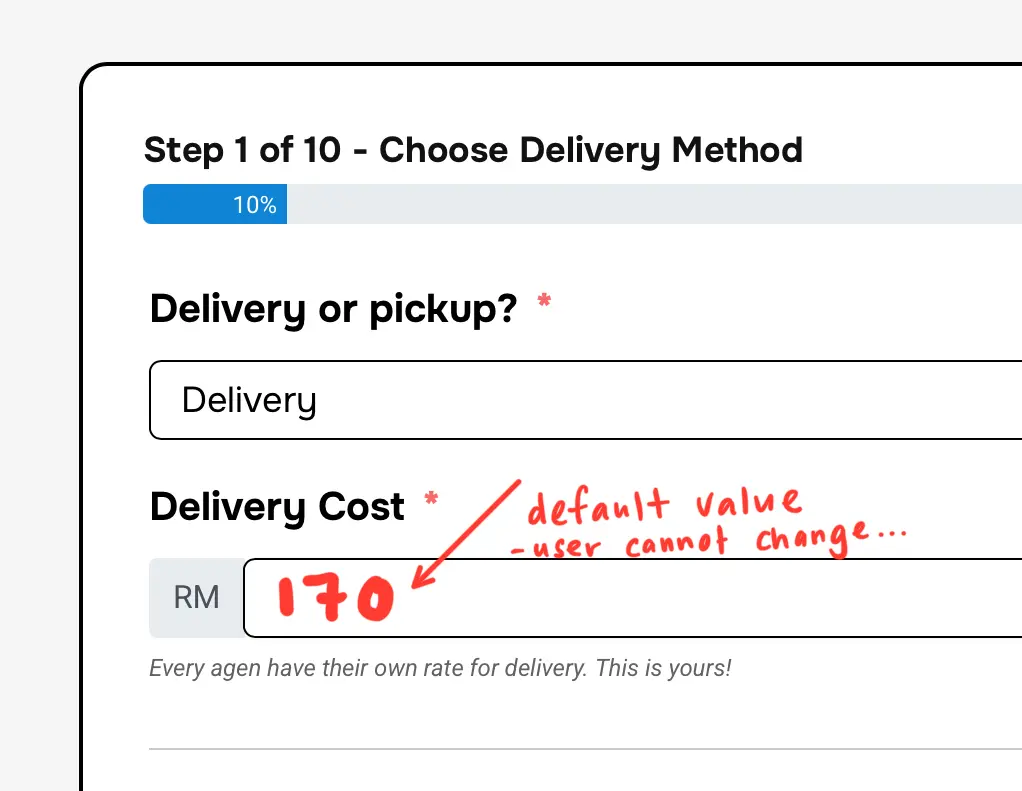
Hii.. I want to ask. how to lock the default value that i have setting..
Do you guys know the trick?

Hello Zahidul,
To fix a specific delivery cost, you can use the Payment Item field by setting the product display type to single. Then apply conditional logic to the field, so the delivery cost only adds when users select Delivery as order type.
You can also hide this charge by typing ff-hidden in the field's container class. This way, the cost will be displayed in the pricing table (Payment Summary) only.
Here are some screenshots.
However, if you want to only display the delivery cost (but not accept the delivery charge via your form), take a numeric field and write RM 170 as placeholder text. Then go to Advanced Options, and write ff-read-only in the Element Class.

Sarika Sarmin 💯❤️❤️❤️❤️. Thanks a lottt