


What works better for you (avoiding spam/bots)?

I want to make a form to put on my website.
It is a form with questions for someone to get a recommendation which course to start.
I use HTML code in the answers with conditional logic.
Therefore, people do not need to submit the form to see their choice.
Is it possible to remove the send button?

I would like to request the addition of longitudinal form functionality to Fluent Forms, which would enable repeated data collection over time from the same respondent, linked to a unique identifier (e.g., user ID, or email). This would allow clinical and research use cases that require tracking change across multiple timepoints.
Problem
Currently, Fluent Forms captures data as a one-time submission. In clinical practice, counseling, and research, it is often necessary to collect the same set of measures at different time points (baseline, weekly follow-ups, post-treatment, long-term follow-up). Without a built-in longitudinal structure, data must be manually merged across exports, which is inefficient and prone to error.
Proposed Functionality
- Unique Respondent Linking: Ability to associate each submission with a specific user/participant/patient using a unique identifier.
- Form Scheduling & Repetition: Automated scheduling of repeated forms (e.g., daily, weekly, monthly) with notifications/reminders.
- Versioning / Timepoint Labels: Each submission is assigned a timepoint label (e.g., T0, T1, T2) for easy longitudinal analysis.
- Data Export: Long-format export (one row per timepoint per participant) or wide-format (all timepoints in one row) for statistical analysis.
- Conditional Flows: Ability to adapt subsequent forms depending on earlier responses (e.g., only administer symptom scale if baseline score is high).
Examples from Clinical Practice
-
Psychotherapy Progress Monitoring
- A patient begins CBT for depression. At intake (T0), they complete depression scales.
- Fluent Forms automatically sends the same questionnaires every week (T1, T2, T3…) until therapy ends.
- Clinician reviews progress graphs directly from Fluent CRM or an exported CSV.
- The patient may receive an email with a graph showing their progress over time.
-
Clinical Trials / Research Studies
- Participants complete baseline cognitive tests and demographic questionnaires.
- Follow-up surveys are scheduled at 1, 3, and 6 months.
- Responses are linked under the same participant ID, enabling longitudinal statistical modeling.
-
Medical Follow-Up (Digital Health Monitoring)
- Post-surgery patients are required to complete daily pain and mobility forms for 2 weeks.
- Data are automatically tied to the patient’s unique record, allowing clinicians to track the recovery trajectory.
-
Addiction Recovery Programs
- Clients in a digital intervention program submit weekly craving and relapse reports.
- Forms are automatically triggered by program milestones (e.g., start of Module 2 → request new survey).
- Facilitators analyze progress and adapt treatment accordingly.
- The client receives a personalized report detailing their progress over time.
Impact
- Makes Fluent Forms suitable for clinical, research, and educational longitudinal projects.
- Eliminates manual data stitching across timepoints.
- Opens new use cases: psychotherapy tracking, clinical trials, chronic disease monitoring, workplace wellness programs.

We're excited to announce Fluent Forms 6.1! This release brings some fantastic new features alongside a major focus on stability and reliability - we've tackled a substantial number of bug fixes to make your form building experience smoother than ever.
What's New
- Enhanced Reporting System - The new Fluent Forms Report module comes with additional report components, giving you better insights into your form performance and analytics.
- Smart Address Autocomplete - HTML5 geolocation now powers address field autocomplete, making location-based form filling more convenient for your users.
- Improved Save & Resume Security - Save and Resume links now support one-time use functionality for enhanced form security.
- Better Workflow - New keyboard shortcuts for deleting input fields in the editor, plus latitude/longitude support in shortcodes for developers.
Major Stability Improvements
Here's where this release really shines - we've addressed dozens of issues to make Fluent Forms more reliable:
- Step Forms: Fixed flickering on mobile, conditional logic issues, and field population problems
- Payment Processing: Resolved Square Payment currency handling, Mollie status updates, and coupon calculations
- Form Fields: Enhanced Star Rating, Dropdown retention, Range Slider functionality, and Checkable Grid validation
- Conversational Forms: Better GDPR implementation, scroll functionality, and address autocomplete
- Security & Performance: Addressed vulnerability issues and improved database handling
Enhanced User Experience
Beyond the fixes, we've improved phone field responsiveness, step form rendering, export functionality, and IP detection. Plus, better consistency across settings and notifications.
Read the full release post - https://fluentforms.com/fluent-forms-6-1-1-pro-6-1-0/

Hi guys!
I'm trying to create a form where I have two radio button fields with a numeric/calculation value (price).
I managed to have it all set up and have my prices in the different options of the radio button.
However, I'm trying to make the sum of the two radio button fields and have that sum be the amount people have to pay when submitting the form.
I tried with the Radio button fields and added a calculation field but I can't link this calculation field to the payment at the end, and I also tried with the radio fields in the payment item fields, but I can't get it to work and have the sum reflect in the amount that people have to pay.
I'm pretty sure I'm missing something, just can't figure out what haha
Do you guys have any ideas on how to achieve this please?
Thanks in advance for your time and advices! Take care ☀️

Hello everyone, here loking for advice.
When I have a multi step form, is it possible to block the next step basing on the answer given by the user?
For example, to a certain question with radio button, if the user responds yes, the next step is activated, and if answers no, it doesn't let the user go to the next stap and potentially submitting the form.

Similar to how I can integrate Google Sheets, can I do the same for Zoho Sheets?

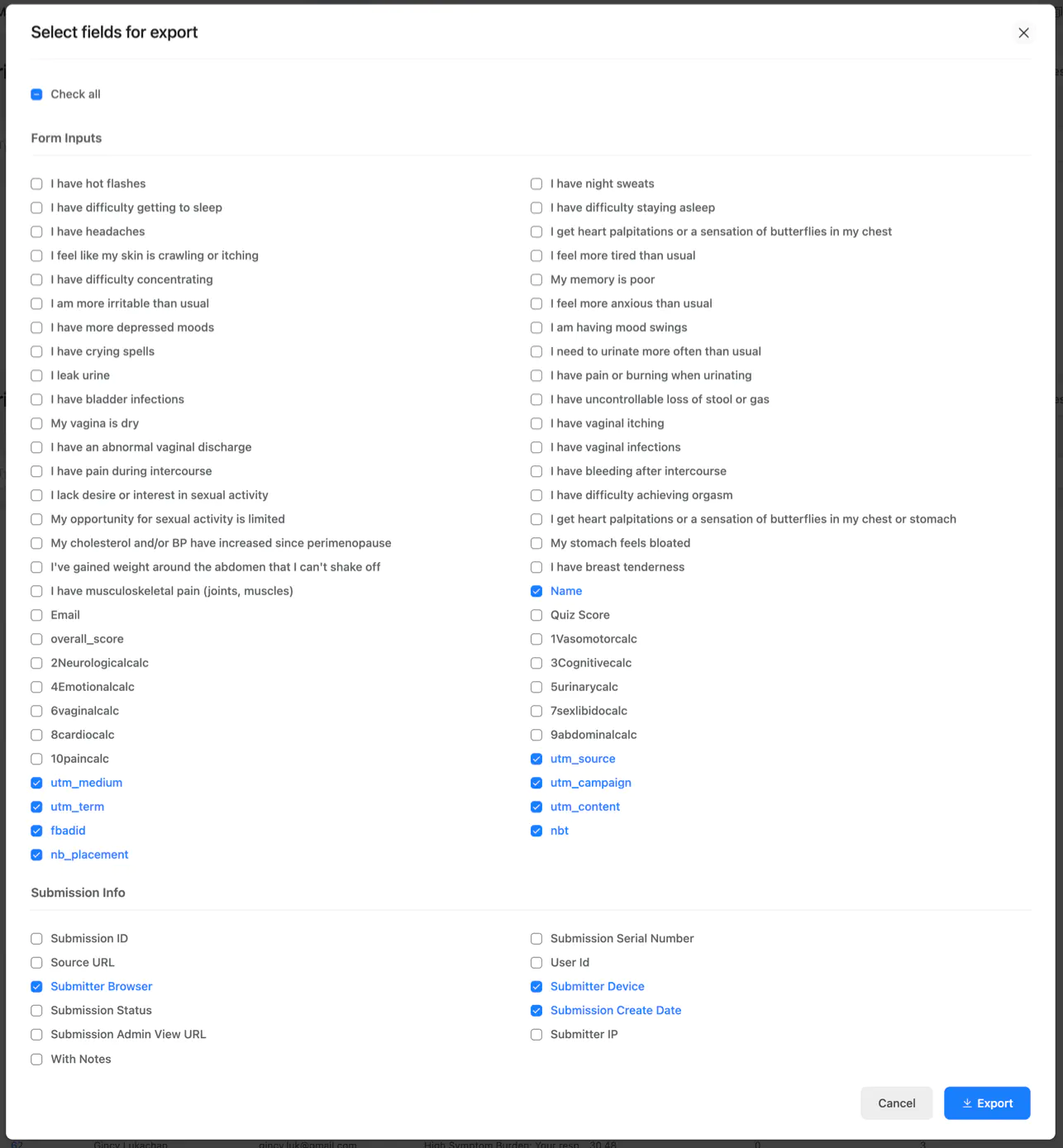
Is there no way to save your selections on the form-entry export screen? I have to do reports daily/weekly and it's onerous to clear the items and then pick specific fields each time.

to https://oudromain.com/?{Literally anything else}
ff_landing={number} is not very professional and I would love to be able to even use words for the shortcode, not just a number.
Thanks for your consideration on this. 🙃

Hello everyone,
I'm looking for some advice on how to optimize the performance of my Fluent Forms. Currently, after a user submits a form, there's a significant delay of about 7 to 8 seconds before they are redirected to the confirmation page. My goal is to reduce this redirect time to under one second.
I understand that the delay is likely caused by the processes running in the background after submission, such as integrations and notifications. Here's what I've considered so far:
- Third-party Integrations: The form is connected to [mention your integrations here, e.g., Mailchimp, a CRM, etc.]. Could a slow response from one of these services be causing the delay?
- Server Performance: I'm using [mention your hosting type, e.g., shared hosting, a VPS, etc.]. Could this be a server-side bottleneck?
- Plugin Conflicts: I'm running other plugins on my site. Is it possible another plugin is interfering with Fluent Forms?
What would be the best way to systematically troubleshoot this issue to pinpoint the exact cause of the slow redirect? Are there any specific debugging tools or logs within Fluent Forms that I should be looking at?
Any suggestions or guidance on how to diagnose and resolve this performance issue would be greatly appreciated.
Thank you!