


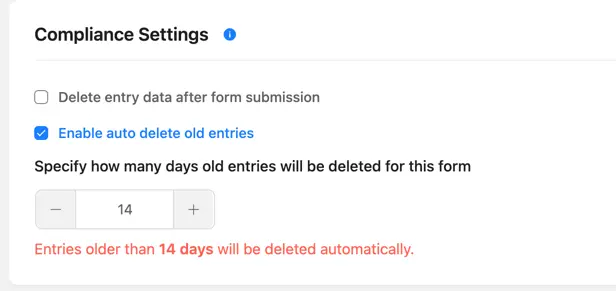
Hi, I would like to delete my test submissions in Fluent Forms (I can see only option to delete entries). Is it possible?

Currently there is no built in conditionals for the Next and Submit buttons, so I made a tutorial with JavaScript code for disabling both using ChatGPT. https://easywebdesigntutorials.com/fluent-forms-wordpress-plugin-conditional-button-control/
I have also added a more informal video which I added to the top of the tutorial.

🚀 Hey tech-savvy friends!
Quick question for those of you deeper into FluentForm: We're working on a client project where users upload multiple files across different fields in a form. Now, here's the thing—when the auto-delete feature kicks in (for compliance purposes), does it wipe all the uploaded files across the form? Or just certain ones? 🤔
If you've got insights, drop them below! Appreciate the help! 🙌

When I send a webhook from a Fluentform, how is security handled?

Has anyone created a Fluent Form with a Transparent background? I cannot see where this may be done. Thank you in advance

I want to disqualify the lead if he answers specific questions wrong. Basically if the case happens i want to redirect them instantly or show step where no further "next" or "submit" button appears. Unfortunately it is not possible with conversational form

I'm creating a user registration form for my FluentCommunity and I'd love it if there was an easier way to add a 'confirm password' field. Perhaps also an easier way to require a strong password?

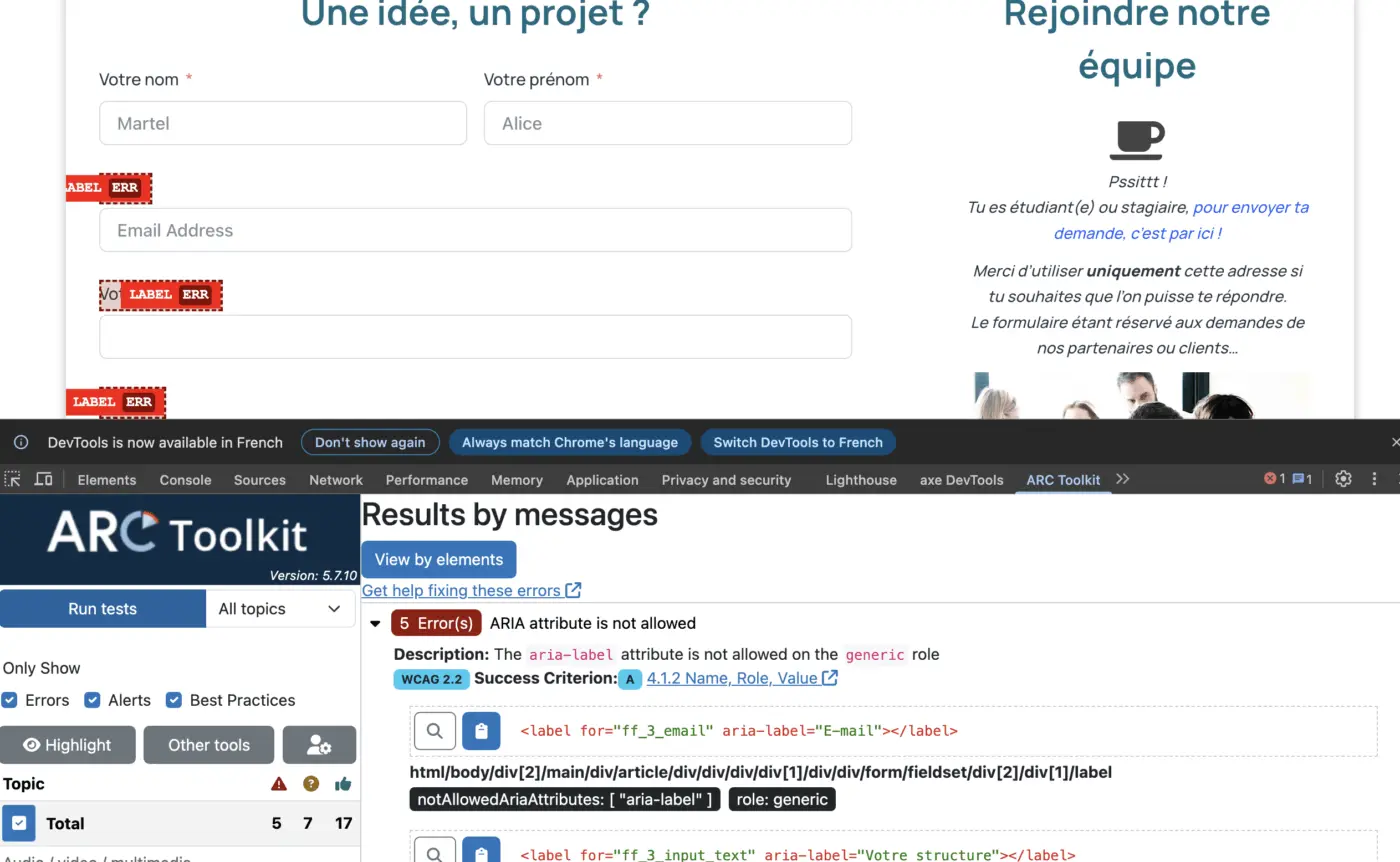
Hello, I'm using Fluent Forms and I've noticed an accessibility issue flagged by the ARC Toolkit. The tool indicates a problem with the use of the `aria-label` attribute on `\` elements. The error message is: "ARIA attribute is not allowed on the generic role". According to accessibility standards, `aria-label` should not be used on `\` elements, as it can be problematic for screen readers and other assistive technologies. The standard practice is to link the `\` to the `\` field using the `for` and `id` attributes. This appears to be a core issue with how the forms are rendered by the plugin. Could you please check if this is a known bug or if there's a setting I can change to fix this? Thank you for your help. Best regards, Fred

Is there a way to configure the settings for FluentForms Pro to have an email sent to the site admin when a form is submitted?

Updating a multisite to the latest version of Fluent Forms

