

Help - email fcrm table missingError message – how can I fix this?A FluentCRM database table is missing: kq5x2hi35i_fc
When cron runs, it reaches FluentCRM's scheduled task, that task queries a table that doesn't exist, and the whole run dies. Everything after it in the queue never executes.
No emails are being sent out by the website – I'm not sure how the table could be missing. Should I reactivate the plug-in or is there some other fix I could do? I haven't updated any plugins today

can you please paste more details of the error? Looks like a table could not be migrated.

Shahjahan Jewel Thank you so much for your fast response. I haven't migrated anything today.
This is the error
Fatal error: Uncaught Exception: Table 'yvsojxi_prod.kq5x2hi35i_fc_messages' doesn't exist in /home/yvsojxi/public_html/wp-content/plugins/fluent-crm/vendor/wpfluent/framework/src/WPFluent/Database/Query/WPDBConnection.php:652
There had been an issue with cron no working properly, then it was fixed but the Fluent CRM schedules were missing. I opened Fluent CRM admin page and it reaactivate the Fluent CRM cron, but then stopped all cron on my site
Shahjahan Jewel I have run a cli check on tables and
Only one table is missing: fc_messages.
I'm guessing this is for sms? Sorry I've realised it's not emails as one or two have now gone out. Maybe there was just a few hours gap when there were none.
I'm having trouble setting up Twillio
perhaps that's why the table is missing
jane lawson, would you please check if you are using the latest version of both pro and free?
jane lawson This is what you can do, disable and enable the messaging module. Make sure you are using the latest version. Somehow the database migration did not completed for some reason.
Shahjahan Jewel yes I am using 3.2.0 of both
jane lawson Please deactivate and reactivate the messaging module.
I checked FCRM database health screen in settings and it says all clean
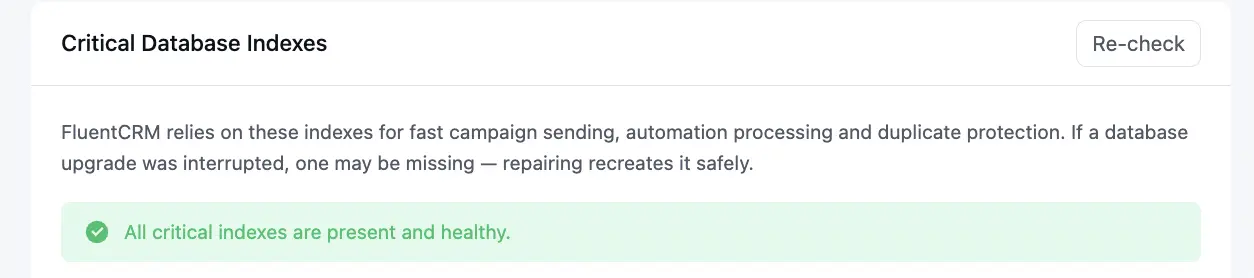
but Cron Job Monitor shows this
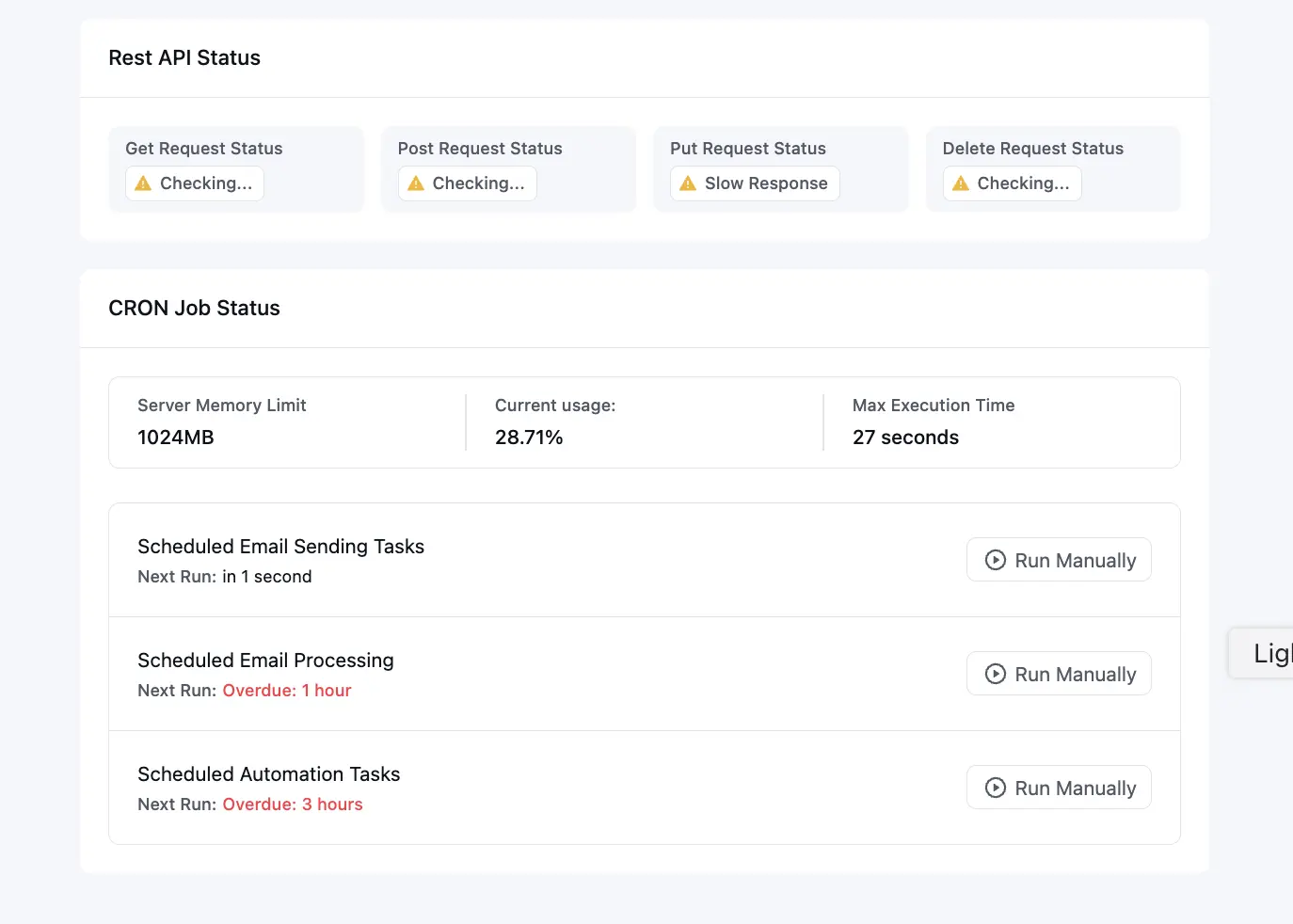
jane lawson for the database issue: deactivate and reactive the fluentcrm pro. For the cron, looks like your server side cron is not properly setted up. So please take a look from your hosting side.
if you still have issues, please open a support ticket, our engineers will take a look.
Shahjahan Jewel Do you think it's a good idea to overwrite the existing version with the same version? I mean to re-upload the plug-in.
jane lawson yes sure, you can do that. No data will be lost. I am saying just deactivate and reactivate. Better delete the plugin, upload it and activate.
Shahjahan Jewel It worked by deactivating and just reactivating. Not sure what happened but thank you for your amazing quick help. So much appreciated. 😍