


3 UX & Workflow Suggestions for the New Contact Search & Table
Hi @FluentCRM Team! The new interface and search redesign look very clean, but using them in daily operations reveals three friction points that would make the workflow much smoother if addressed:
1. Selective indexing for Plain Searches (Performance & Usability)
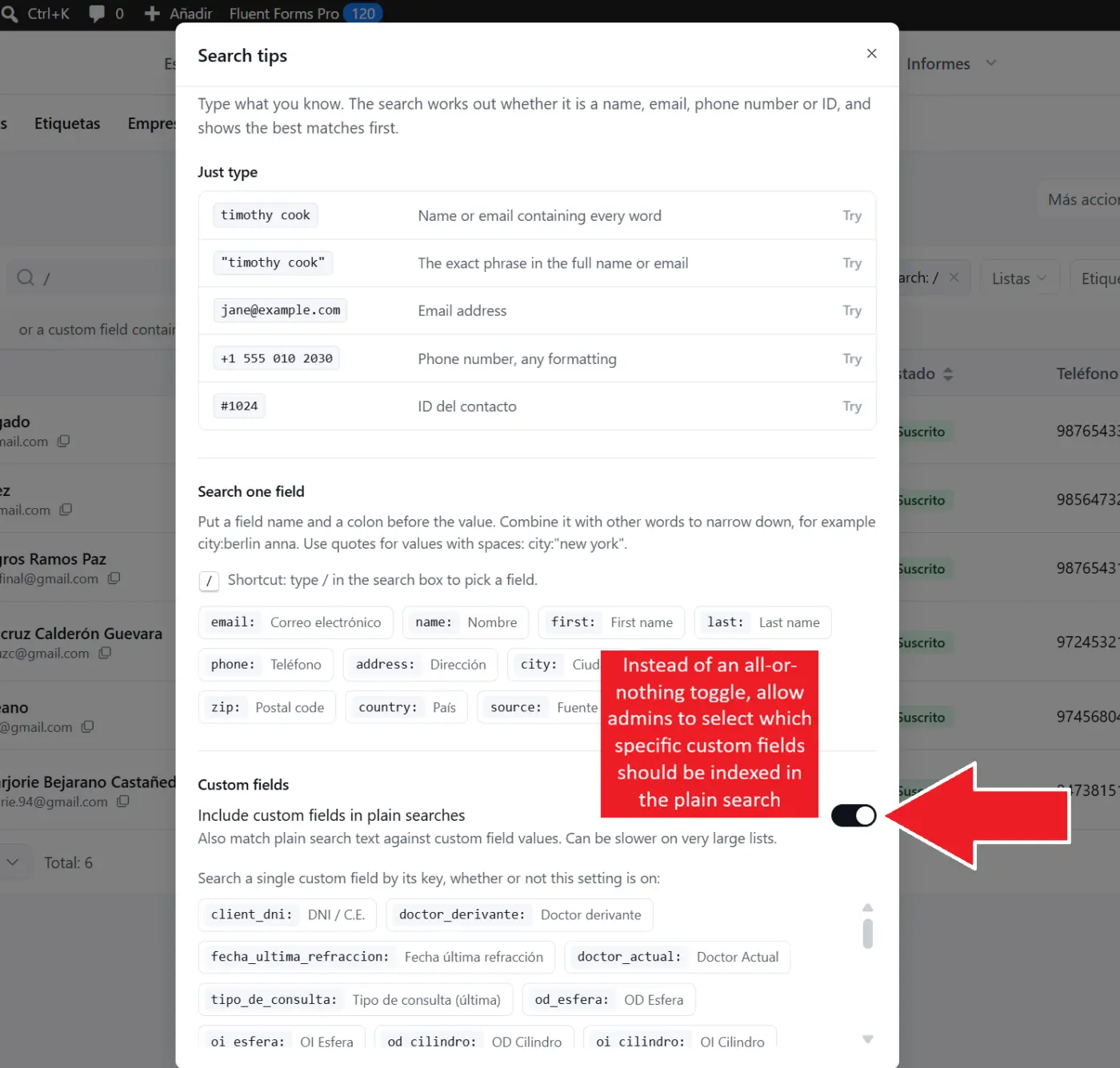
Under Search Tips, the new toggle "Include custom fields in plain searches" warns that it “can be slower on very large lists”. This makes sense because it forces the database to scan across every single custom field on every keystroke.
- Suggestion: Instead of an all-or-nothing toggle, allow admins to select which specific custom fields should be indexed in the plain search. For instance, in many countries, looking up contacts by National ID (DNI / Tax ID) is standard procedure dozens of times a day. Allowing us to index just the National ID while excluding long text or secondary parameters keeps instant plain search fast, even on large databases!
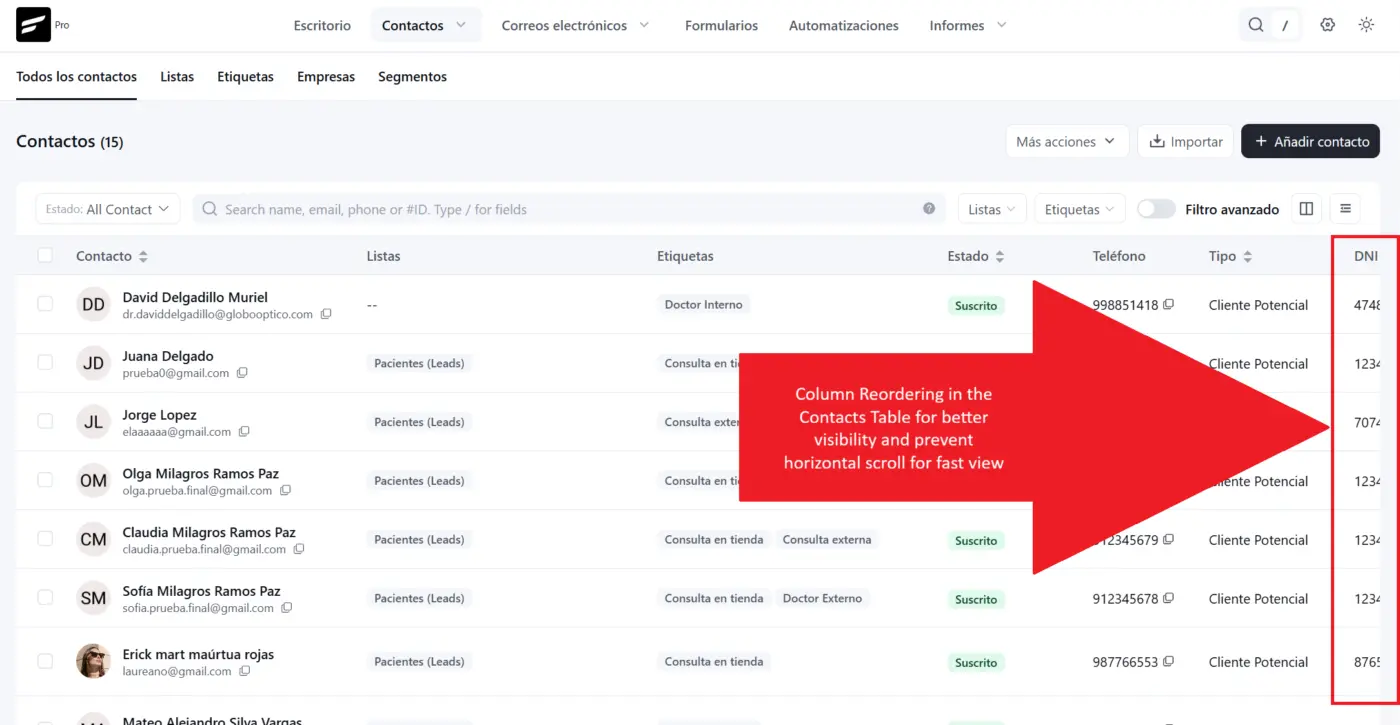
2. Column Reordering in the Contacts Table
Custom fields currently appear at the far right of the table, requiring continuous horizontal scrolling to inspect primary data.
- Suggestion: Add column reordering (via drag-and-drop headers or a reorderable list inside the column visibility menu) so we can position key identifiers right next to the Contact Name within the first few visible columns.
3. One-Click "Clear All Filters / Reset" Action
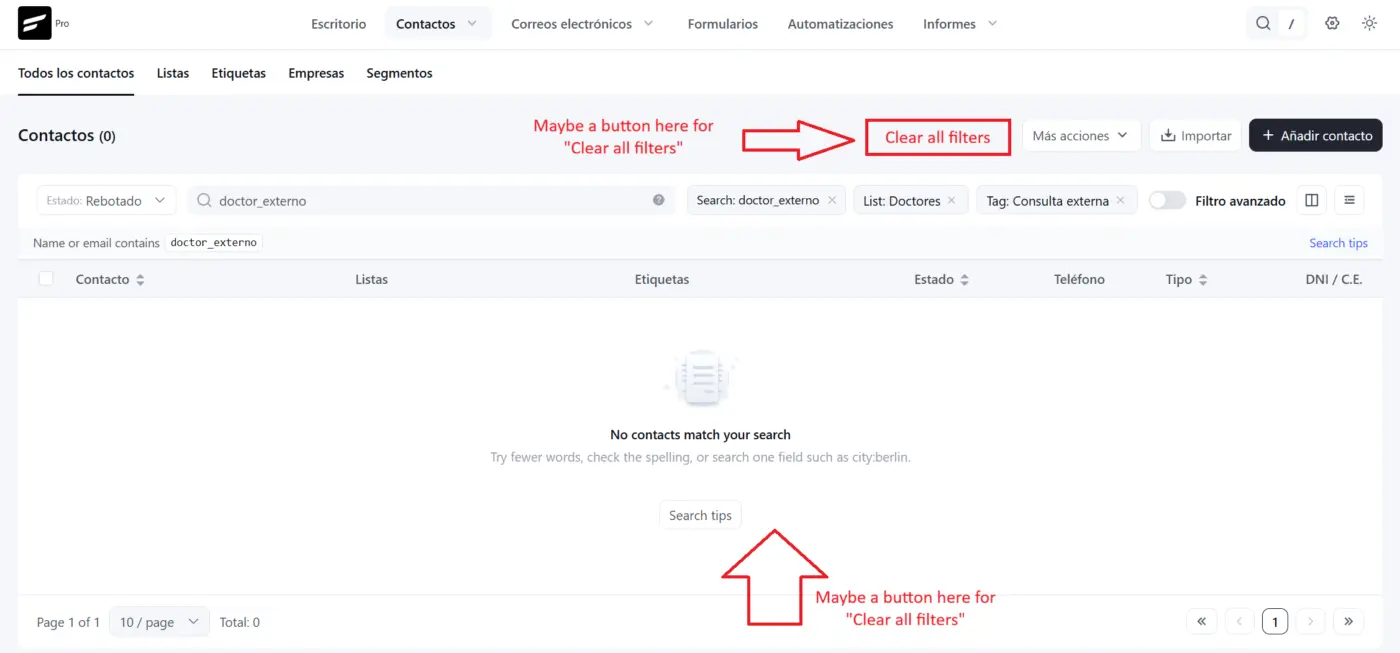
When multiple search tags, lists, tags, and status dropdowns are applied (or when a search returns "No contacts match your search"), resetting the table requires manually clicking the "x" on every individual chip and resetting dropdowns one by one. (The current "Reset table preferences" option only resets view settings, not active filters).
- Suggestion: Add a simple "Clear all filters" text button next to the active filter pills, as well as a primary action button inside the empty state container to return to the default contact list in a single click.
Attached are screenshots showing the current search settings warning, the far-right column layout, and the multi-filter state without a quick reset. Hope this feedback helps in upcoming refinement releases! 🚀

Great suggestions, especially #2 (which I know has been mentioned other times... at least once by me).