

Product order, external product links, and account tab limits
CartCubes Toolbox for FluentCart 1.2.1 adds a shop lineup you control, a way to send a buy button to another URL, and a way to show an account tab only to some customers.
Product order
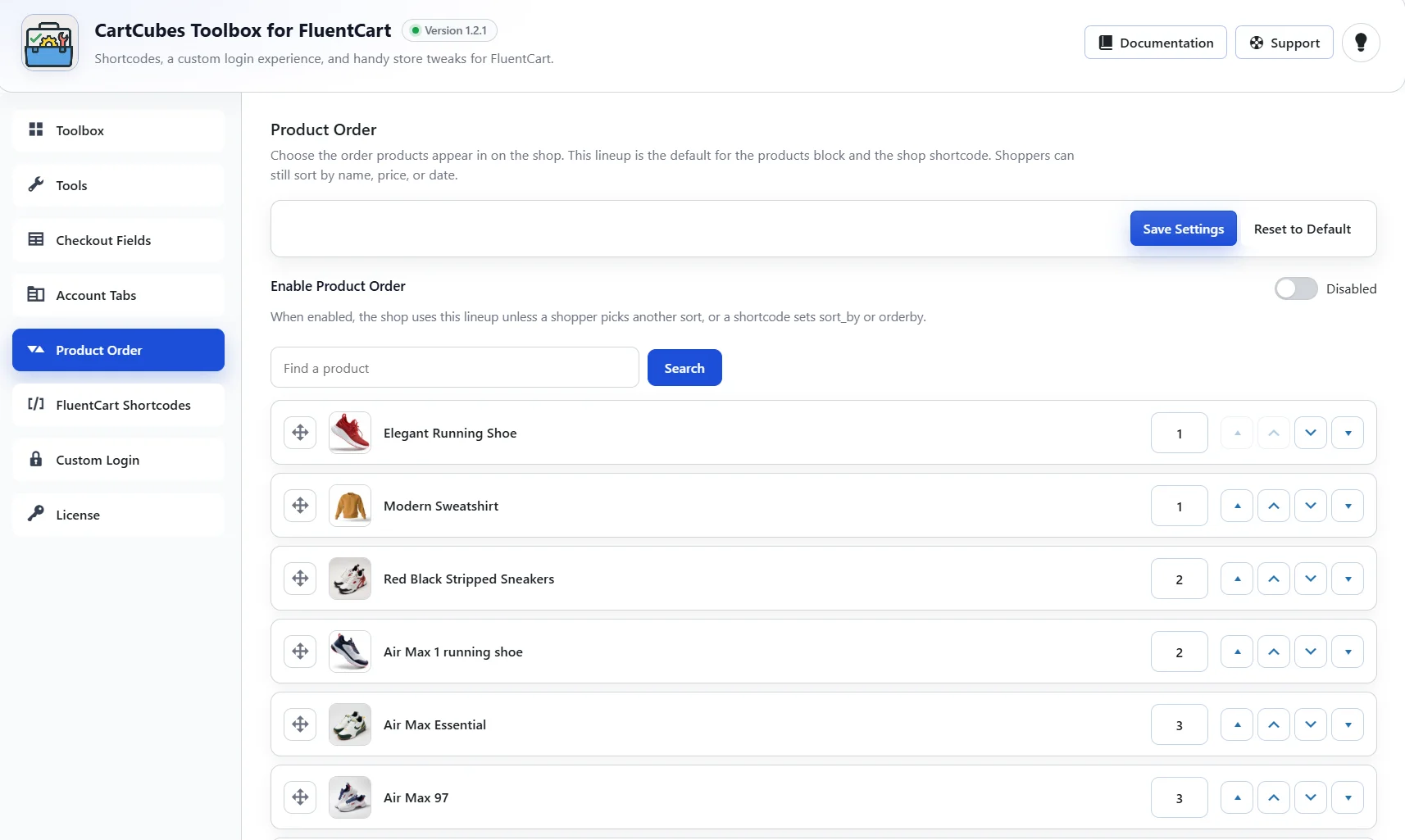
Enable Product Order and arrange the lineup. That order is the default for the shop, the products block, and the shop shortcode. Shoppers can still sort by name, price, or date.
Reorder by drag, move arrows, or an order number. Search the list by product name. Drag is off while a search is active. On the product editor, Order number uses the same lineup: a lower number shows first, and a blank value keeps that product at the end. Reset to Default turns the feature off and keeps the saved lineup.
External product links
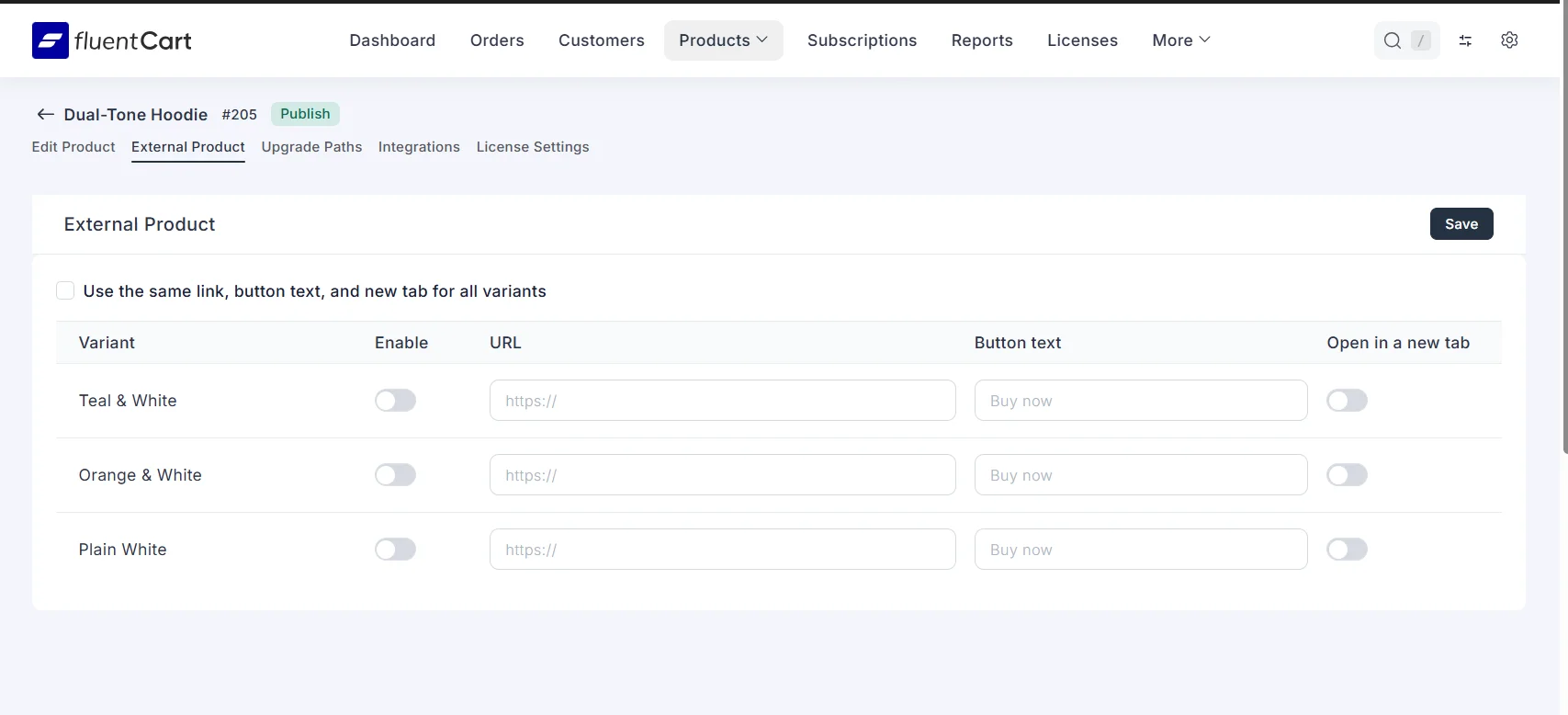
Enable External Product in Tools. Each product then has an External Product tab. Turn it on for the product or a variant, set a URL, button text, and whether the link opens in a new tab. Variants can share one link, or each variant can have its own.
The link replaces Add to Cart and Buy Now on the shop, the product page, the View Options modal, and standalone buy buttons.
Account tabs
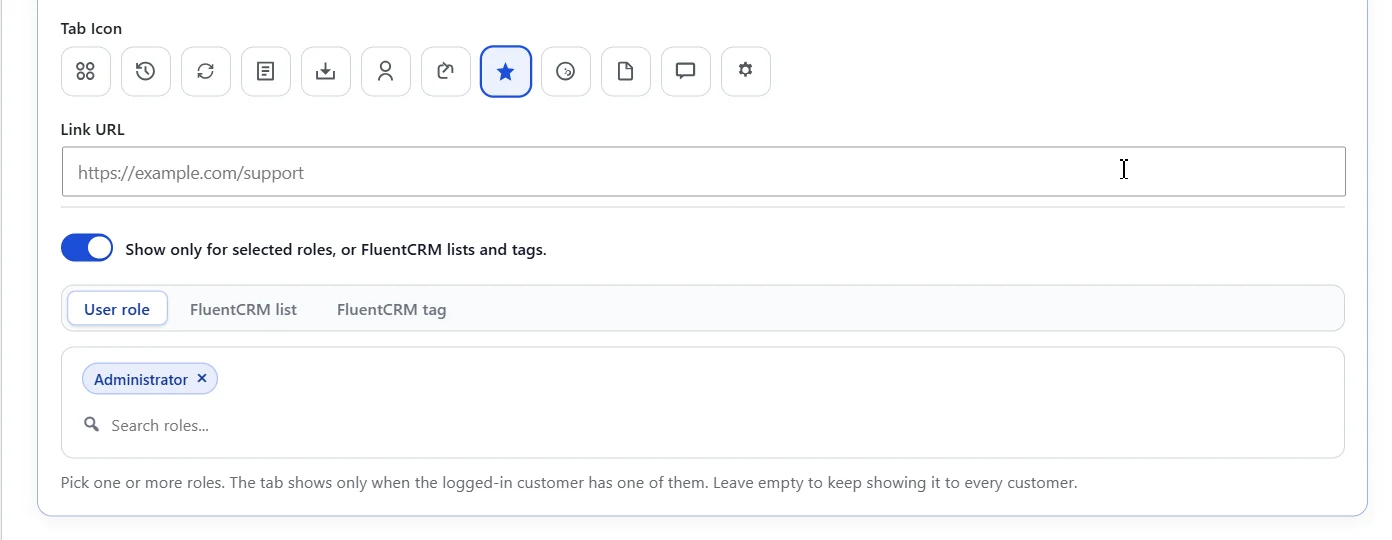
Each custom account tab can be limited to selected WordPress roles, or to FluentCRM lists and tags. Leave the picker empty to keep showing that tab to every customer. FluentCRM has to be active before a list or tag can be used.
Write-up: https://cartcubes.com/cartcubes-toolbox-for-fluentcart-1-2-1/

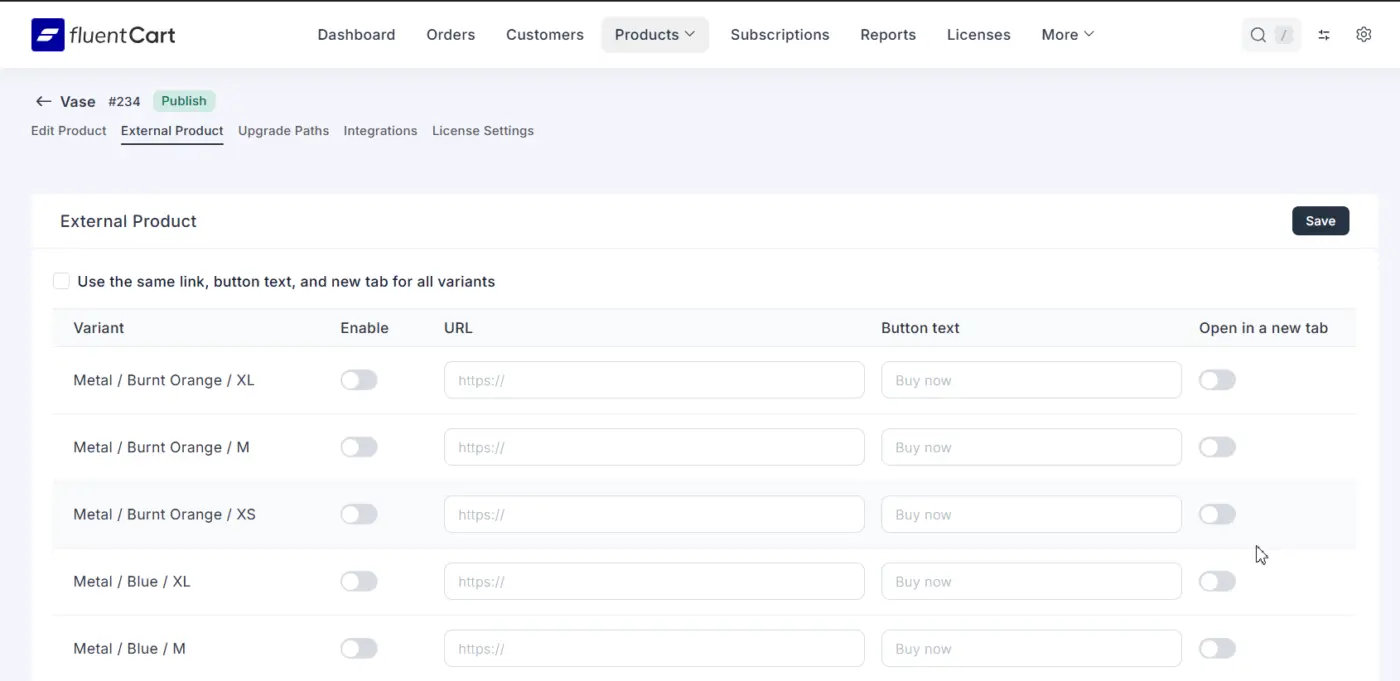
Some of you have asked whether external or affiliate links work on products with advanced pricing.
Yes. You can set one for every combination. Each variant can have its own URL, button text, and new-tab option, or you can use the same link for all variants.
Toolbox 1.2.4 is out. This one is for downloads.
You can hold a file until a date and time, or limit who can download it. Set it once for the whole store, or set it on a single product. The product setting replaces the store one.
Available from is the date and time. You can show the file with "Available on" that date, or hide it until then. You can also limit it to a WordPress role, a FluentCRM list, or a tag. Leave those empty and every buyer can download.
Before that time, the account page and the receipt show the date, and the Download button stays off. If you choose Hide, the file is not listed until then.
Update Toolbox from your dashboard. Screenshots are here:
https://cartcubes.com/fluentcart/toolbox/tools/download-access/
Toolbox 1.2.8 is out. Two additions.
Order Documents. You can attach your own PDFs to the customer order confirmation. Useful for a policy, a refund document, and similar files, including for EU orders. Add up to 20. The label is the file name in the email. They go with the purchase receipt and the offline order confirmation. Admin, renewal, refund, and shipping emails stay unchanged.
Block repeat subscriptions. Checkout stops when that email already has an active or trialing subscription for a plan in the cart. Canceled, paused, expired, and completed subscriptions can be bought again. The banner shows the message you write. The default is "You already have this subscription."
Update Toolbox from your dashboard. Screenshots:
https://cartcubes.com/fluentcart/toolbox/tools/order-documents/
https://cartcubes.com/fluentcart/toolbox/tools/block-purchases/