Pay Now invoices for custom work, without adding shop products
Hello everyone,
Some store owners need to bill for work, retainers, or custom amounts that are not catalog products. CartCubes Invoices for FluentCart covers that.
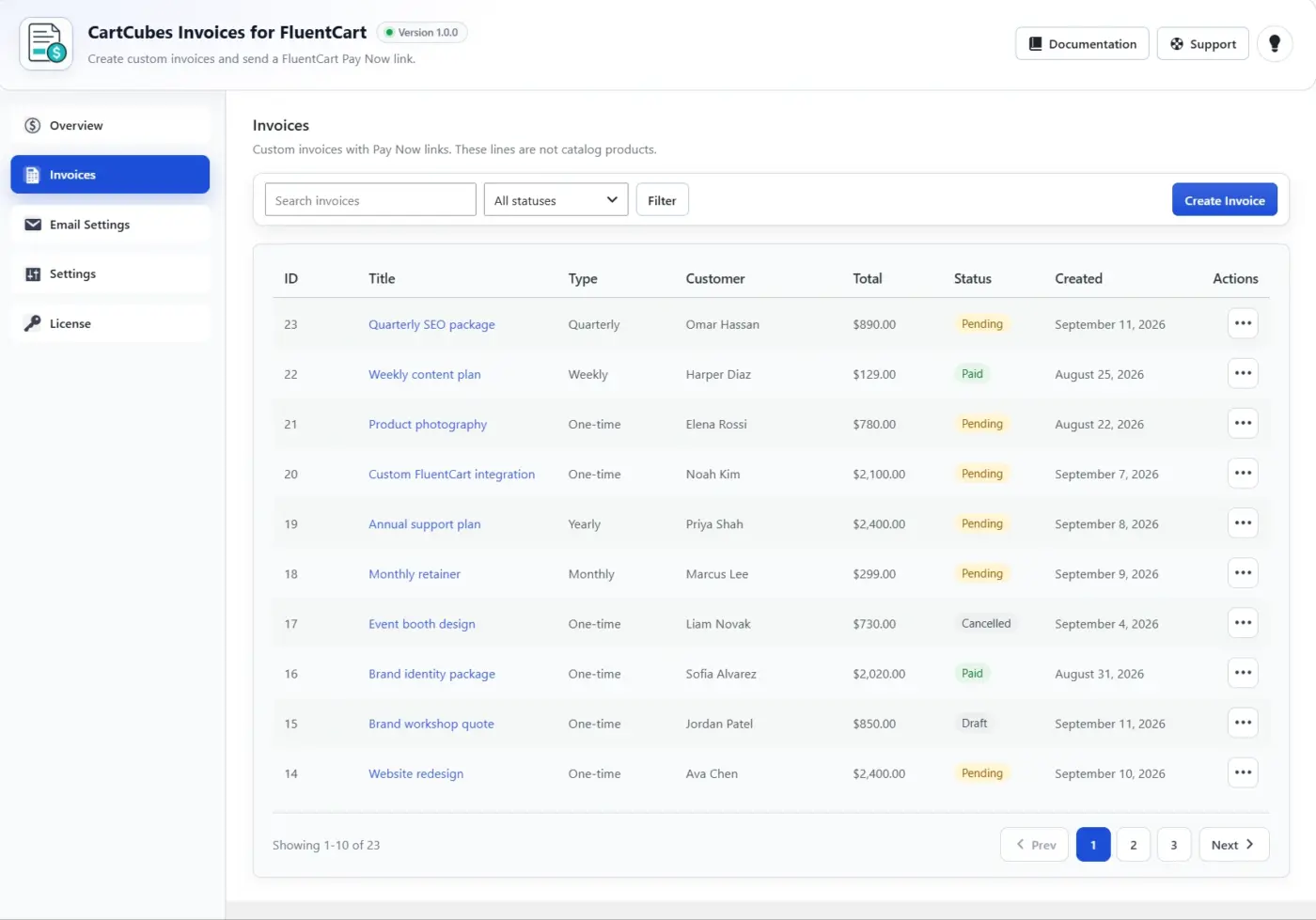
You write a custom invoice, then copy or email a Pay Now link. The client pays in FluentCart instant checkout. Prices come from the invoice, not the URL.
Custom invoices, not catalog products
Invoice lines are not shop products. You do not add them to your catalog.
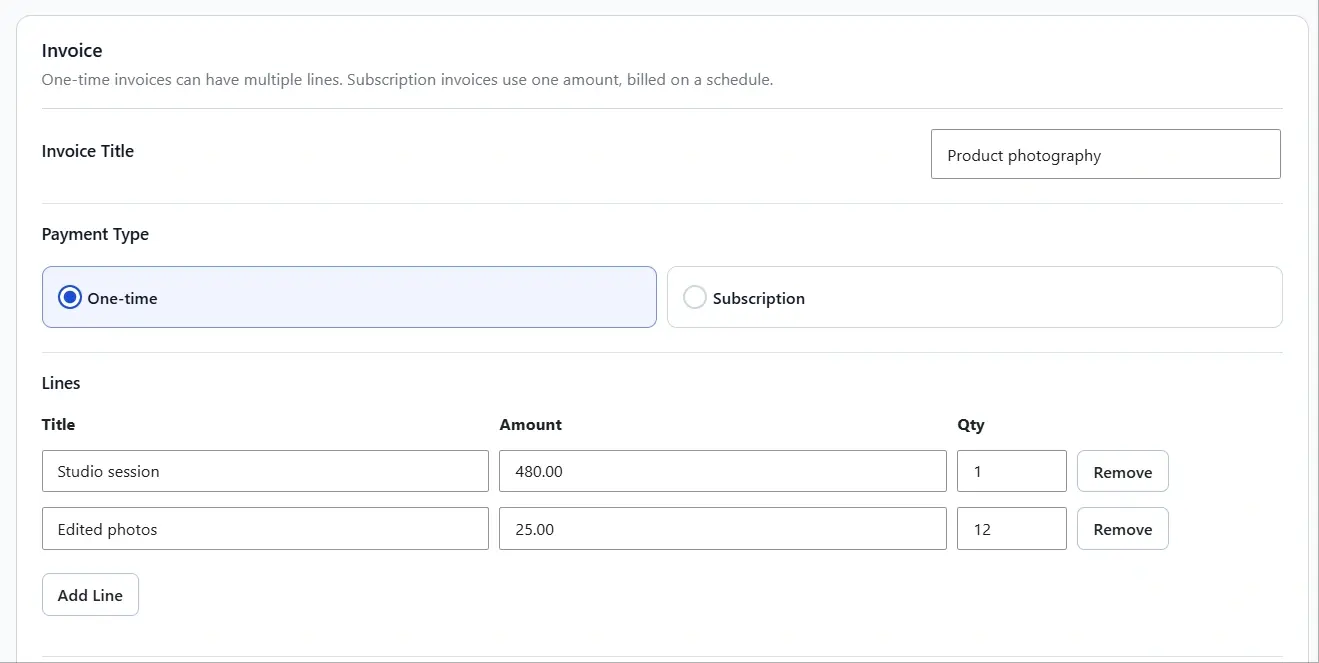
- One-time: multiple lines, each with a title, amount, and quantity
- Subscription: one amount, billed on a schedule, with optional trial days and a signup fee
- During a trial, checkout charges only the signup fee or $0 until the trial ends
Search an existing FluentCart customer, or add a name and email for this invoice. Save as draft or pending, then send the Pay Now link.
Ghost product (how Pay Now uses FluentCart checkout)
FluentCart instant checkout needs an item to charge. Invoice lines are not catalog products, so the plugin builds a temporary custom item at checkout. That is the ghost product.
- It exists only for that Pay Now checkout. It does not appear in your shop or product list.
- Title, quantity, and price come from the invoice on the server. Changing the URL does not change the total.
- A one-time invoice with several lines becomes several checkout lines. A subscription invoice stays one recurring amount, with trial and signup fee when you set them.
- After payment, FluentCart creates a normal order. The invoice is marked paid and linked to that order.
Also included
- Copy link, email Pay Now, or send a reminder from the list or the edit screen
- Optionally block coupons on that invoice checkout
- Pay Now and Reminder email templates
- Optional automatic reminder after an invoice has been pending for a set number of days
- Mark paid without checkout, or cancel so the Pay Now link stops working
- Admin notes stay private
Details and screenshots: https://cartcubes.com/fluentcart/invoices/

This is really handy for custom work! Being able to send a Pay Now link without creating a product just makes things so much simpler. Nice addition!

lere ha Thanks, glad you found it useful!

Nikhil Modi Does this integrate with Fluentcrm (automation) and with other installed fluent plugins (through product integration)?
Debo Ogunrinde Yes, it still plays nicely with the Fluent stack.
Pay Now goes through FluentCart checkout and creates a normal order after payment, so FluentCRM can still pick up the customer and run store-wide order automations (tags, lists, paid-order flows).
Invoice lines are custom amounts, not catalog products, so product-level feeds (FluentCRM, FluentCommunity, and other Fluent plugins attached to a specific shop product) are not set on the invoice itself. That keeps billing flexible without adding dummy products to your shop.
Happy to look at the exact flow you need. Which integration are you looking for?
Nikhil Modi I have a paid fluentbooking integrated with fluentcart and would like to simplify the payment process with a simple buy now or instant checkout rather than the normal checkout.
Debo Ogunrinde That's a FluentBooking checkout flow, not an invoice one.
Invoices Pay Now is for custom amounts that are not shop products. FluentBooking already uses a real FluentCart product, then sends the customer to pay.
FluentCart's own Booking docs say that after a slot is picked, the customer is redirected to the FluentCart checkout page: docs.fluentcart.com/guide/integrations/fluentbooking-integration
Instant Checkout / Buy Now is a FluentCart product-button feature, not part of that Booking handoff: docs.fluentcart.com/guide/store-managemen…instant-modal-checkout
So this plugin will not switch Booking to a short Pay Now screen. If you still want a shorter checkout, that would need to come from FluentBooking using Instant Checkout on redirect, or from a custom Booking checkout path.
Happy to look at the exact path. After a slot is booked, do they go straight to the full FluentCart checkout page?
Nikhil Modi Yes, it redirects to the default checkout...
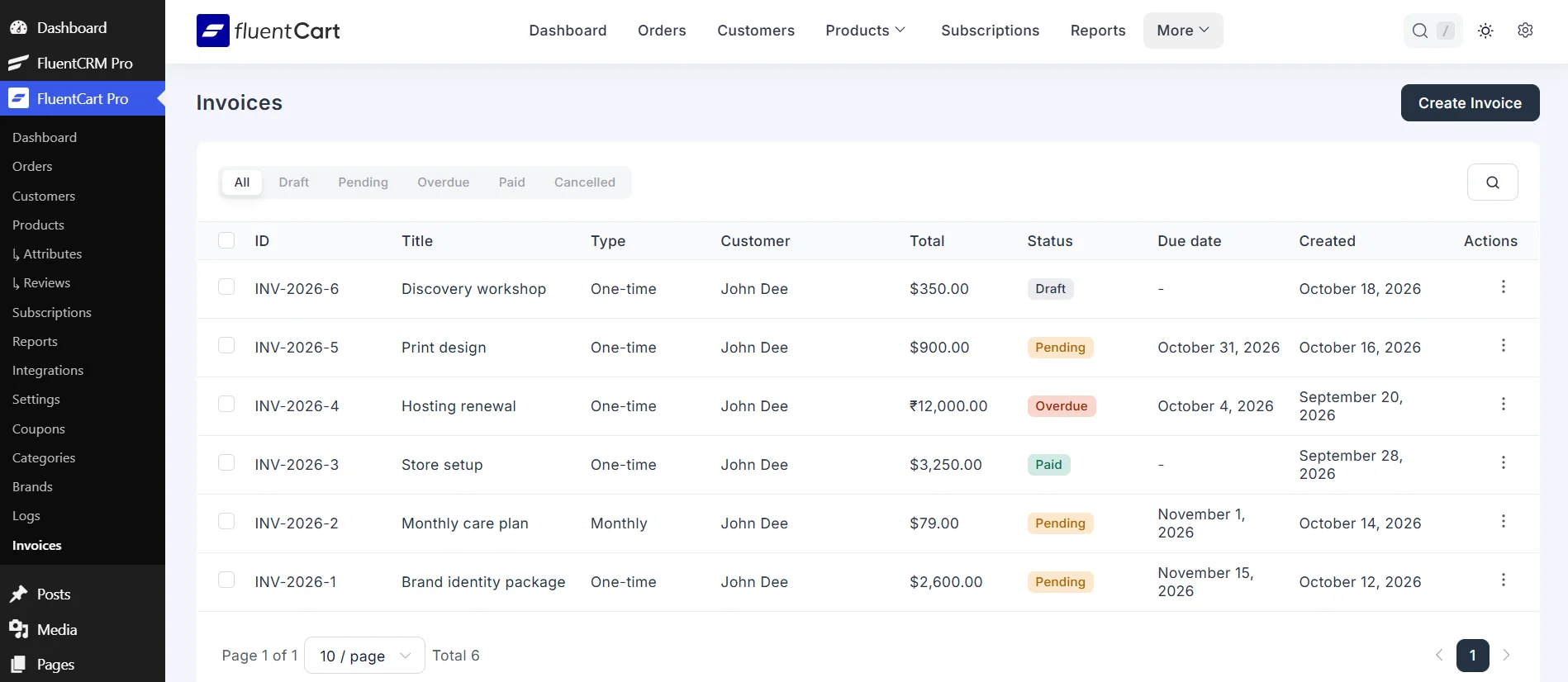
CartCubes Invoices 1.2.0 is out. Invoices now open inside FluentCart, with the same view and edit screen as the rest of the admin. You add a customer and custom service lines, with a description, hours, and rate.
New in 1.2.0:
- The invoice list and editor are in the FluentCart menu, and under More, while Enable invoices is on. The list has search, status filters, row actions, and bulk actions.
- Enable invoices is at the top of Settings. Turn it off to hide that menu and stop Pay Now, reminders, the customer account, and FluentCRM actions. Saved invoices stay in place.
- Existing invoices and settings are unchanged. If Enable invoices was never saved, it stays on.
- Invoice numbers. Use your own prefix (default INV-{year}-) and next number, or the FluentCart number after the order is paid. Edits keep the number. Duplicate assigns a new one.
- When FluentCart Multi Currency is on, an invoice can be charged in one of those currencies.
- A custom line can use an icon from the media library.
- A due date on each invoice. A pending invoice past that date shows as Overdue and stays payable. Leave the date empty when there is no due date.
- Automatic reminders wait until the due date, plus the number of days in Settings. If there is no due date, the reminder counts from the day the invoice was created.
- Email tokens {invoice_number} and {due_date}. Email Settings lists every token for the subject, heading, content, and footer.
- An optional discount on a one-time invoice, as an amount or a percent, with a reason the client can see. The line keeps its original amount. The discount shows in the total.
- Internal notes stay private unless Show note on invoice is on.
- Print and View. Logo, company, address, registration, VAT, and tax can use FluentCart, your own text, or stay hidden. Set the heading, accent color, footer, and whether the customer email, Ship to, payment history, and Amount Paid appear.
- The viewed and printed invoice shows the create date, the due date when one is set, and the invoice number.
Release notes: https://cartcubes.com/cartcubes-invoices-for-fluentcart-1-2-0/