

Disable thumbnail for variant?
I like this thumbnail feature before variant text but there are some products I dont like it for. For example for digital products. Is there any way how to disable it or "show text only" for specific product or variation? I saw this option only in global settings.
Next that come to my mind which is connected to this question - ability to do the same dont show variant photos in gallery if there will be option to do not show thumbnail before variant text.
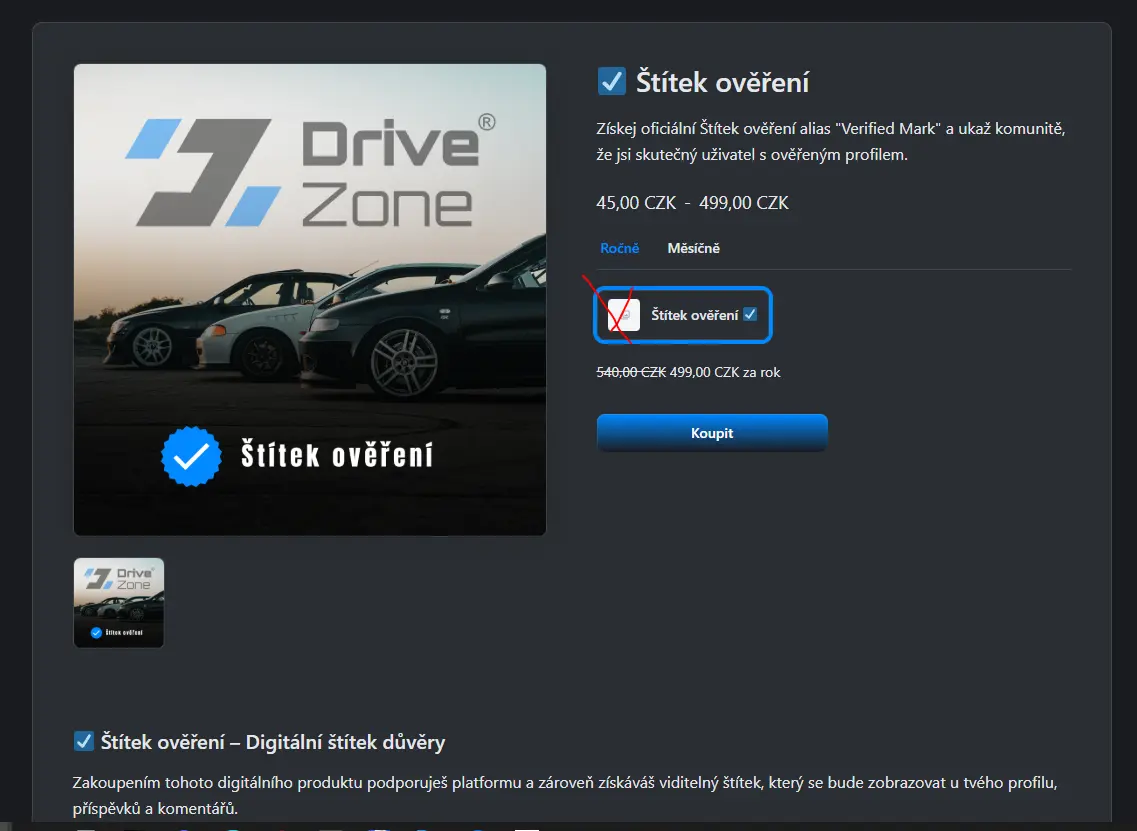

Yes would be nice to handle this feature not global, but product specific

Kevin Heinrichs Good point. Thanks
settings > Store settings > Product page
Variation View => Choose text

Ripon Sarkar but this is global for ALL VARIANTS OF ALL PRODUCTS. Point of my post is that would be great be able to choose it for specific product in specific product settings.
Ripon Sarkar yes we need this setting also as product specific. Because some products need a image with text, some products need only text and some products need only image 😉