

Custom checkout fields, and a few FluentCart snippets as toggles
Hi everyone,
Some store owners need a few extra checkout questions, such as delivery notes, a gift message, how did you hear about us, or a marketing opt-in. They also want those answers saved on the order.
We added a custom Checkout Fields feature in Toolbox for that.
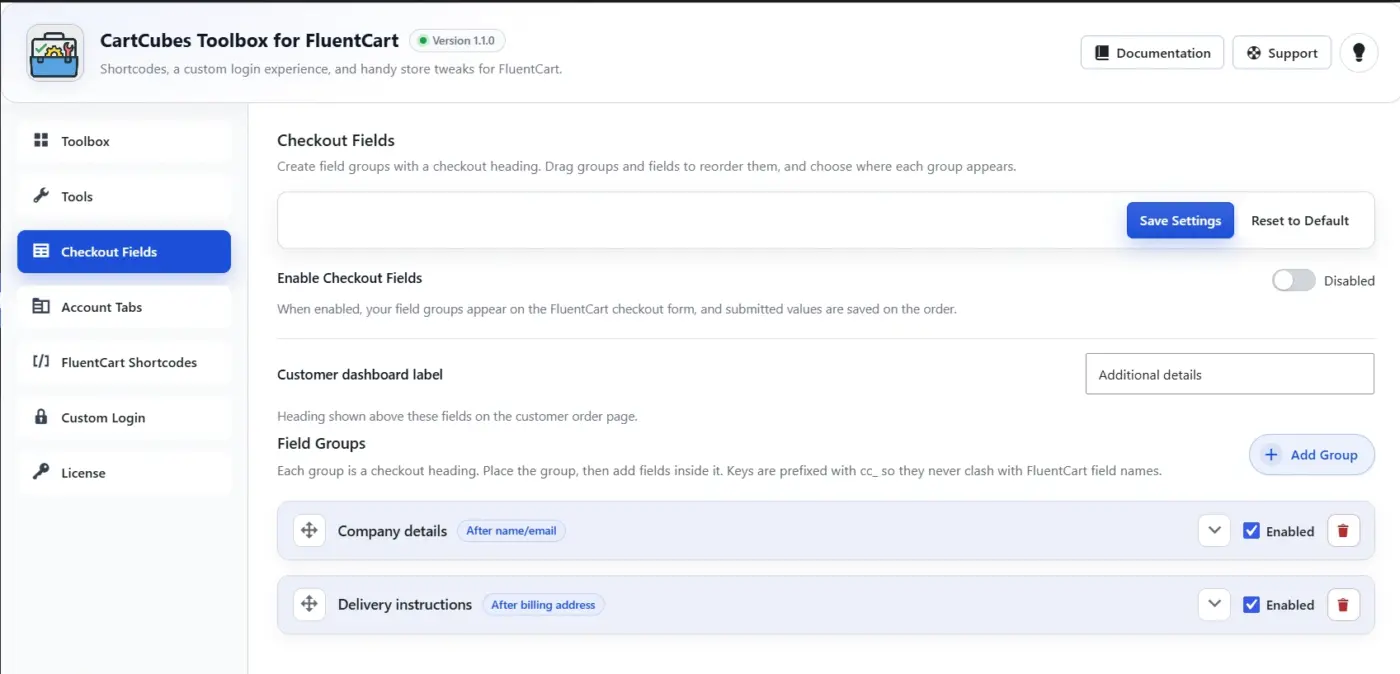
Checkout Fields
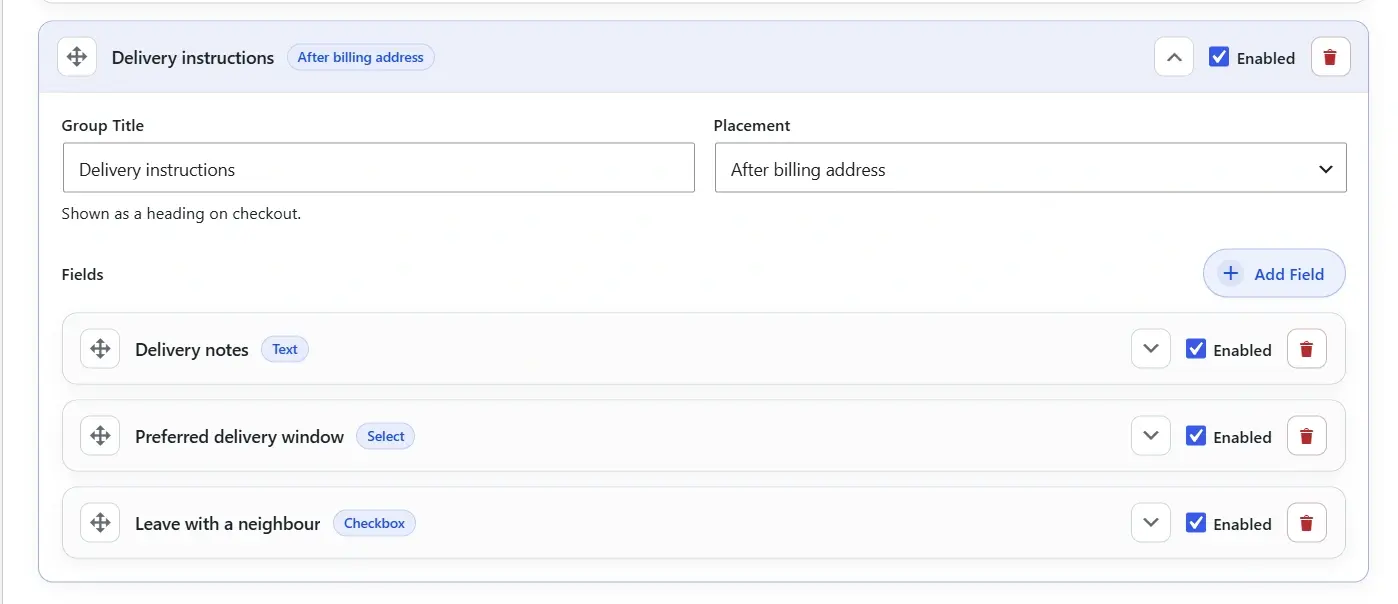
Add a group, give it a heading, and place it after name/email, after billing, or before payment.
Fields can be text, textarea, checkbox, or select. Required fields validate on submit. Answers save on the order and show in admin and on the customer order page.
You can add as many fields as you need on checkout. The data is saved on the order.
For more Details:
https://cartcubes.com/fluentcart/toolbox/checkout-fields/
We also added a few filters from the FluentCart snippet docs, so you can enable or disable them with a toggle:
- Hide unnecessary decimals on prices
- Add a short price suffix
- Hide billing fields on zero-total checkouts
- Store Stripe cards on subscriptions only
- Keep campaign / UTM data across your own domains
If those snippets are already in your theme, leave the Toolbox toggles off.
https://docs.fluentcart.com/guide/customization-and-themes/code-snippets

This is a great feature! An upload field would be helpful to me for this feature. In my case, for Word docs or PDFs.
It would be even better if we could have checkout fields that conditionally show per product.

Kaneisha G. Hi, thank you for the suggestion! After seeing your comment, we started working on this feature, and it’s now almost complete. We’re just finalizing a few things and testing it.
We’re planning to release it very soon, hopefully in the next release. Thanks again for the great suggestion! 🙌

Wow, this is the main feature I've been waiting for...conditional checkout fields per product. Great work 👏🏾👏🏾👏🏾
Nikhil Modi yay! Thank you! Does it accept more than one file—like if someone needs to upload 3 files?
Kaneisha G. Thanks Kaneisha! Right now each File field accepts one file (PDF, Word, or images, depending on what you allow). If a customer needs to upload 3 files, you can add 3 File fields in that group, for example "Artwork 1", "Artwork 2", and "Artwork 3".
Multi-file on a single field is not in this release, but it's a great idea. We'll keep it in mind.
Nikhil Modi understood!
Toolbox 1.1.1 is out now. Here is what we added, based on your comments.
File upload
Checkout Fields now has a File type. Customers can attach a PDF, Word doc, or image at checkout.
You set allowed types and max size once (default 5 MB), and every File field follows those rules.
You and the customer get a download link. Images also show a thumbnail on the order. The file appears in admin, the customer portal, and the thank you receipt.
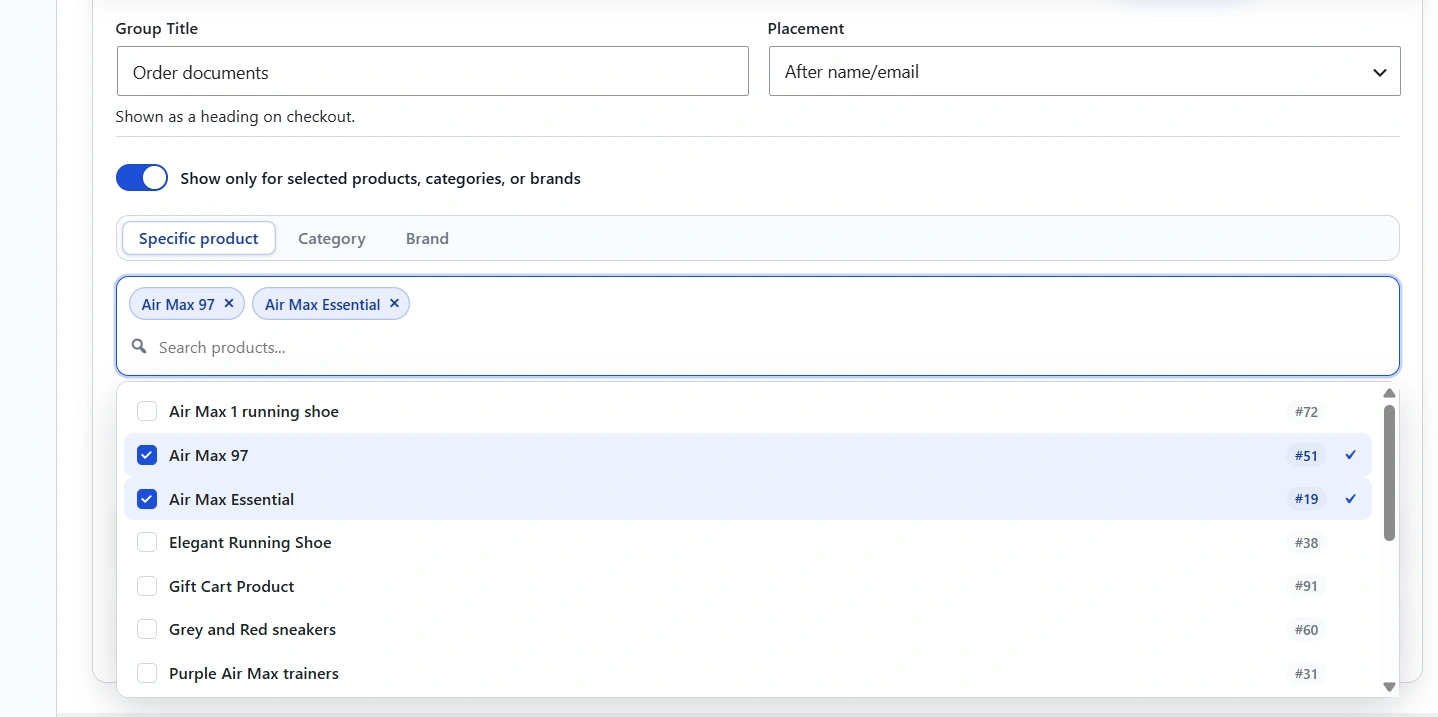
Show only for selected products, categories, or brands
You can restrict a field group so it only appears when the cart matches.
Pick specific products, a category, or a brand. The group shows when at least one match is in the cart. Category matching includes child categories.
Screenshots and more detail: https://cartcubes.com/fluentcart/toolbox/checkout-fields/
Nikhil Modi 👏🏾👏🏾👏🏾

This popped up RIGHT ON TIME. Thanks for this, Nikhil Modi !!!

Hi Nikhil Modi , Where are the values stored? I am hoping to add a Custom Start Date for a Subscription product. When a Subscription is purchased with a future Custom Start Date, the user will be added to a "Pending" role. And then when the Custom Start Date is reached, a CRON job or scheduled action will change that customer's user role to "Subscriber" and gain access. So I need to know where that field is stored, or do you have other thoughts how to achieve this? I also need to be able to make the subscription renewal date become 180 days after the Custom Start Date instead of quarterly from the purchase date. Thanks, I'd love to be able to purchase this Toolbox if it can help me meet this functionality.
Bess Siegal Hi Bess, thanks for writing this out so clearly.
Checkout Fields saves answers on the FluentCart order. They are not stored on the subscription or the WordPress user. The meta key is _cartcubes_fc_checkout_fields. Each field keeps its label and value, and you can see it on the admin order, the customer order page, and the thank you receipt.
For a Custom Start Date, you can add a text field today and limit that group to your subscription product so it only appears for that cart. We do not have a Date field type yet, but we will add one.
Toolbox does not handle the rest of this flow on its own. It will not assign a Pending or Subscriber role, wait for the start date and then grant access, or move the renewal to 180 days after the custom start date.
If you need more than collecting and storing that date, please send the full details to contact@cartcubes.com. We build new Toolbox features from customer requests, and we are happy to look at this.
Nikhil Modi Thank you! I will send an email to contact@cartcubes.com !
Bess Siegal Thanks Bess. We will look out for your email and go through the details from there.

Great work Nikhil Modi 👍
Toolbox 1.2.5 is out. Checkout Fields can now save an answer on a FluentCRM custom field.
Open the field under FluentCart, Toolbox, Checkout Fields, and choose the contact field. Create that field in FluentCRM first, or it will not be in the list. Leave it blank and the answer stays on the order only.
On the next order, Toolbox finds the contact with that email and updates only the field you picked. It does not create a contact, and it does not change lists, tags, name, email, or the contact's other fields. A blank answer does not clear a value already stored.
https://cartcubes.com/cartcubes-toolbox-for-fluentcart-1-2-5/