

Canadian Client Can't Make Purchase
Hello, I have a client in Canada who is trying to make a purchase. I'm in the U.S., and the client is getting this alert. I have my store set up with Stripe. I asked ChatGPT, and one of the things mentioned was that the client might need to authorize payment with the bank. Before I jump through hoops troubleshooting, does anyone know what the most likely cause is? TIA!
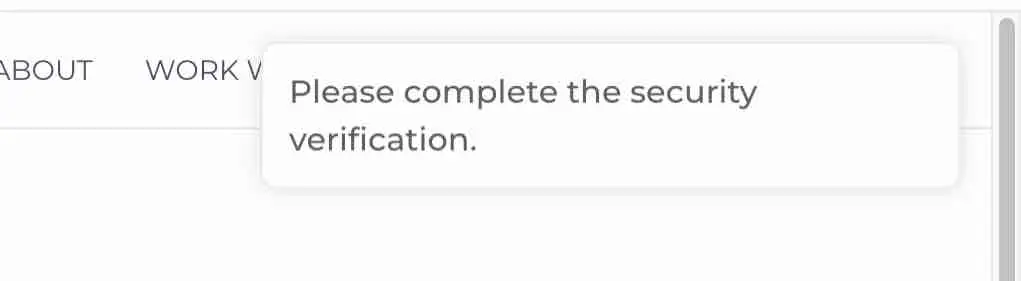

Did you enable turnstile in FluentCart? If yes, check the credentials or disable that for now.

Shahjahan Jewel Thank you for your response. I didn't remember where Turnstile was located in FluentCart. I did see that the secret key was incorrect. I will have my client try again, and hopefully it will work.

Shahjahan Jewel I have the same issue....Is disabling Tunstile a temporary measure while you're working on a fix or it is the fix?
Debo Ogunrinde Yes, you can disable Trunstile now. The team is looking into it.
Shahjahan Jewel Thanks for your quick response...will do..
Debo Ogunrinde I did see my site key was incorrect, and after revising that and then going into my Cloudflare Dashboard (where my nameservers point) > Turnstile Settings - I have it as Managed (which is recommended), made sure "Skip future security rule challenges for verified visitors" was toggled to "yes" and "interactive (high)" and then in FluentCart > Settings > Features & AddOn > Turnstile toggled On and had my client try again and it worked, payment processed without issue. So, it may be that either your site key or secret key isn't correct, AND/OR something in Cloudflare Turnstile settings (within Cloudflare).
Victoria Volk Thanks for the heads up....I did confirm my Turnstile settings in FluentCart as correct. However, my Turnstile setting in Cloudflare for "Skip future...." is currently set to No. Note from Cloudeflare, if set to Yes...."This only works if your site is proxied through Cloudflare"
Debo Ogunrinde Yes, you are correct! My nameservers are with Cloudflare. Makes me wonder if another plugin is conflicting (in my initial research of the issue, Wordfence was mentioned). If you use Stripe, I also found in my research that 3DS was not enabled in my Stripe Settings, which is often required for verification by some Canadian banks.

I'm having this same problem, not limited to Canada, and my Turnstile key is correct (just re-copied to be 100% sure).