

Whats wrong??
Why i can not see the photos load the banner and most o the menu links disapeared!!
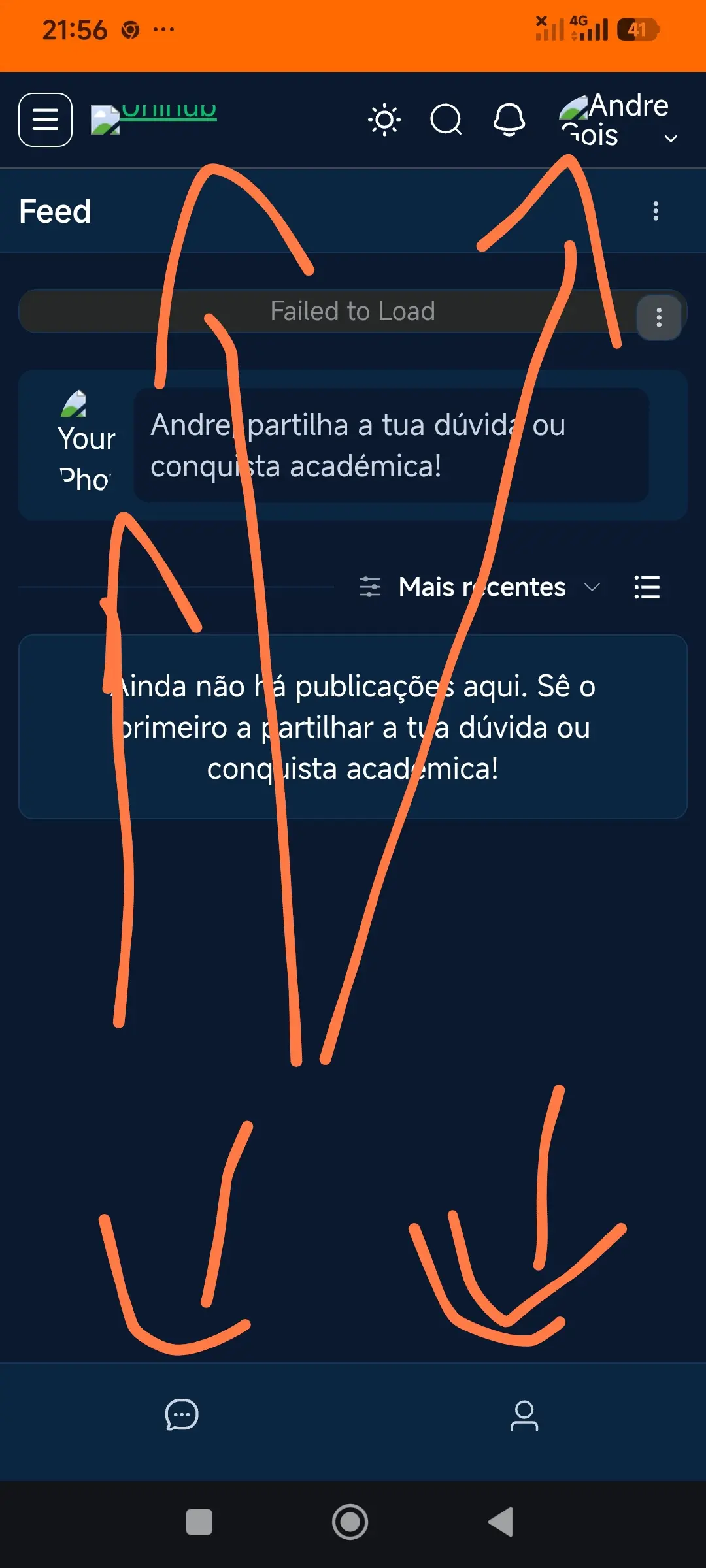

Must be problem on your side somewhere. Try flush cache at first.

Drive Zone already did that and keeps the same
- Broken image URLs / wrong site URL — If
siteurl/homein Settings → General (orwp-config.php) don't match the actual domain, or the site was migrated, imagesrcpaths point to the wrong place. Very common after moving http→https or changing domains. - Mixed content (http vs https) — Assets requested over
http://on anhttps://site get blocked. Check the browser console for "Mixed Content" or "Failed to load resource" errors. - CDN / cache misconfiguration — A CDN (Cloudflare, etc.) or caching plugin serving stale or 404 asset paths. Purge cache and test.
- Missing / unmigrated uploads — Files in
/wp-content/uploads/weren't copied during migration, or file permissions are wrong (should be 644 for files, 755 for folders). - CORS / hotlink protection — Avatars or media hosted on a different subdomain being blocked by CORS or hotlink rules.
- "Failed to Load" specifically — That's FluentCommunity's feed widget failing an AJAX/REST request. Check
/wp-json/REST API is reachable and not blocked (by security plugin, firewall, or a 403/401). Open DevTools → Network tab to see which request fails.
Fastest diagnostic step: Open the site in a desktop browser, open DevTools (F12) → Console + Network tabs, reload, and look at the failing requests. The status codes (404, 403, mixed content, CORS) will tell you exactly which of the above it is. Right-click a broken image → "Open image in new tab" to see the exact failing URL.