

Visibility Settings for Private Spaces (Role based)
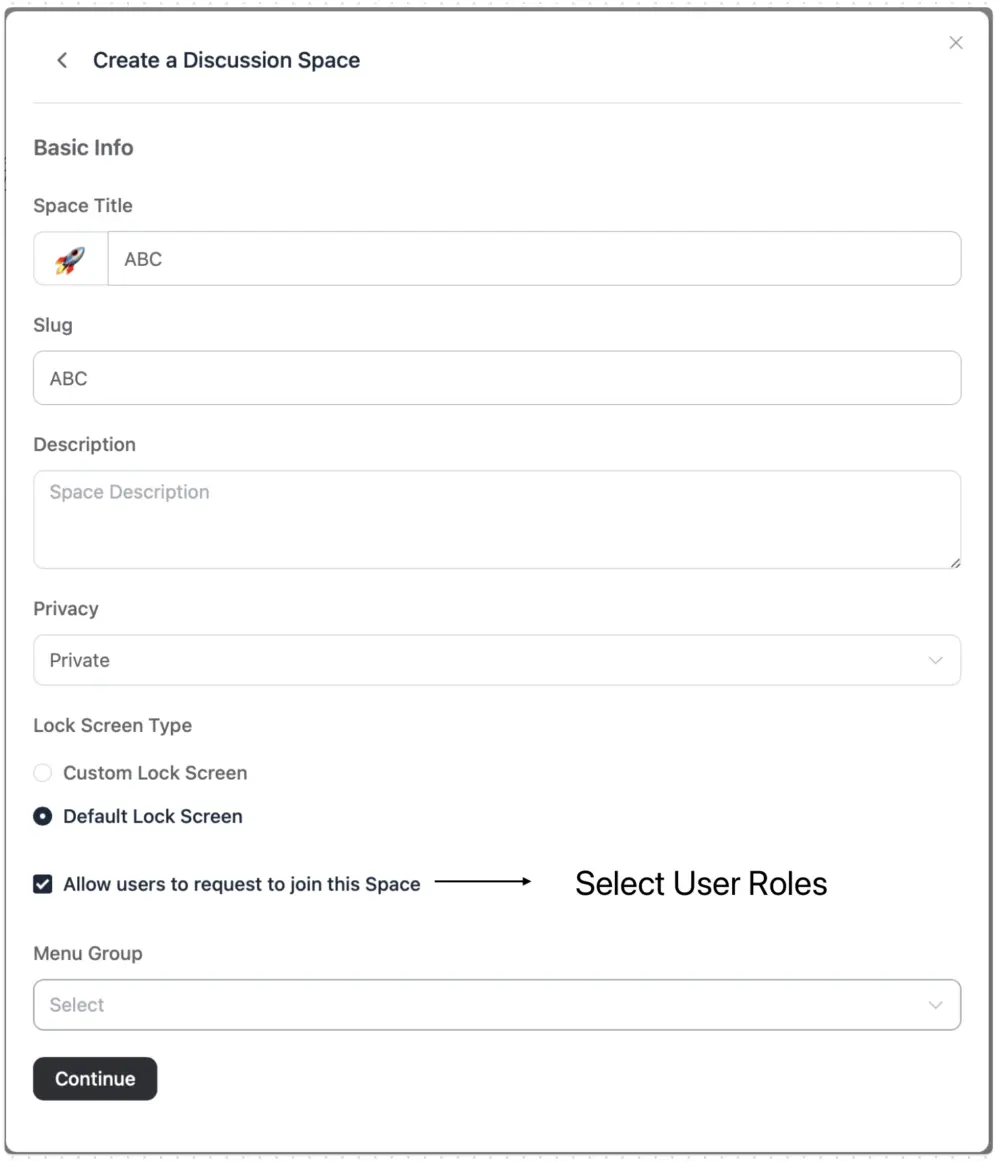
Private spaces should remain invisible to users who are not members, with two exceptions: if the “Allow users to request to join this space” option is checked, or if visibility is explicitly granted to a specific user group, such as subscribers or customers.
“Imagine I have three spaces: ‘Project Manager Discussions,’ ‘General Discussions,’ and ‘Learning Discussions.’ Now, I want only those with the ‘Project Manager’ role to be able to request access to the ‘Project Manager Discussions’ space, while it remains hidden from all other roles.”

Will there also be space groups like in Circle with visibility and access based on user role (user, moderator, teacher, admin)? what is the limit of spaces and space groups - for a good UI? I currently use Circle and would need at least 10 space groups with about 15 spaces each. Is that possible? the good thing about FluentCommunity is - apart from privately hosted and therefore data privacy - that it does not cost more to use it for more (elearning) groups, so a good UI concept for 10+ space groups would be good. #featurerequest

Clemens Mazza, Certainly, it's possible, in Wordpress you can create as many roles you want and in community you can create as many spaces you want. There is no limit

Additional dropdown list/option called Public Visibility under Space/Course Privacy dropdown list (Visible to: Public, Logged Users, Space Members, Admin only) could be added so the Admin could decide if the Private Space/Course is visible to non-members etc.
This feature is essential from an agency and business owners perspective. It’s crucial that private communities remain discreet, preventing visibility to all users. If users were to see each private community, they might start questioning how they can join certain groups or why they don’t have access, which could lead to unnecessary inquiries. Ensuring only invited members see these communities enhances the exclusivity and integrity of each private group. So restricting it to selected user roles is a solution to avoid this issue.