

Video banner embedding, unlisted documents, page theme and Feed
Hi!
These aren't really feature requests, just a few questions and observations:
- Why can't we upload videos directly from our file manager, the same way we can upload images? I tried using FluentPlayer to embed a video, but instead of embedding the video itself, it embedded the entire page where the video was hosted.
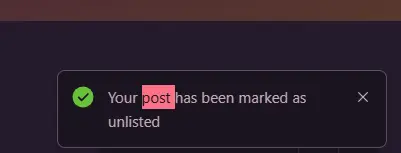
- When I upload a file to my page's document manager and uncheck "Post as an article" (I'm not sure that's the exact wording in English, since half of my interface is suddenly in French // see my note below), the system says the document has been uploaded but is unlisted. Where can I find these unlisted documents?
- I find the Feed section quite cumbersome. I understand that it's useful from a backend perspective, especially since the three-dot menu on the right controls the banner area. However, would it be possible to at least hide it? It takes up a significant amount of screen space, and users can always return to the Feed by clicking the logo. Besides, we can enable the Feed link in the left bar.
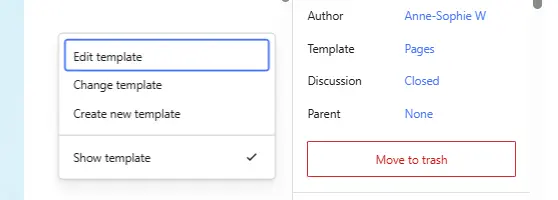
- I find creating pages very frustrating. I don't understand why the FluentCommunity theme isn't the default for new pages. Every time I create one, I have to manually switch the theme; otherwise, my site's active theme adds its own header and footer, which doesn't look good.
About my interface suddently switching to French:
- My WordPress language is set to English, and I never browse the internet in French, even though I live in France. It's not a major issue...but why are both my backend and my frontend partially translated all of a sudden?
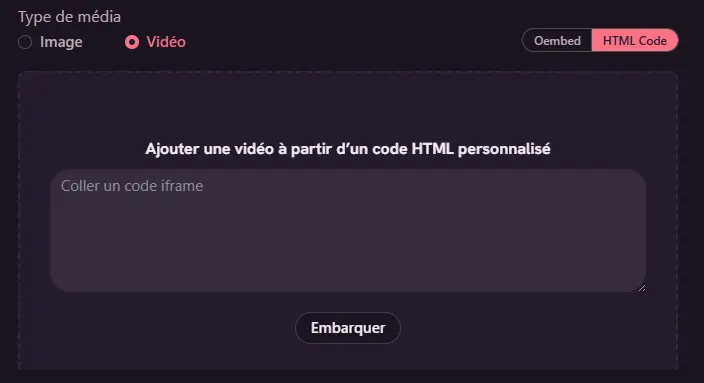


- Video upload is possible (check the first attached image)
- Document unlisted issue has been resolved; the fix will be available after the next release.
About the feed issue, didn't quite understand what you actually meant in your post.
And creating WP Pages, it is like this: you have to choose the FC theme manually.
Tawsif Ahmed Riyad video upload: I was referring to the Banner. Not uploading videos as a post
Tawsif Ahmed Riyad about the theme: understood. I thought there could be an easier way to make the fc page a default page.
about the feed: the large “Feed” header feels unnecessary. It takes up a considerable amount of vertical space before users can actually see any content. Since there’s already an optional Feed link in the left sidebar for navigation, the page title “feed” seems redundant. I’d love the option to remove or minimize this header so the content starts higher on the page and users can see more posts immediately without scrolling
Anne-Sophie W, so for feed, you are talking about the top navbar menu link items? You can disable the navbar link item from Settings.
Tawsif Ahmed Riyad no, not the link menu navbar. what I have made a screenshot of. ;) The FEED section; the one from which you can control the banner and the links in question. That’s not removable
Anne-Sophie W, I see, you can hide the bar using CSS (Custom CSS) by targeting the div element. But if you do that you also lose the three dot in the top right side.
Tawsif Ahmed Riyad exactly and that’s why I was wondering if something could be done to not lose this control over the banner and links, but still be able to hide it. Could you share the css code to target it? I always have a hard time finding the names of the elements to work independently ^^’