

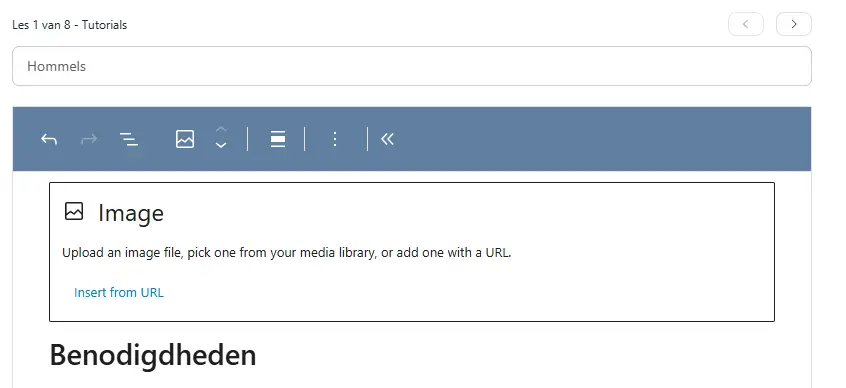
Unable to add images from Media Library
Although the text says I can add images from the media library, I can only insert images from an URL. I had the storage first on cloudflare R2, but changed it to the local media library in the hope that would solve the problem, but alas..
Did someone else had this issue?

Our course editor will have an improvement in the coming weeks. Image upload is not supported in course description.

Shahjahan Jewel Thanks, it was not in the description from the course but in the lessons itself. I support the texts from the course with audio, video and images otherwise it's no fun with only texts :)

I also have this problem, in the regular lesson builder. It's quite annoying — I have to tell my client that layout on this "new, better" LMS doesn't work correctly. :-(
The workaround for now seems to be to upload images to the library in a different window, and then to copy-paste the URL into the FC layout screen?
Lee Busch Yes that's the only option for now... It's very annoying indeed and I hope this will be changed in a update soon. I have many images in my courses and this takes a lot of extra time. Would be great if we can upload and select from the media library directly from the lessons Shahjahan Jewel