

UI fixes - Mobile view
Please find a list of a few minor findings:
- Please adjust text or a container size/layout for creating a new Space type - popup Windows
- Adjust the Privacy dropdown list width so it is not resizing the screen like a crazy (description/text could be wrapped into a few lines intead being so wide)
- When trying to edit the Custom Lock screen for Spaces the block editor is not accessible - outside the mobile screen (unable to scroll to the right to see the block editor)
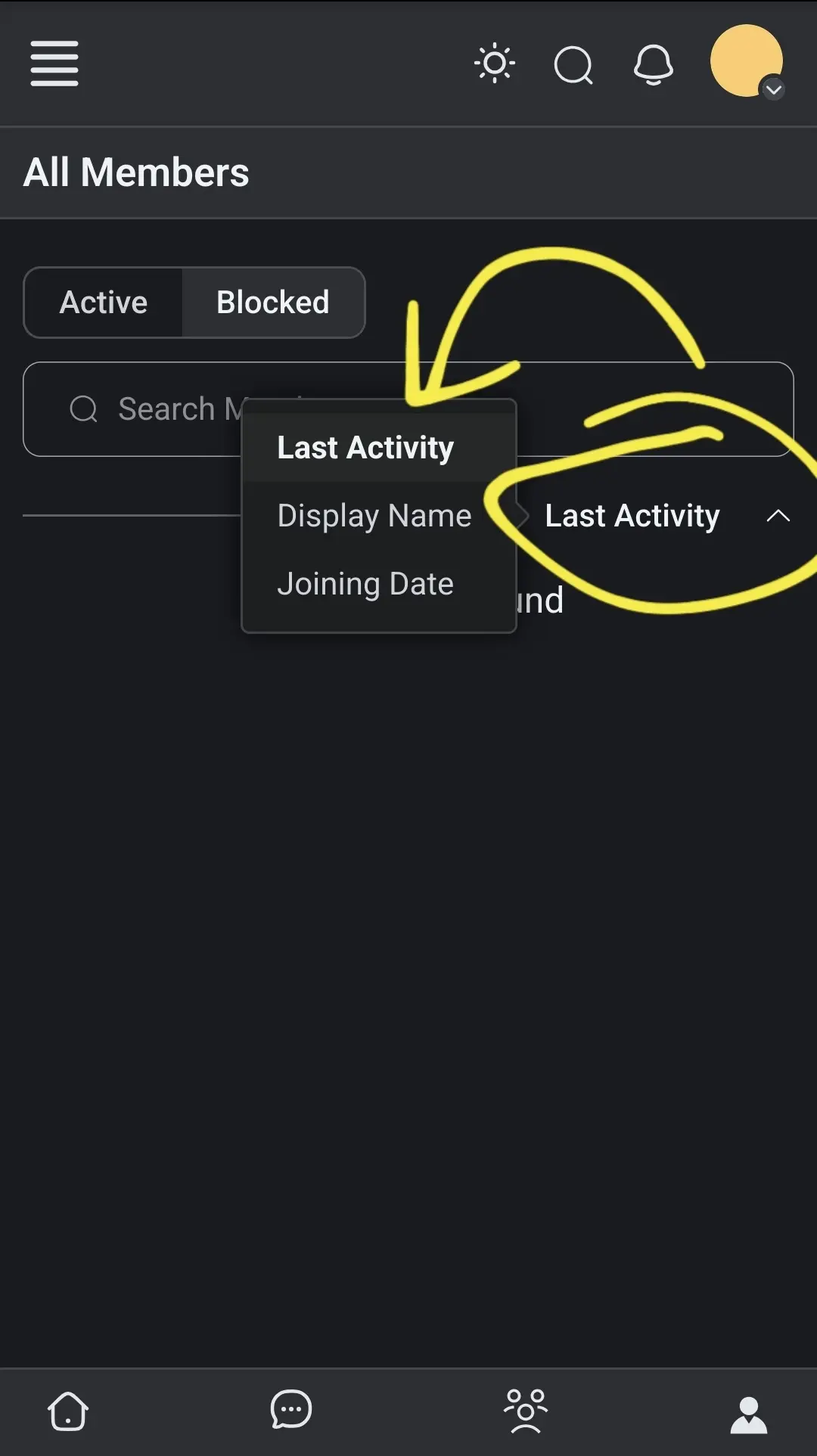
- When using the searchbox popup dropdown list, the list is showing in a strange place
- When editing social links some fields are outside the container (overflow) - for mobile view we dont have to see the https address next to the social icons so we can save some space for the entry/vanity url
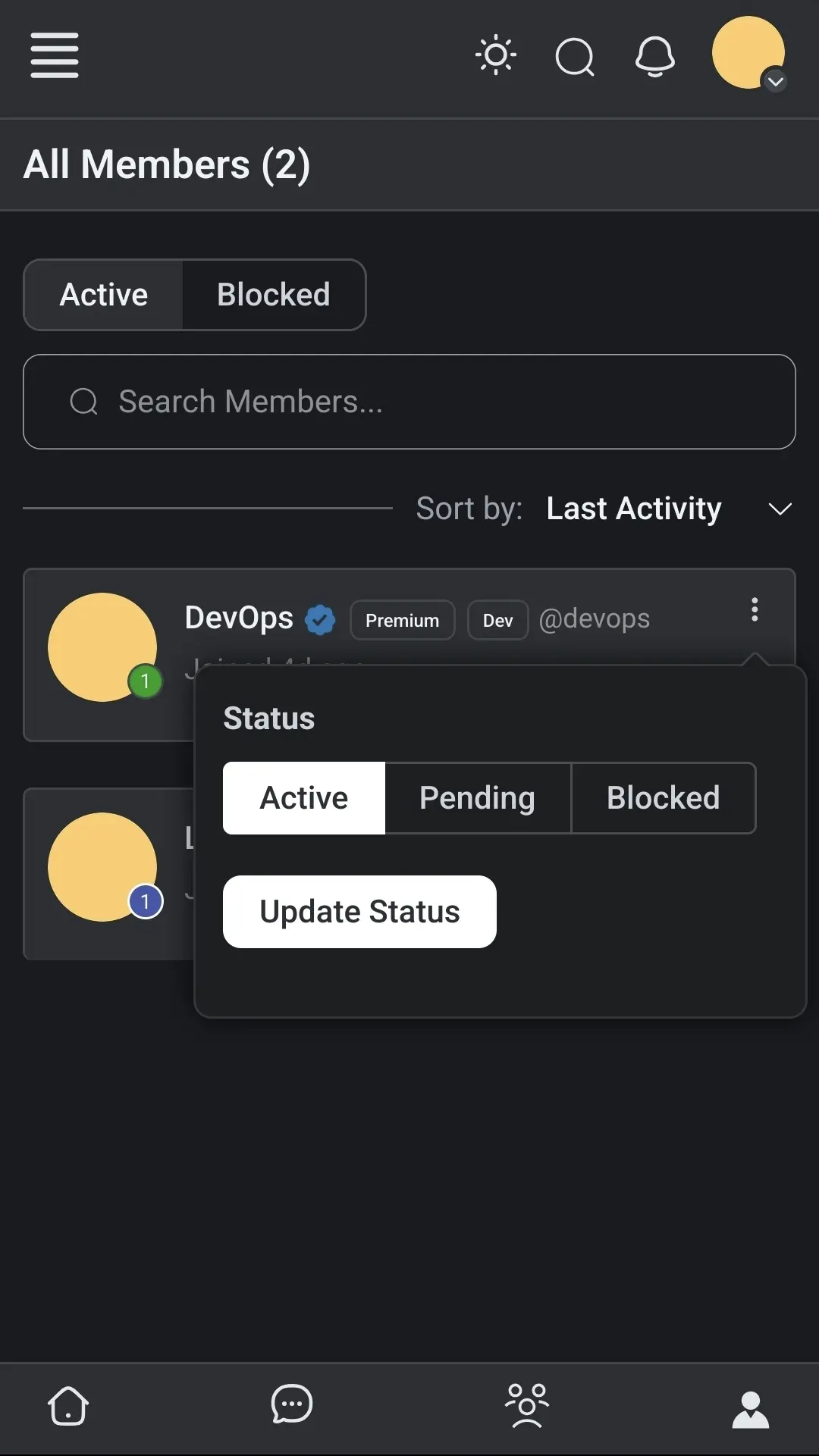
- We cannot click outside the User Status (Active, Pending, Blocked) popup window to close it down and we need to click the three dots (kebab icon) next to the user name
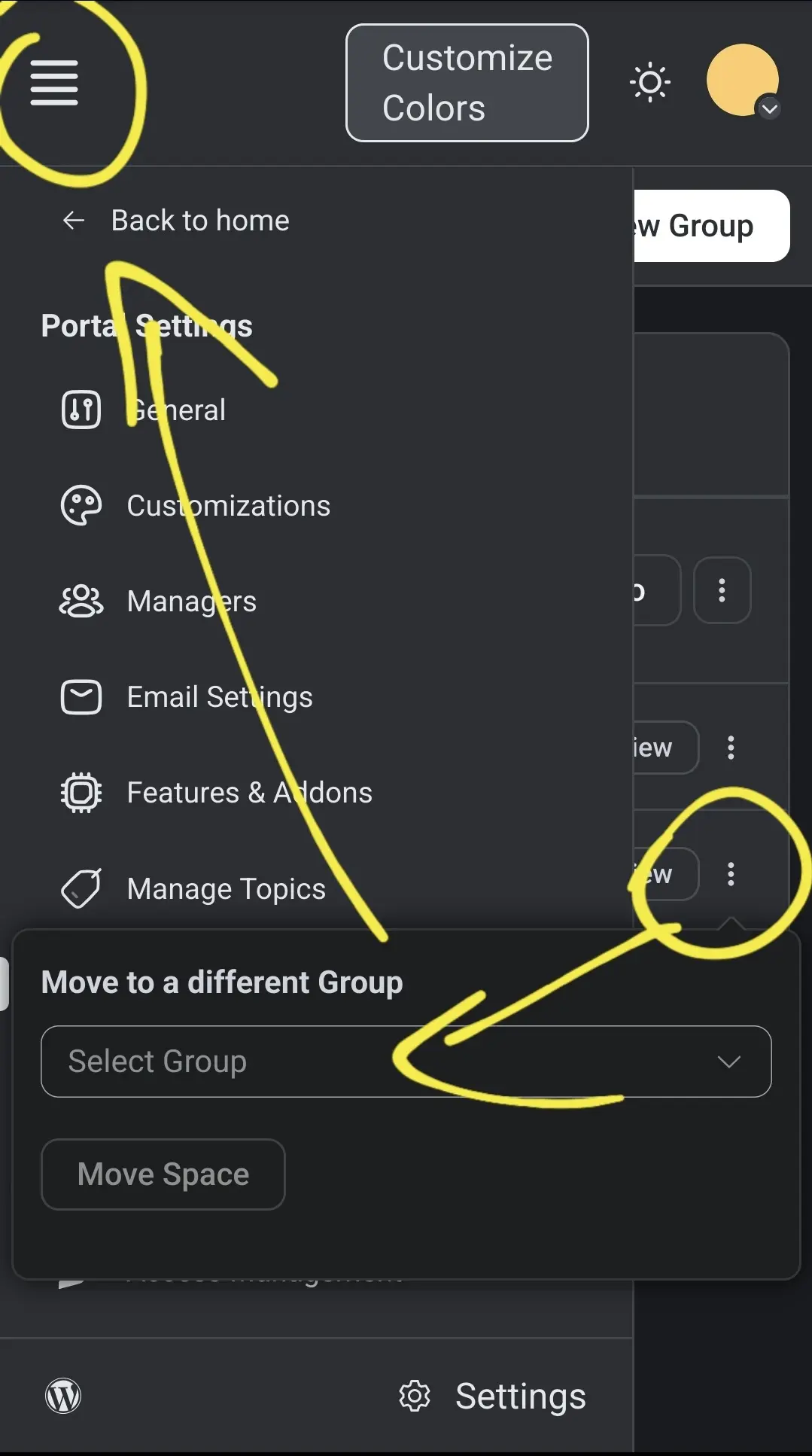
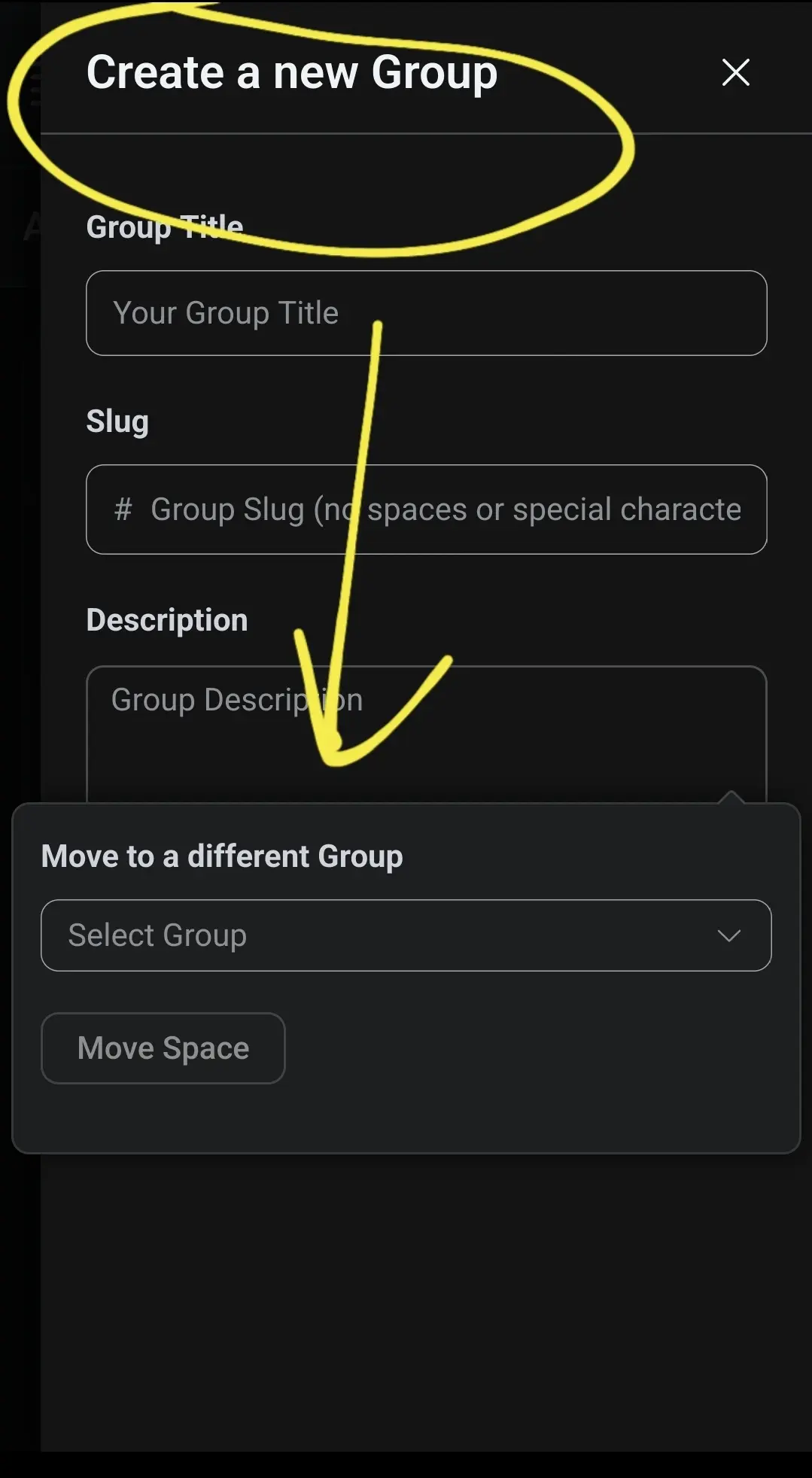
- When editing any existing Menu Group item the popup: "Move to Different Group" window is not closing when clicking outside the popup (opened previously) so when we open the left sidebar menu or trying to create a new group there is the z-index issue and the Move to different group popup is located on the top layer of the screen
- For leaderboard user popup hover card there is an issue when scrolling down - popup is on a top of the bottom nav icons

Att1
Att2
Att3
Att4
Note: I am not sure why I will lose all post formatting when I want to edit the above post - I click Edit Post > click with a cursor anywhere inside the above post text and after 2 secs all current formatting is removed automatically (I am not adding any text or clicling anything in the edit post popup window) - it is also a bug sometimes - I am not sure why is that happening
Note2: after some time I was able to edit the above post without loosing the current text formatting - this is really strange
Note3: the workaround to avoid loosing text formatting when editing existing post is to click first with the cursor in the post title - not the text description body while editing. It happen to me again when trying to replicate this issue - maybe there is some stripping function in place which causing this issue

And here is another bug for mobiles on lessons not showing full height: video